
Organize an outdoor trip
The richest kind of booking. A destination, what is included and what to bring, pickup spots along the way, and departure dates that can run across a whole weekend.
- Step 1
Describe the trip
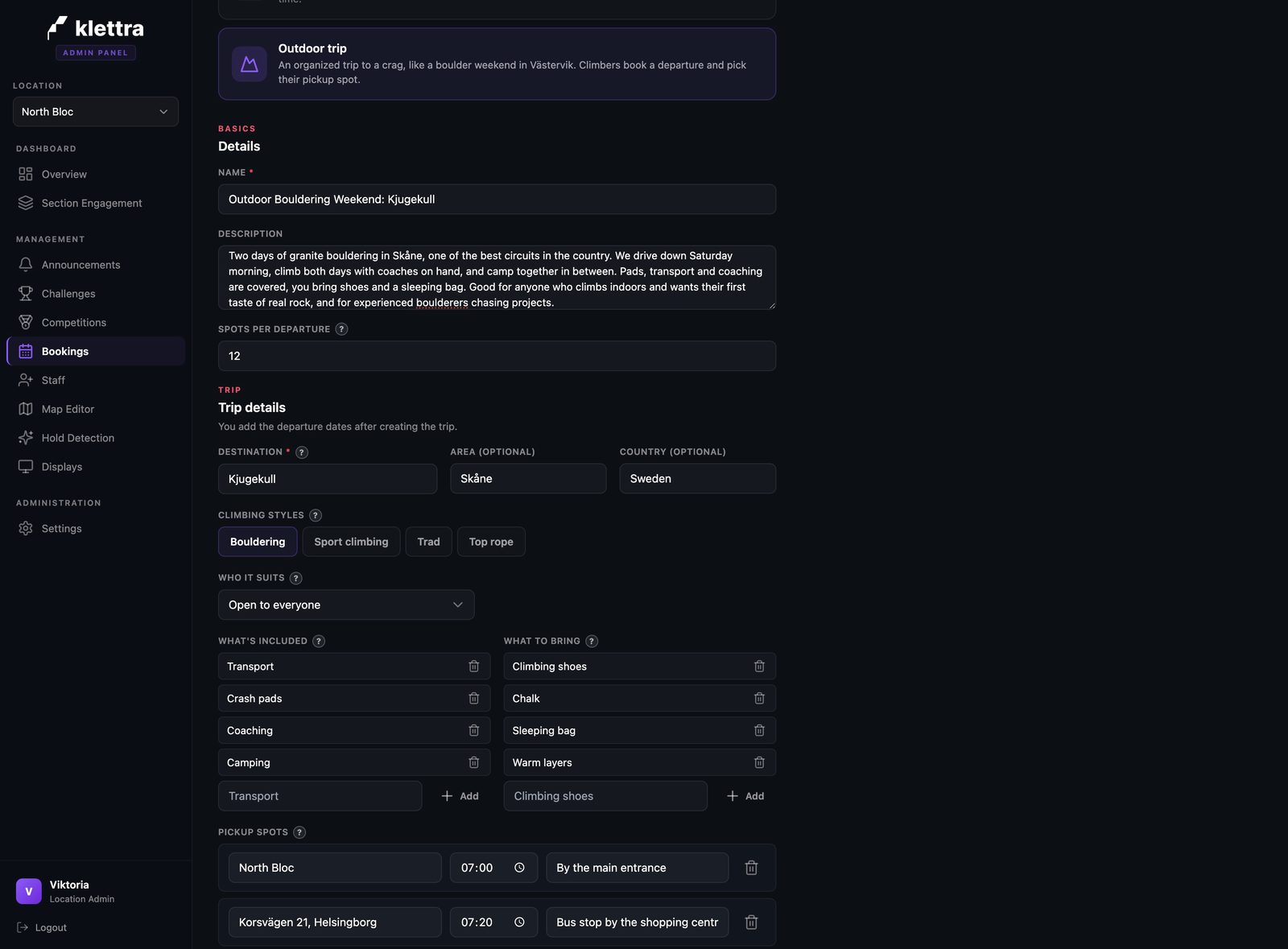
Start a new booking item, pick Outdoor trip, and describe where you are going: the destination, the area, the country, the kind of climbing, and who the trip suits. This is what sets the scene on the public page.
- Step 2
Add the logistics
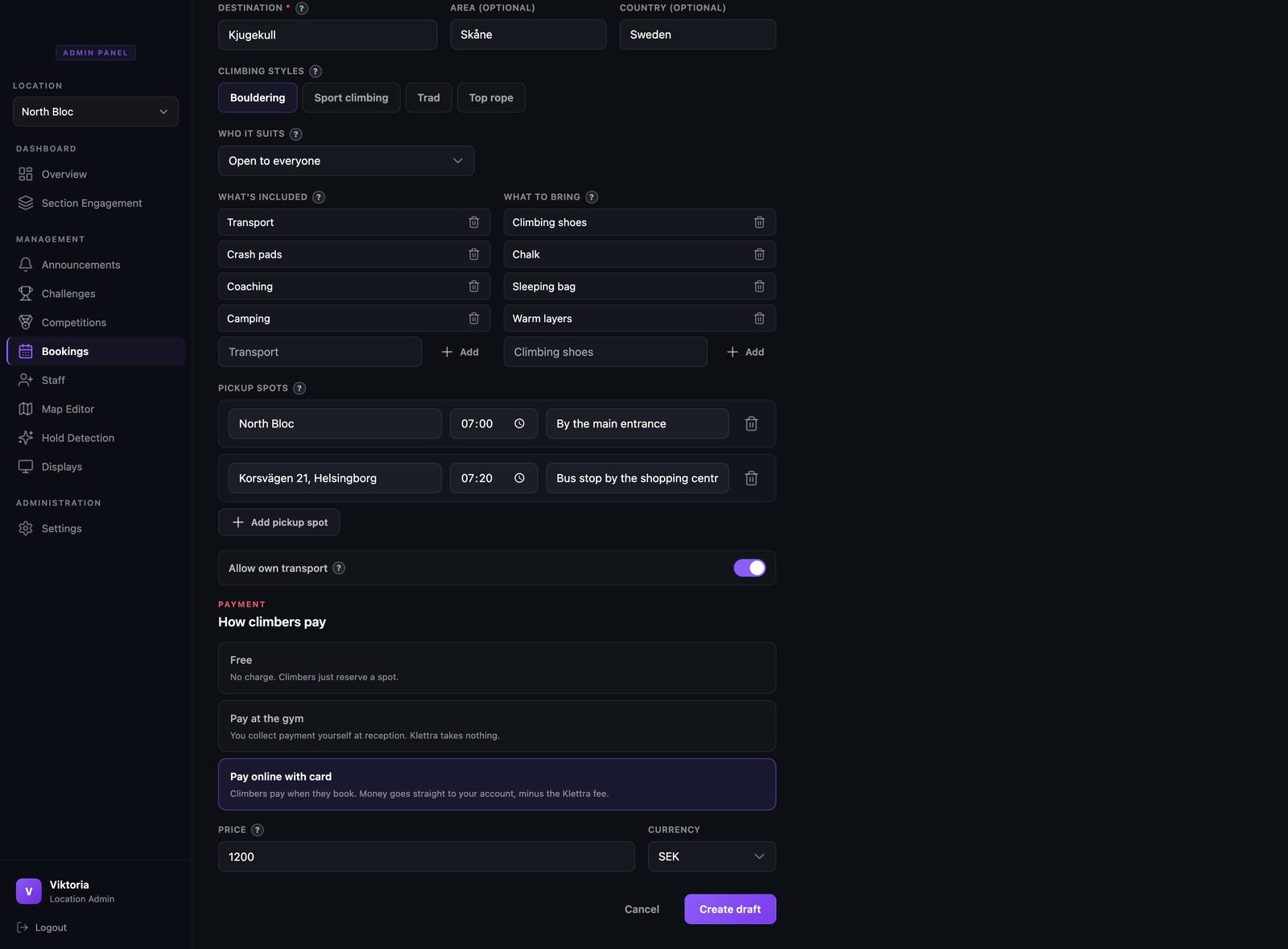
List what is included and what climbers should bring, so nobody turns up without a sleeping bag. Add your pickup spots, each with a place, a time, and a short note, and decide whether people may make their own way there instead.
- Step 3
Add the departure dates
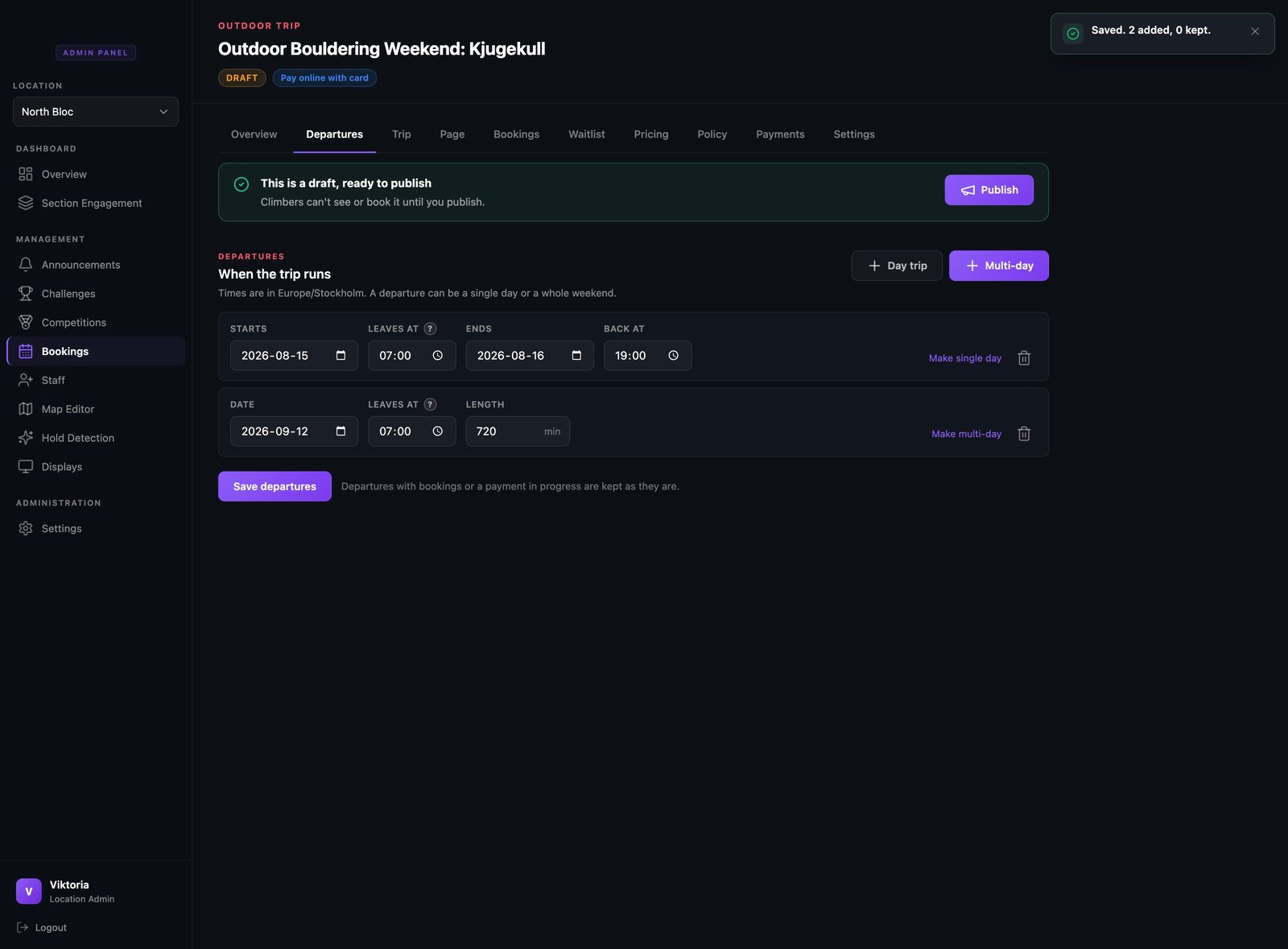
Set the dates the trip runs. A departure can be a single day or run across several, so a weekend shows as Saturday morning through to Sunday evening. Your pickup spots describe the route the group takes; the departures are the dates it happens.
- Step 4
Add photos
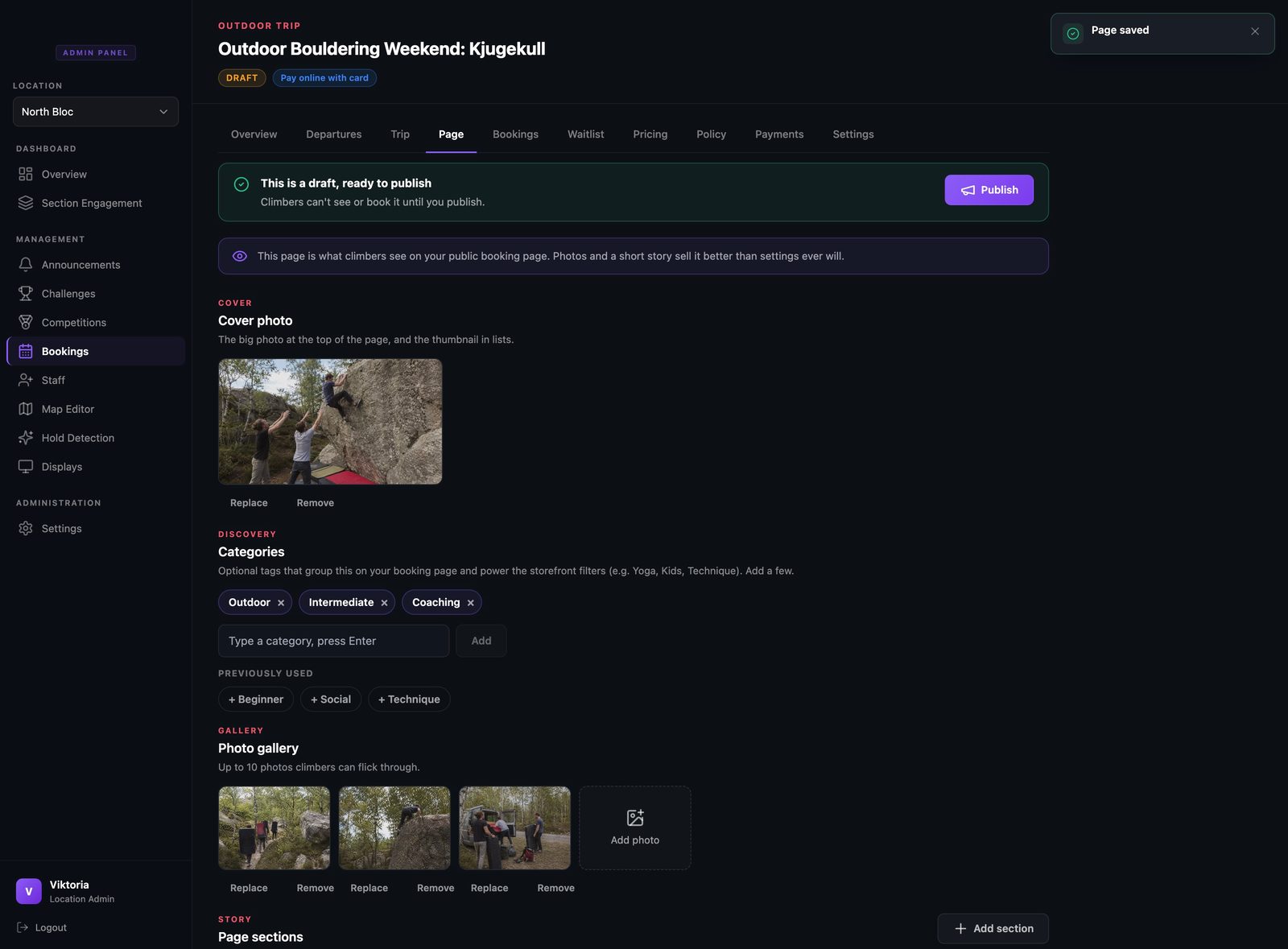
On the Page tab, add a cover photo and a small gallery from previous trips. Real photos of the rock and the crew do more than any description.
- Step 5
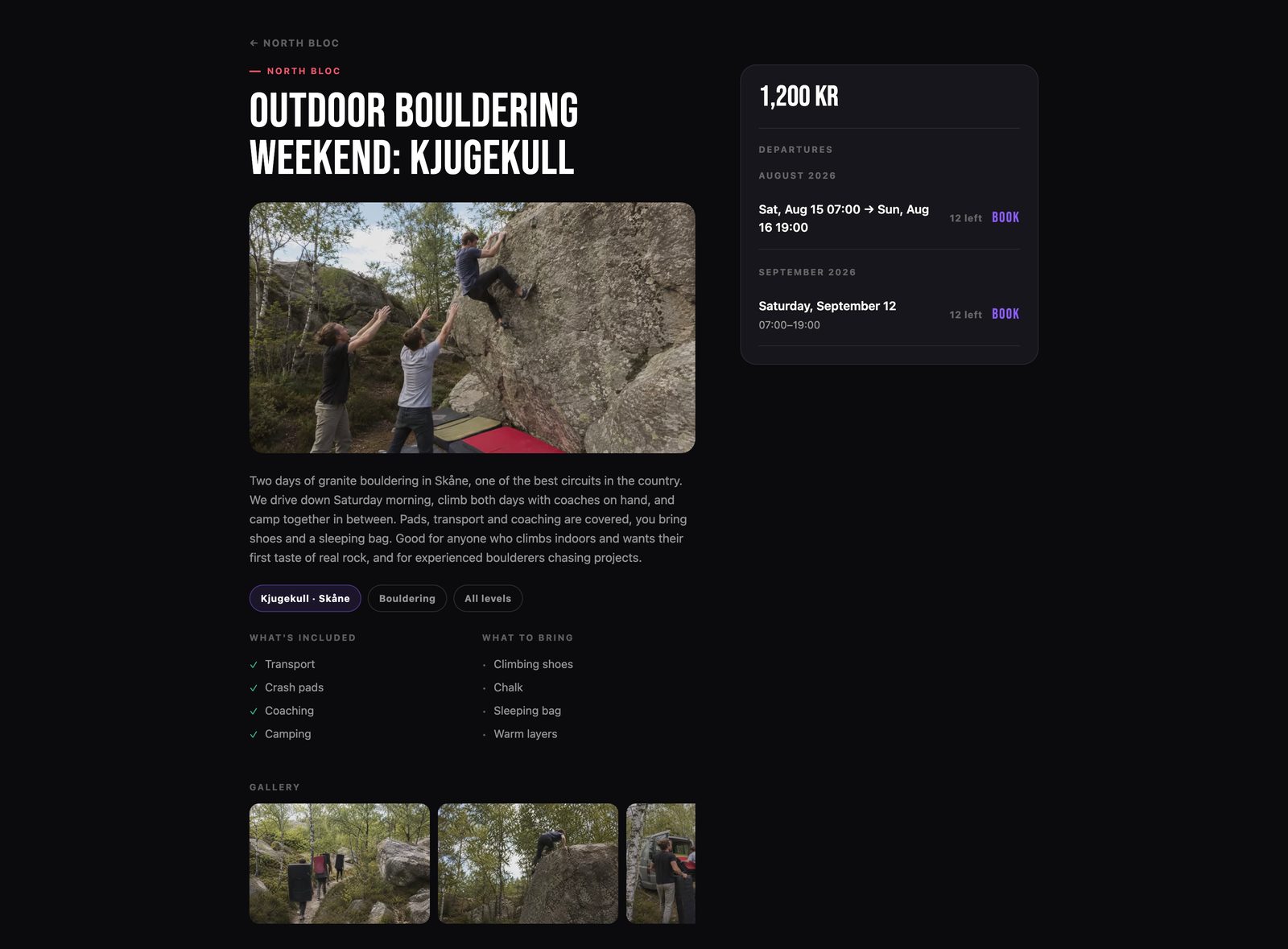
See the public trip page
Everything comes together on one page: the cover photo, the tags, what is included and what to bring, the gallery, and the departures. A weekend reads clearly as Saturday morning to Sunday evening, so nobody is unsure how long they are away.
- Step 6
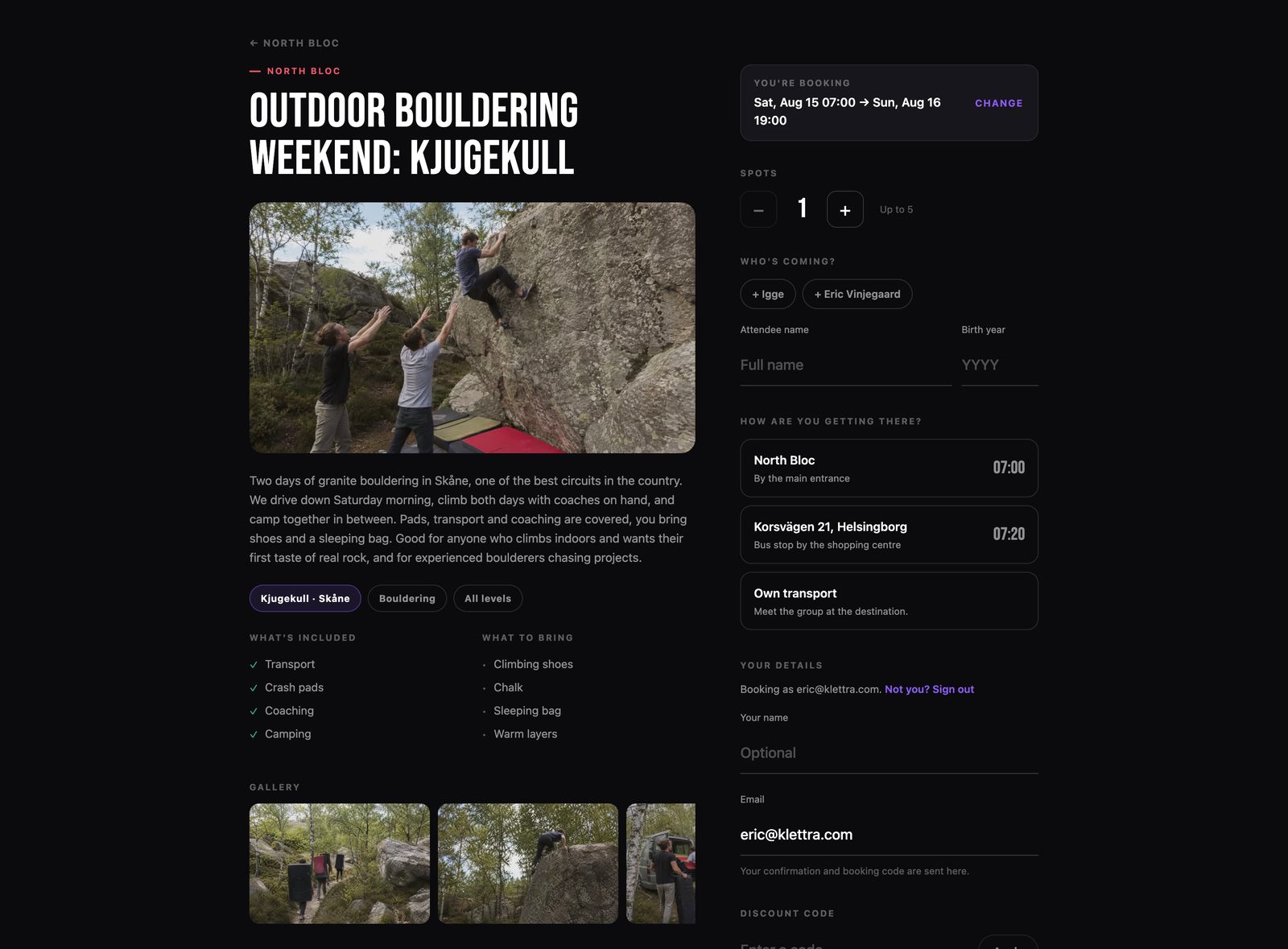
How climbers choose their pickup
When someone books, they pick their departure and then choose where they will get on, from your pickup spots or their own transport. They set how many people are coming and enter the names. Everything the driver needs is captured at booking time.
That is the whole flow
The same few steps set up every kind of booking. Browse the rest of the guides, or see how bookings work end to end.