
Offer coaching sessions
Open up your hours and let climbers pick a time, the way one-to-one coaching works. You set when you are available and the bookable times are worked out for you.
- Step 1
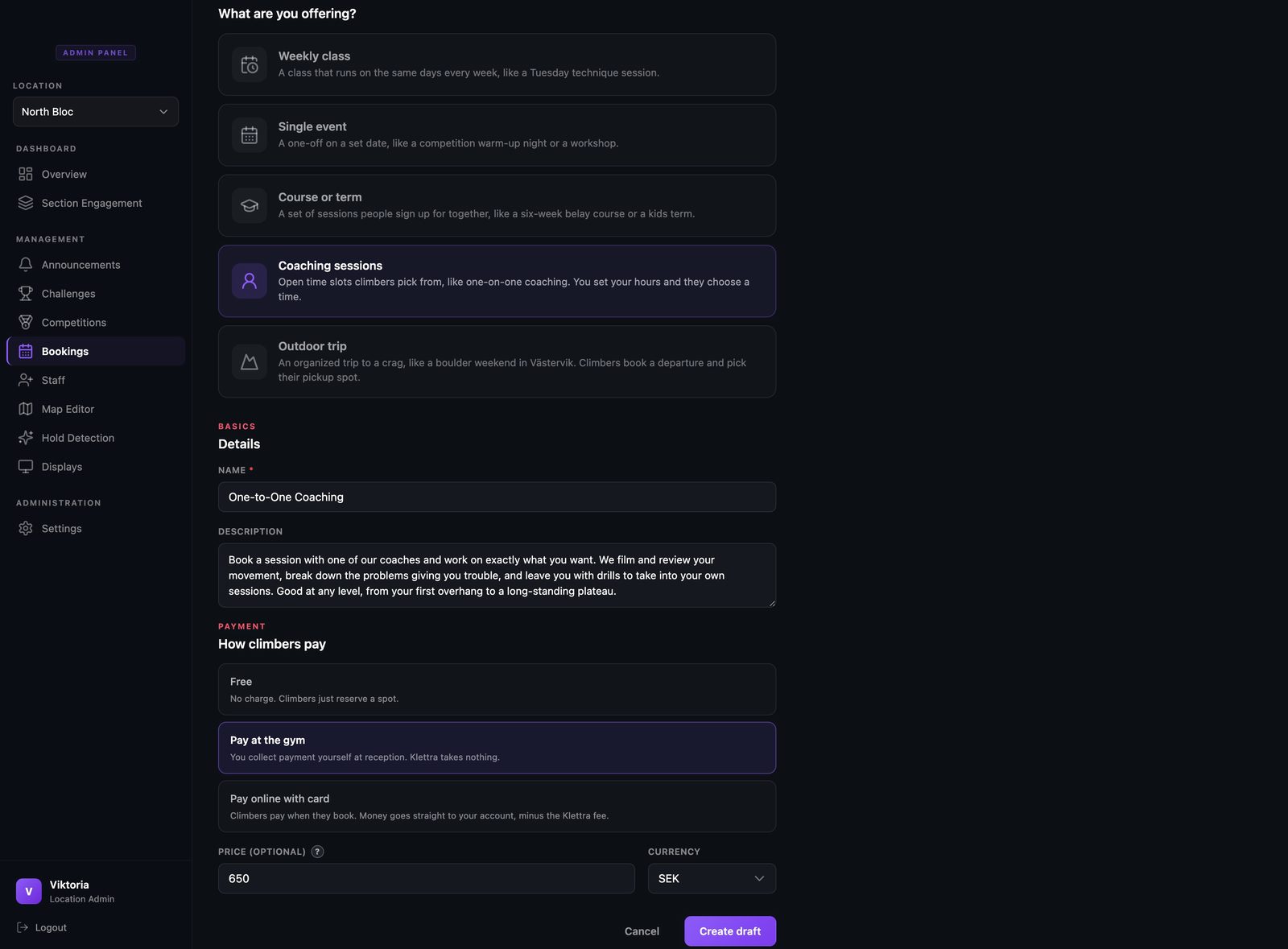
Choose Coaching sessions
Start a new booking item and pick Coaching sessions. There is no spots field here, because each time slot is for a single climber.
- Step 2
Create the item
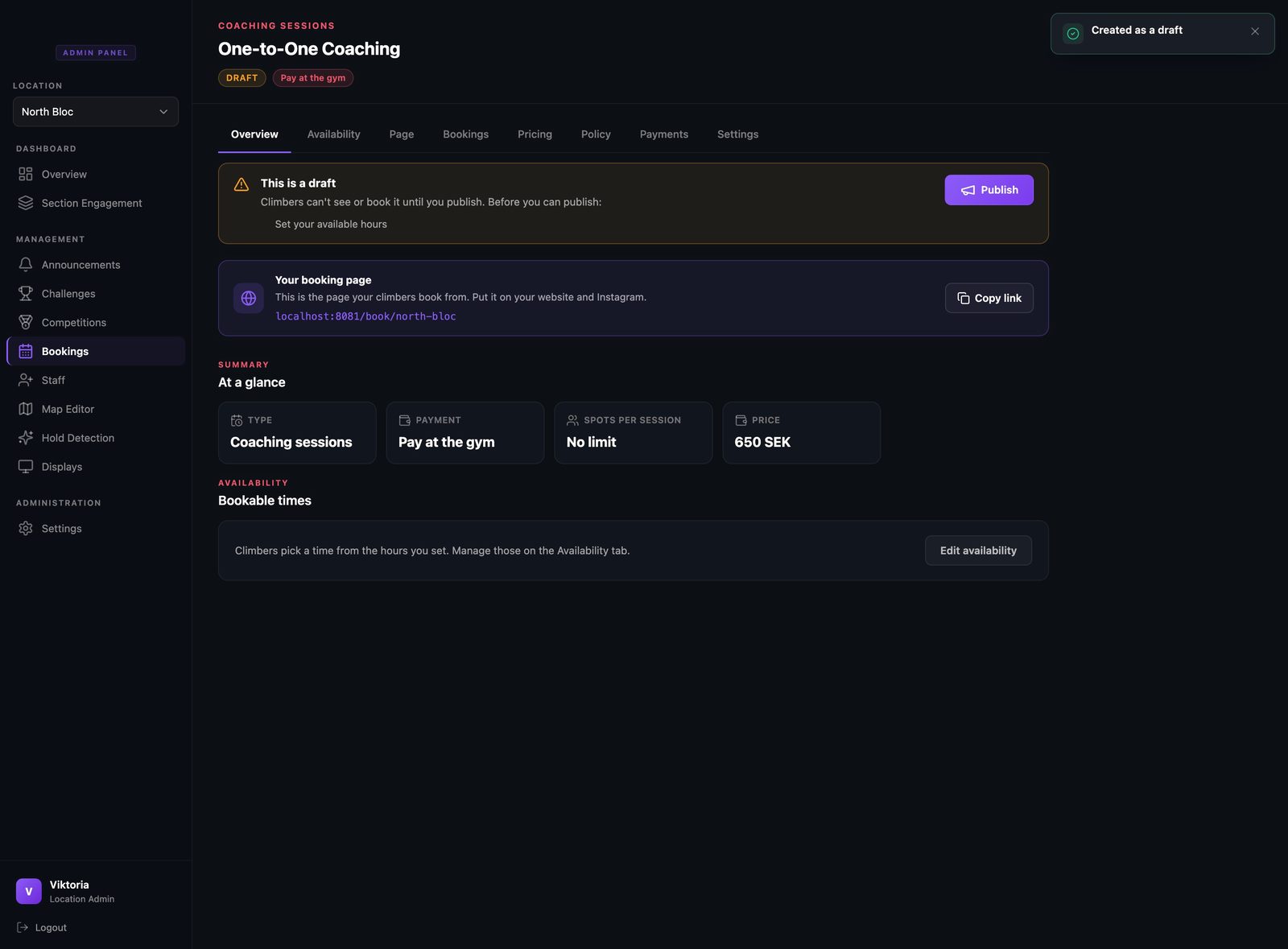
Fill in the name, a short description, and how it is paid, then create it. Next you tell it when you are actually available.
- Step 3
Set when you are available
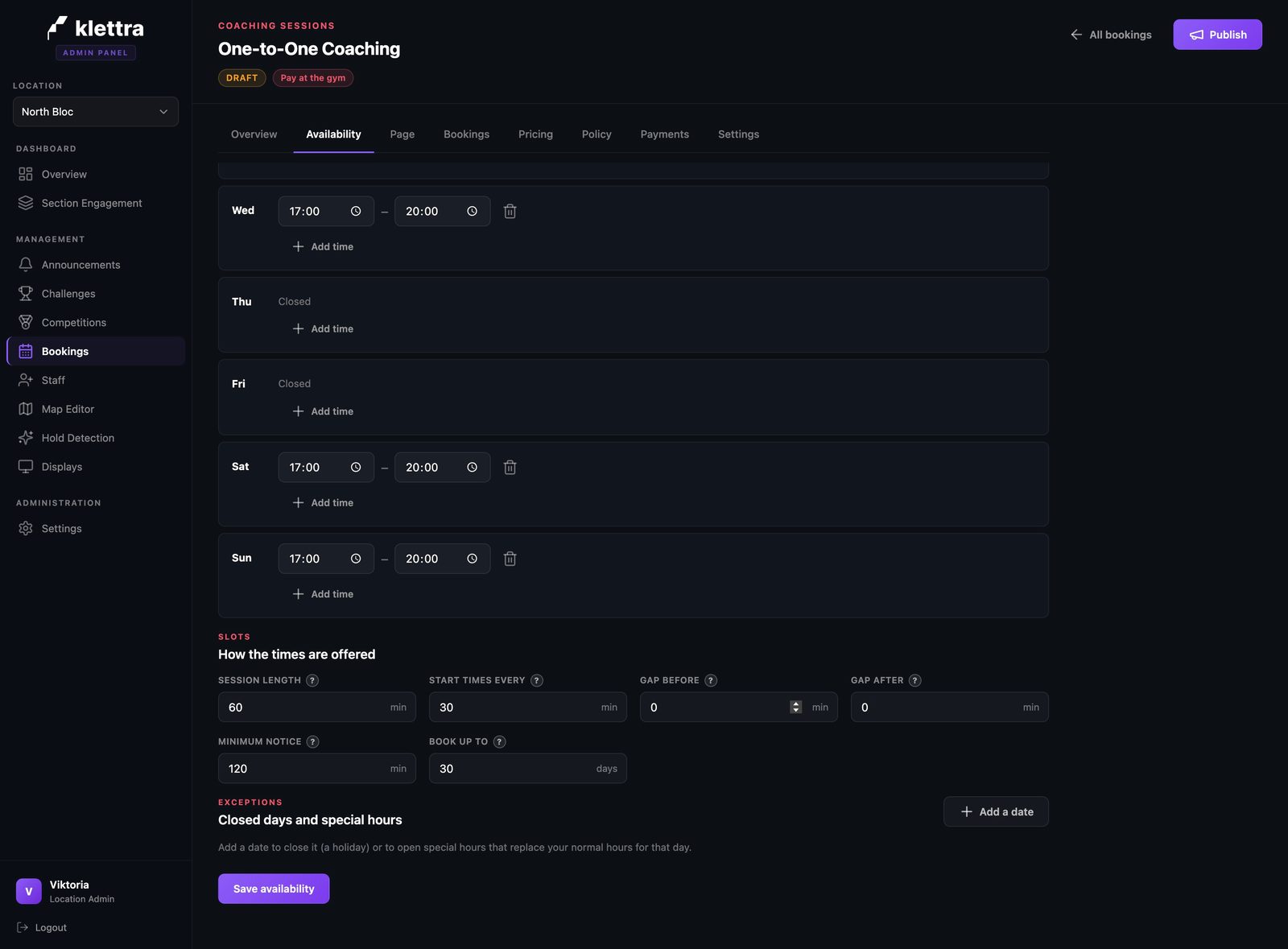
On the Availability tab, set the hours you are open on each day, and leave the days you do not coach closed. Underneath, the slot rules decide how those hours become bookable times: how long a session is, how often a start time is offered, any gap you want between sessions, how much notice you need, and how far ahead people can book. Each control has a plain-language question mark if you are unsure.
- Step 4
Add a photo and a description
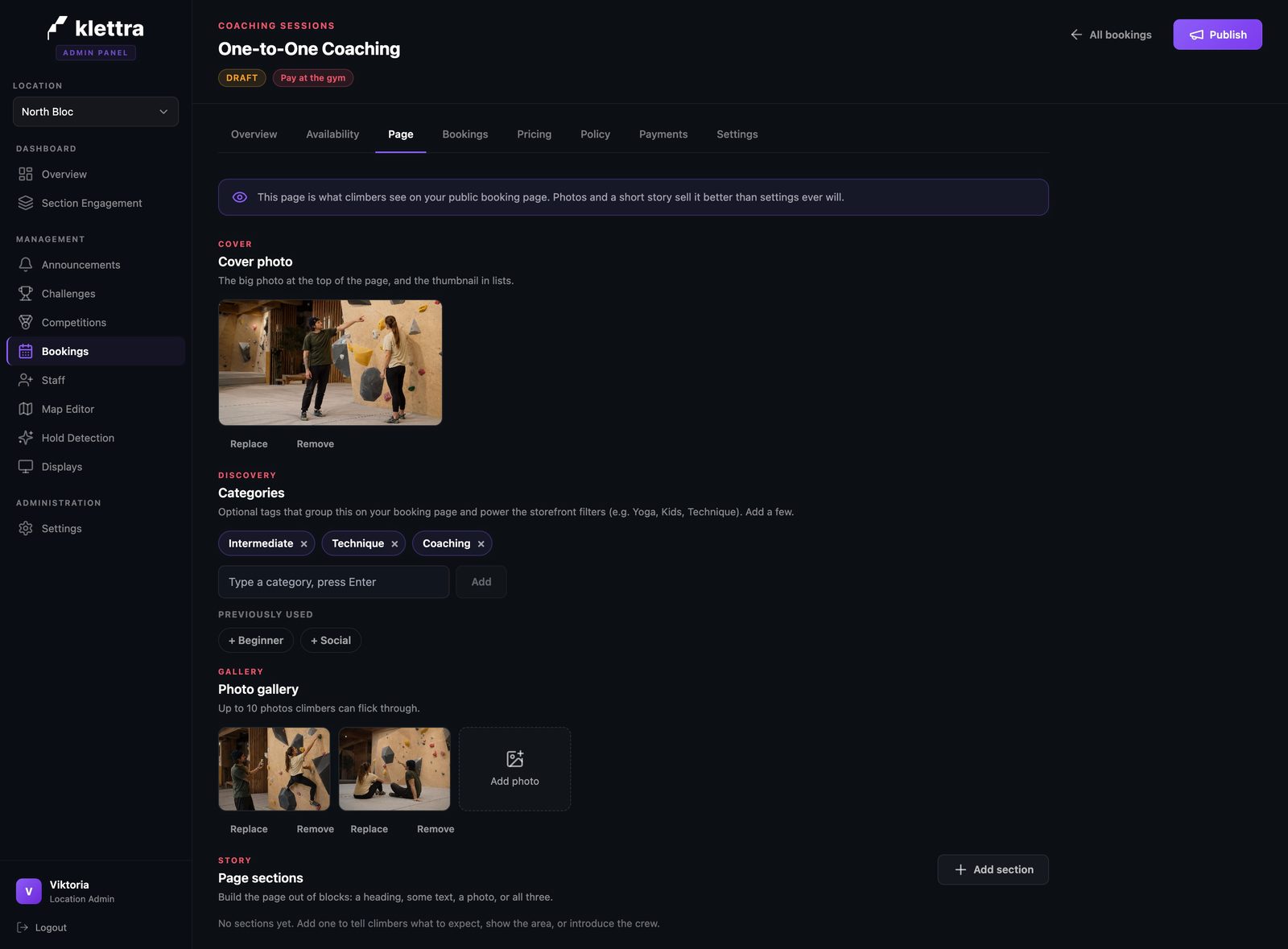
On the Page tab, add a cover photo and a few lines about what a session with you looks like, so climbers know what they are booking before they pick a time.
- Step 5
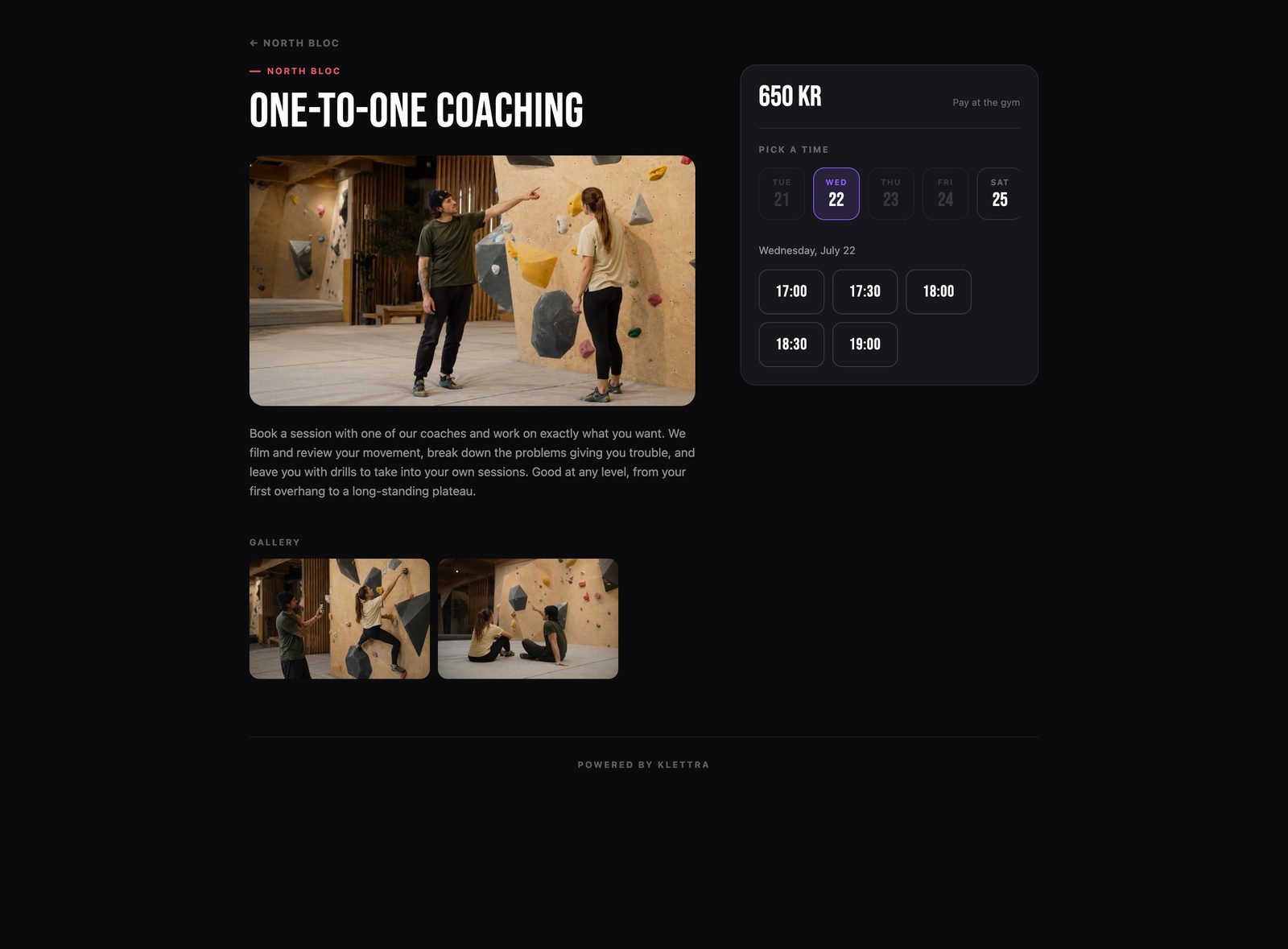
Climbers pick a time
On the public page, climbers choose an open day and then a time from the ones you offer. Closed days are greyed out. When someone books a time, it simply disappears for the next person, so there is nothing to keep in sync by hand.
That is the whole flow
The same few steps set up every kind of booking. Browse the rest of the guides, or see how bookings work end to end.