
Seed and judge the finals
Qualification decides who advances, one sheet seeds the final, and judges log from a station screen that always knows who is climbing.
- Step 1
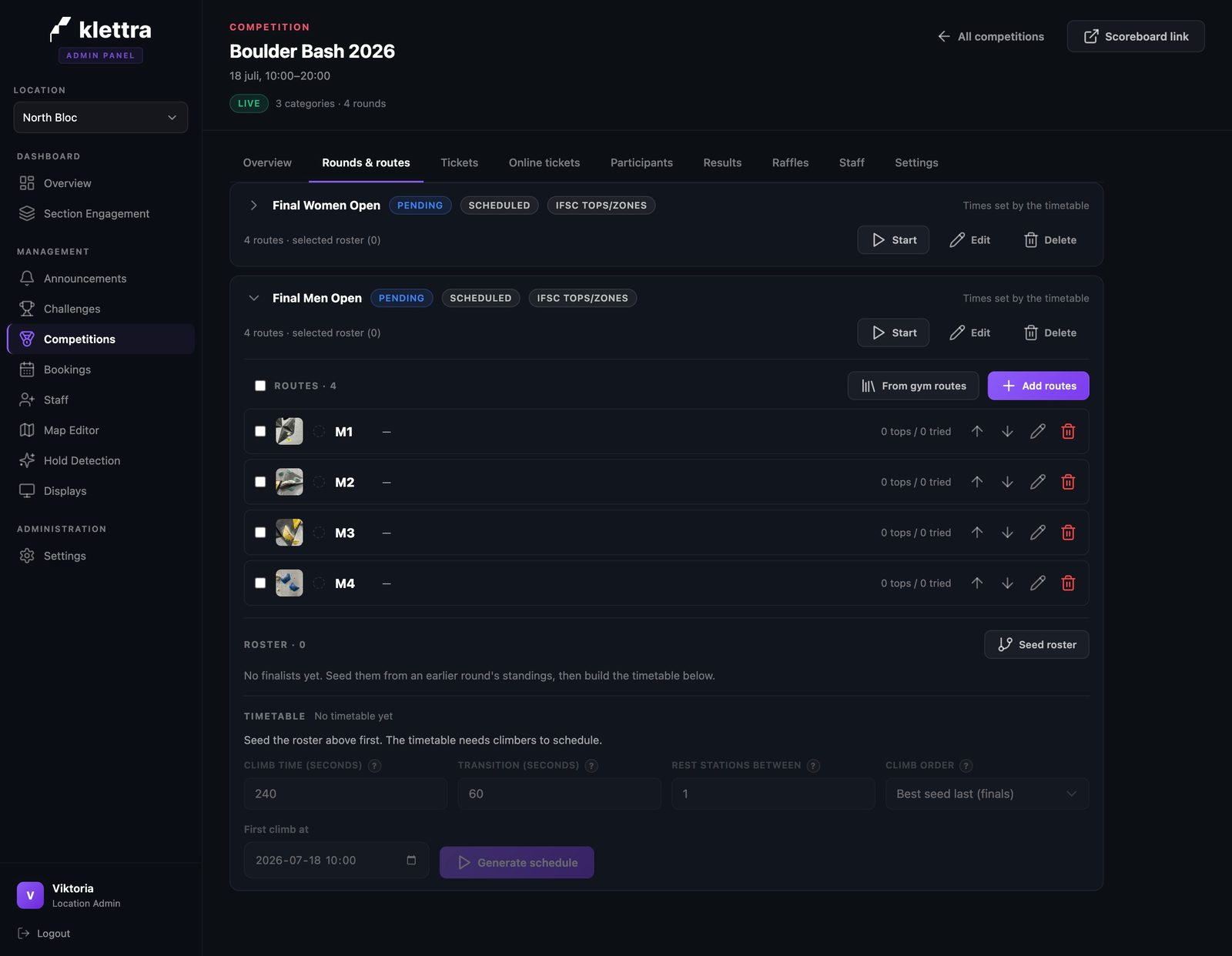
A final starts empty
A scheduled final is a shell until it has climbers: the boulders are set, but the roster shows zero and the timetable stays locked until someone is in it. That is by design, because nobody knows the finalists until qualification ends.
- Step 2
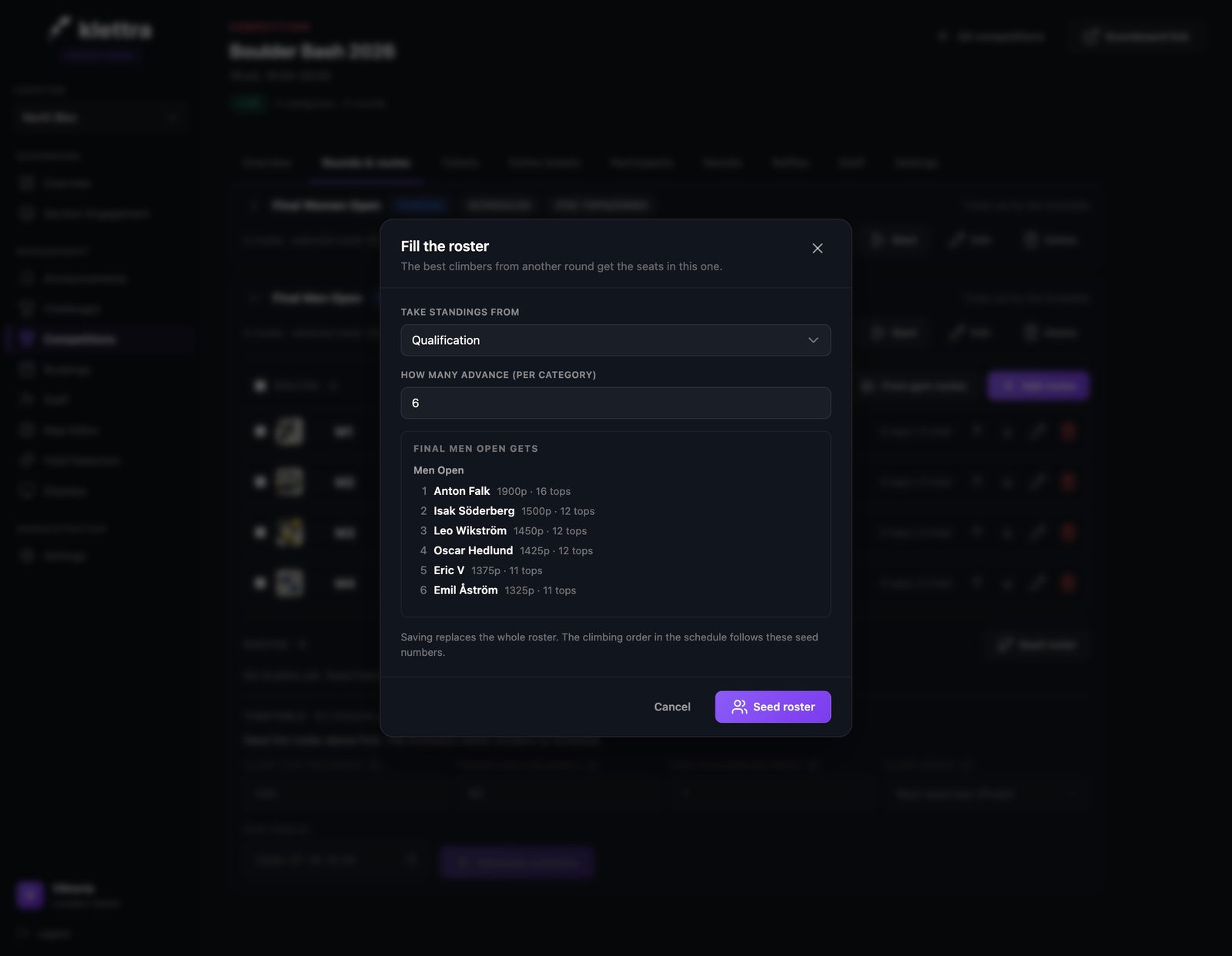
Seed it from the standings
Fill the roster in one step: take the standings from the qualification, say how many advance, and the sheet shows exactly who gets a seat before you commit.
- Step 3
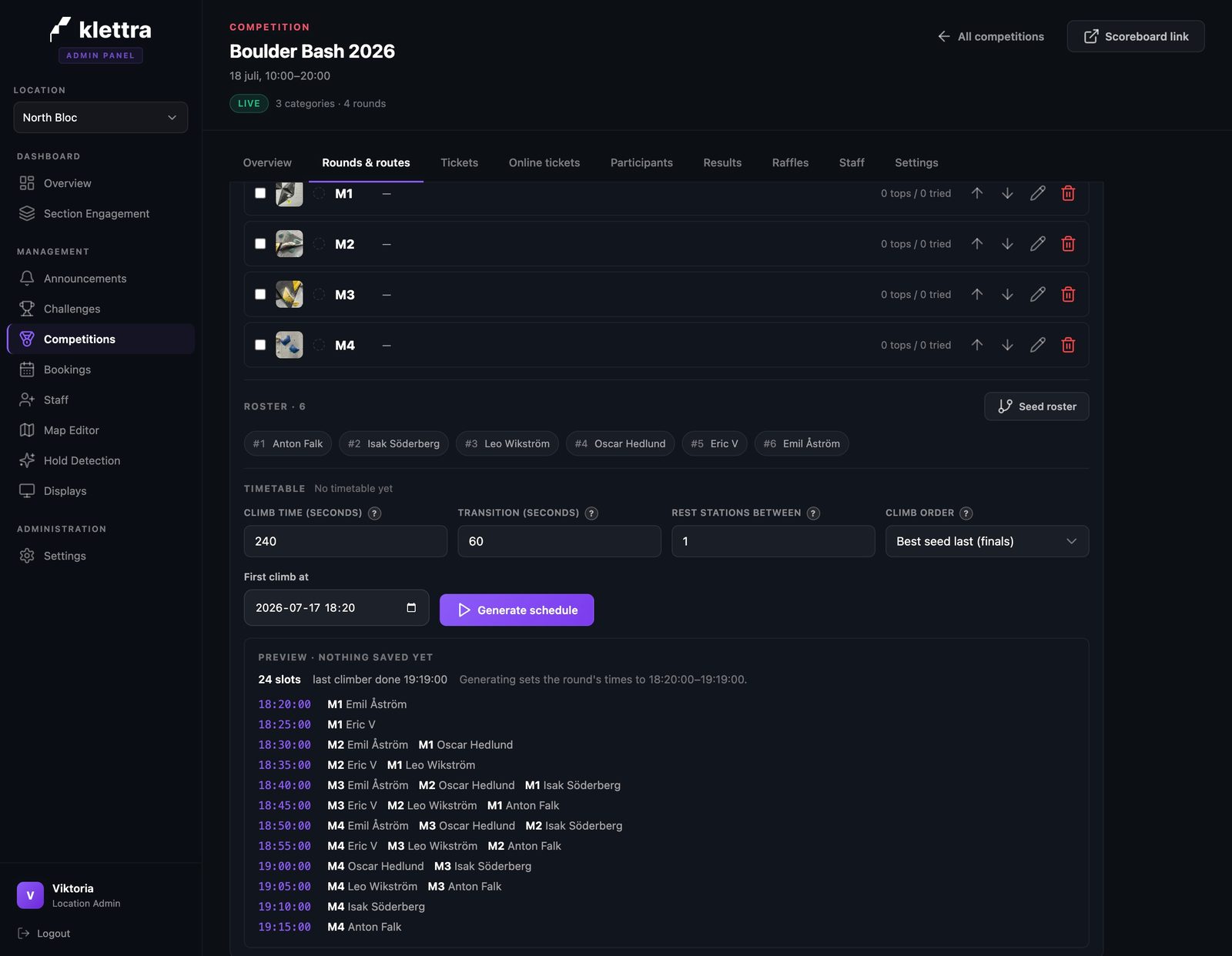
The timetable builds itself
With the roster seeded, the timetable unlocks: climbing time per boulder, a transition gap, and best seed climbing last. A preview shows every slot before you save anything.
- Step 4
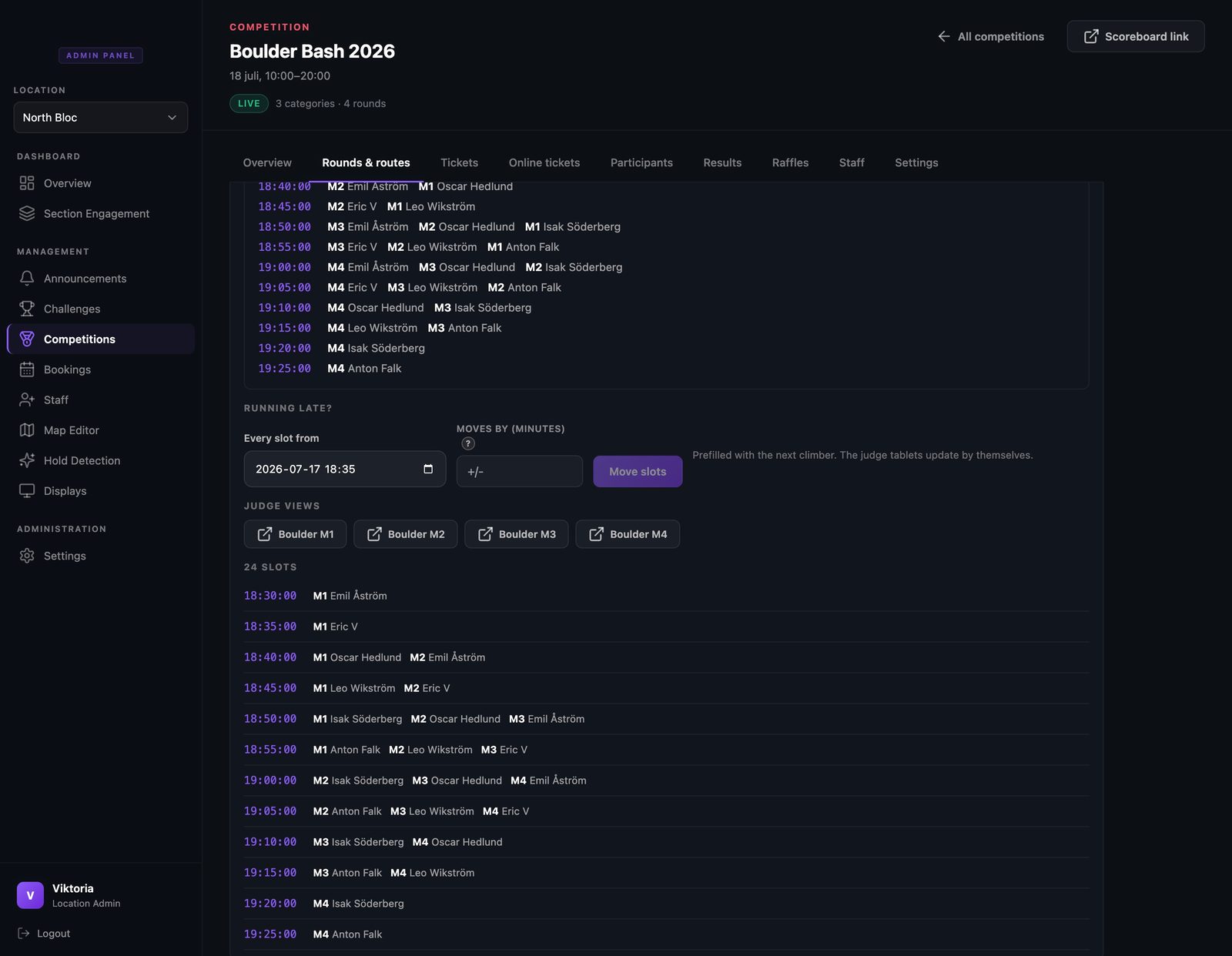
Running late? Shift it all
Comps run late, and that is fine. Pick the point to shift from, move everything by minutes, and every slot after it moves together. The judge screens update by themselves.
- Step 5
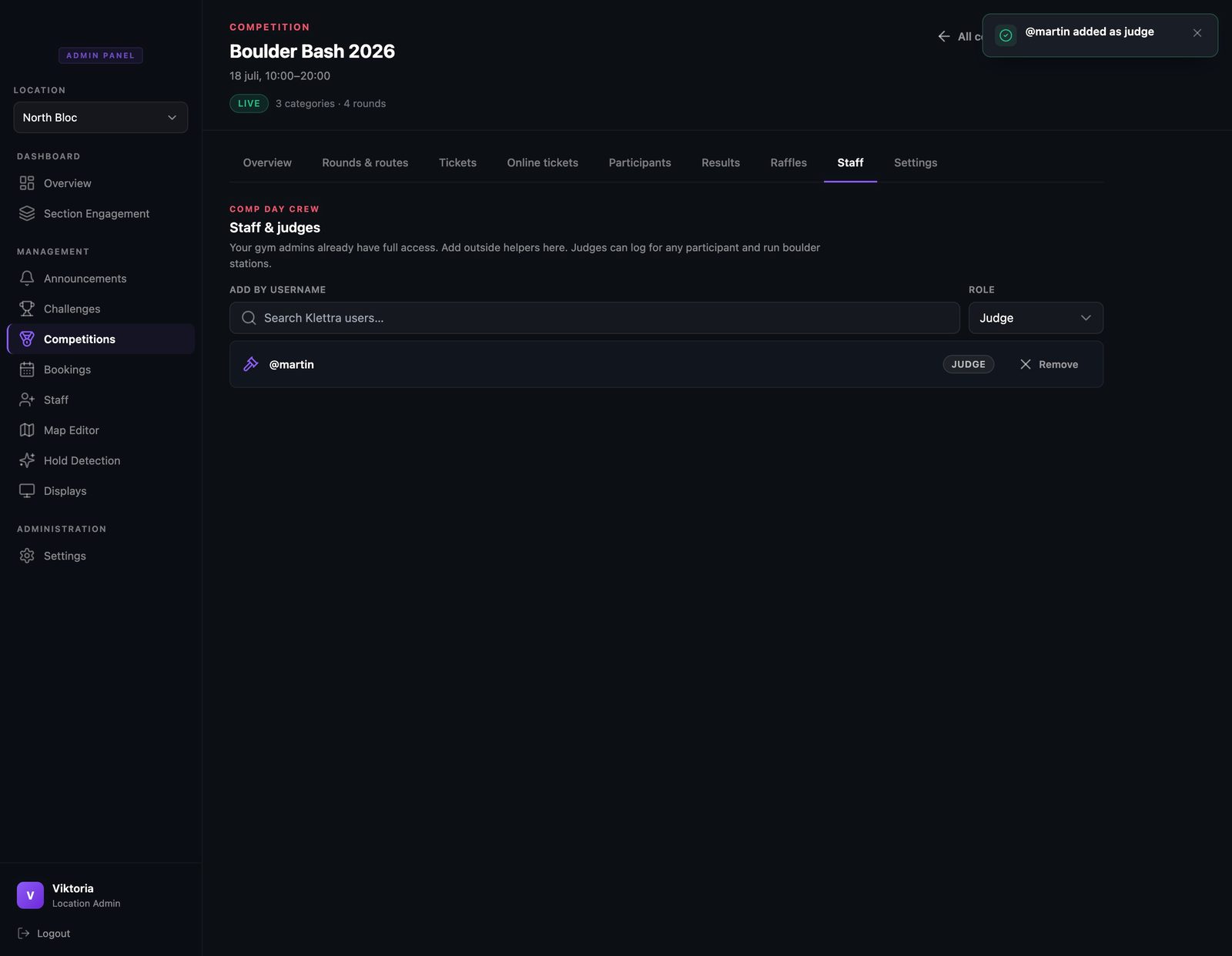
Add your judges
On Staff and judges, search a username and give them the judge role. Your gym admins already have full access, so this is only for the extra comp-day crew.
- Step 6
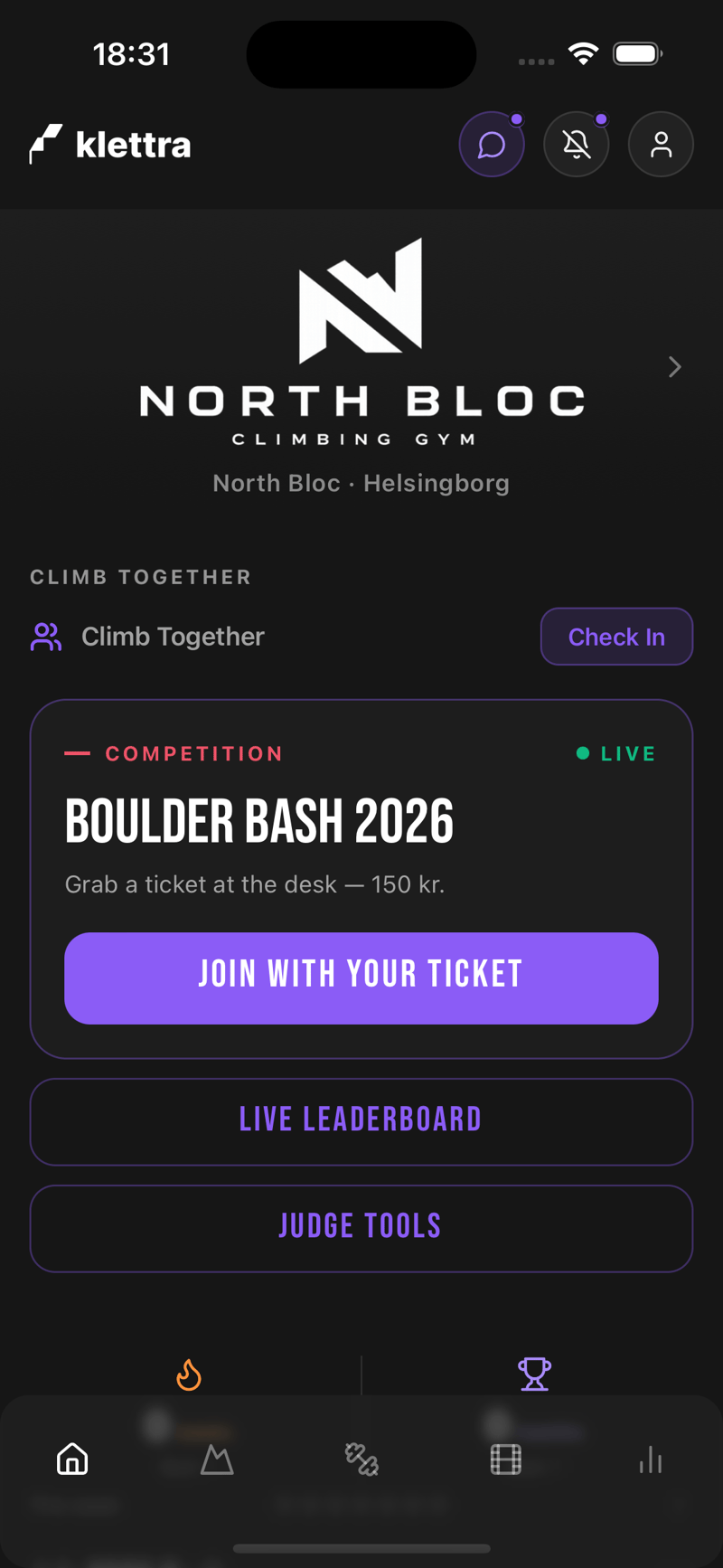
Judges get their own door
A judge opens their own app and their home screen shows judge tools for the live comp, next to the leaderboard. No special login, no shared tablets to configure.
- Step 7
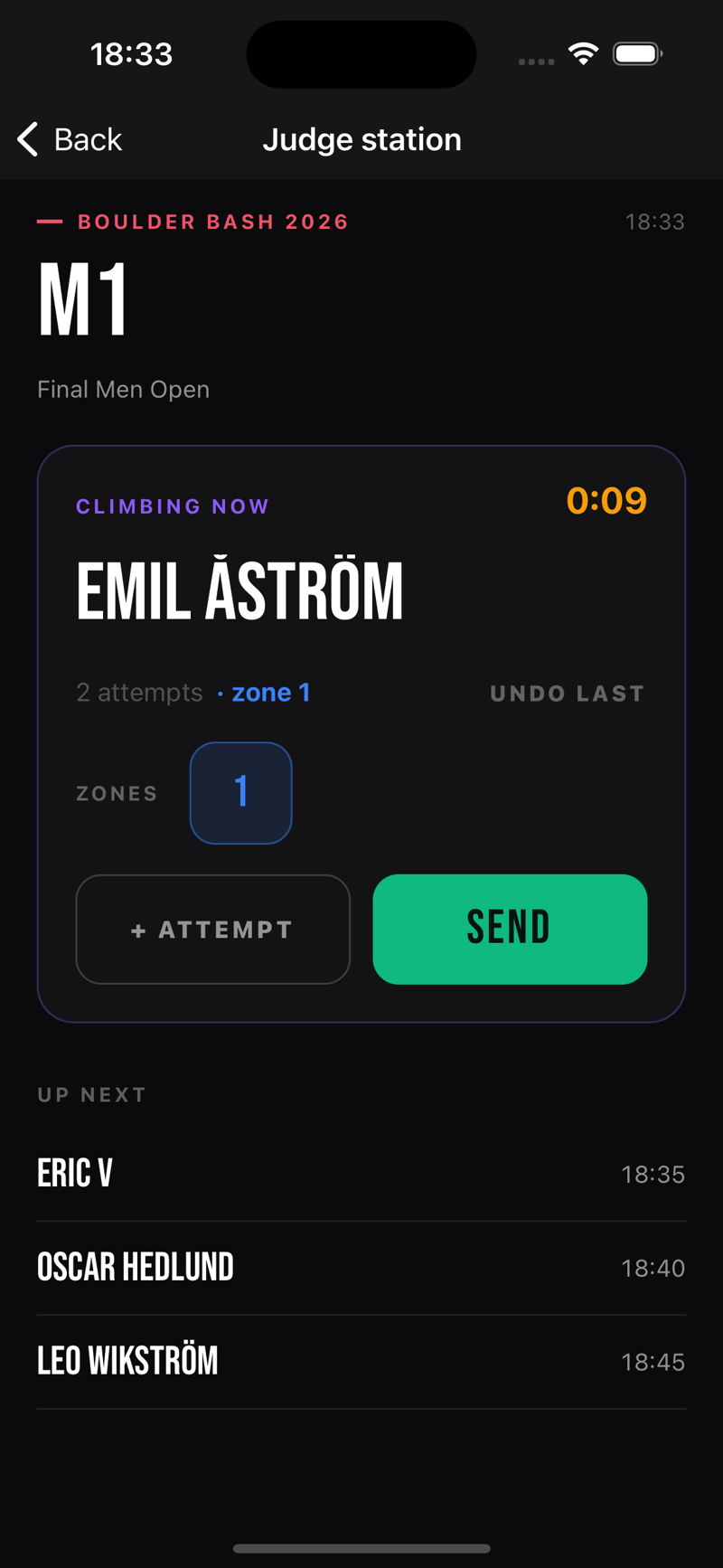
The station knows who is climbing
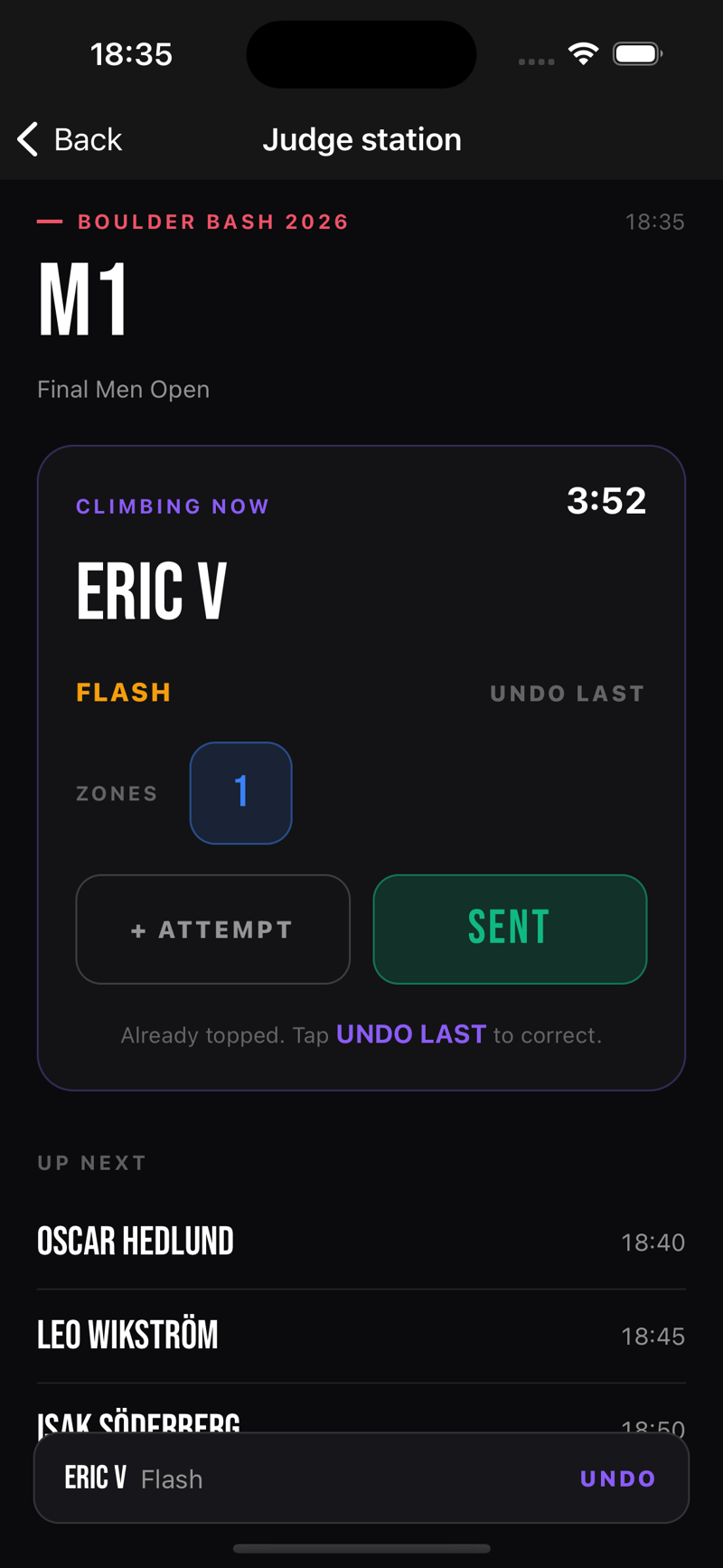
A station is one boulder’s screen. It shows who is climbing now with the rotation clock, what they have logged so far, and who is up next. The judge never chases a start list.
- Step 8
The rotation flips itself
When the clock rolls over, the station moves on: next climber, fresh clock, clean card. Between climbers it shows the transition and who is up.
- Step 9
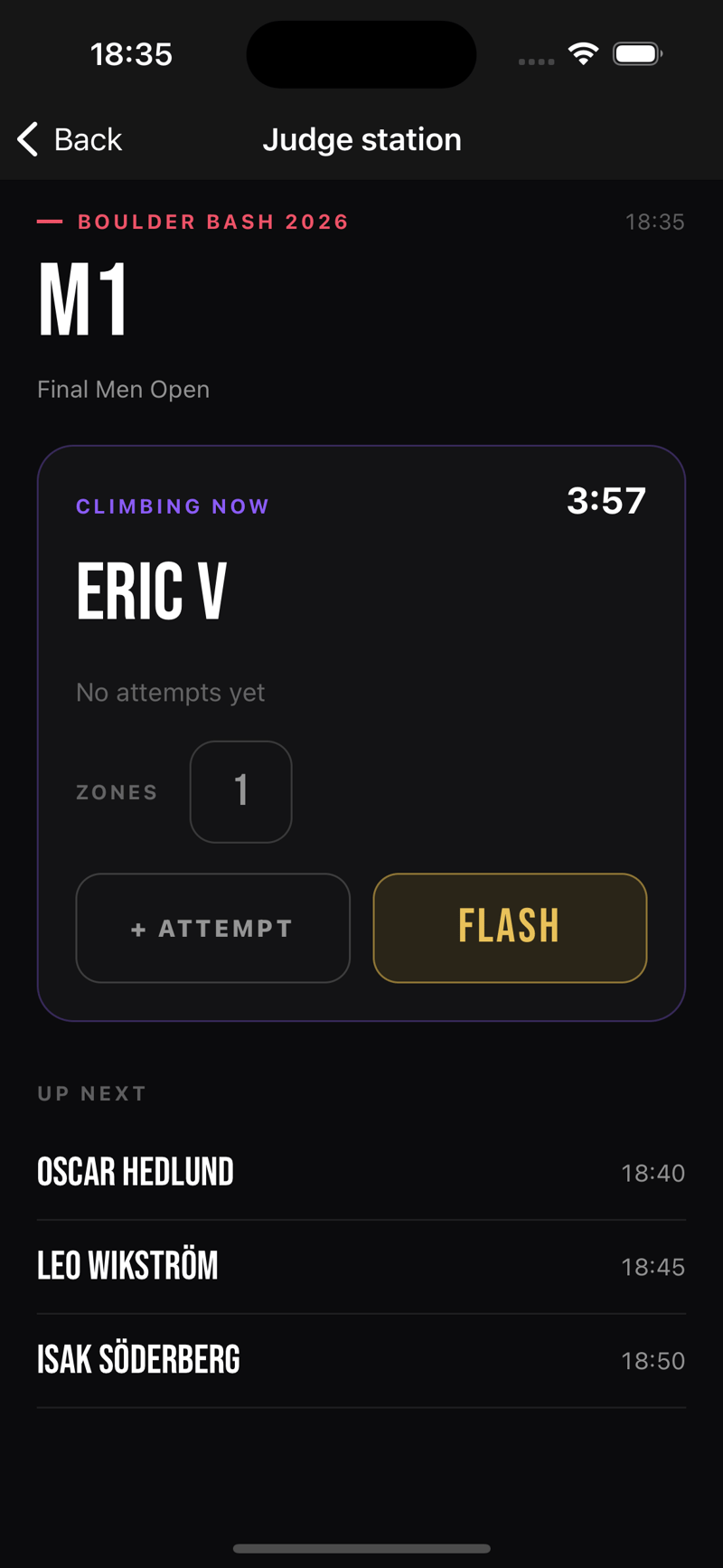
One tap per result
A top on the first attempt logs as a flash, with the zone credited automatically. A wrong tap is one undo away, and every action is recorded, so the result sheet always holds up afterwards.
That is comp day, covered
Each guide covers one piece of the day. Browse the rest, or see how the whole competition system fits together.