
How climbers join and log
What the day looks like from the climber’s side: scan a ticket, log flashes, zones, and sends with one thumb, and follow the leaderboard live. No account needed.
- Step 1
One scan to join
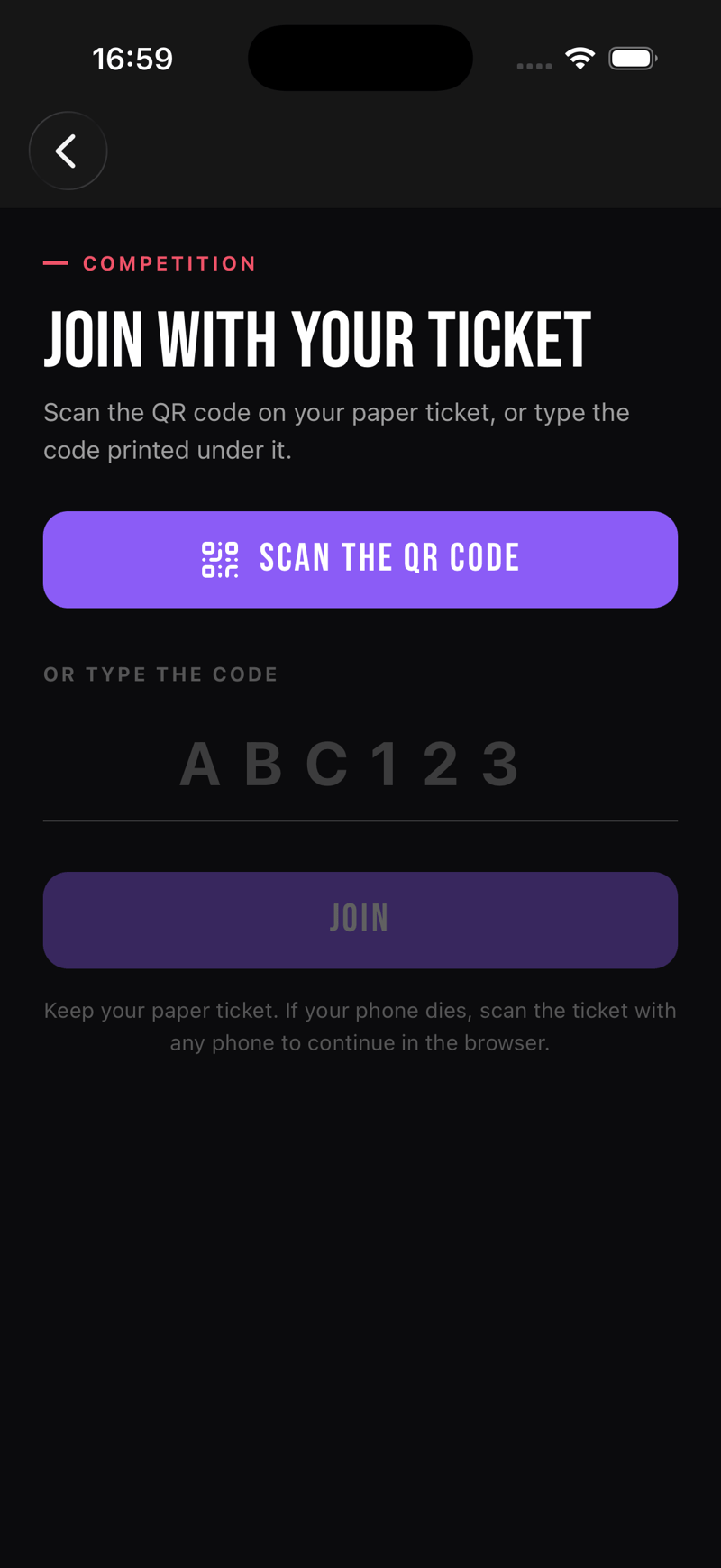
In the app, joining is one screen: scan the QR on the ticket, or type the short code printed under it. The same ticket also works in any web browser, so a dead phone never ends anyone’s comp.
- Step 2
The ticket knows everything
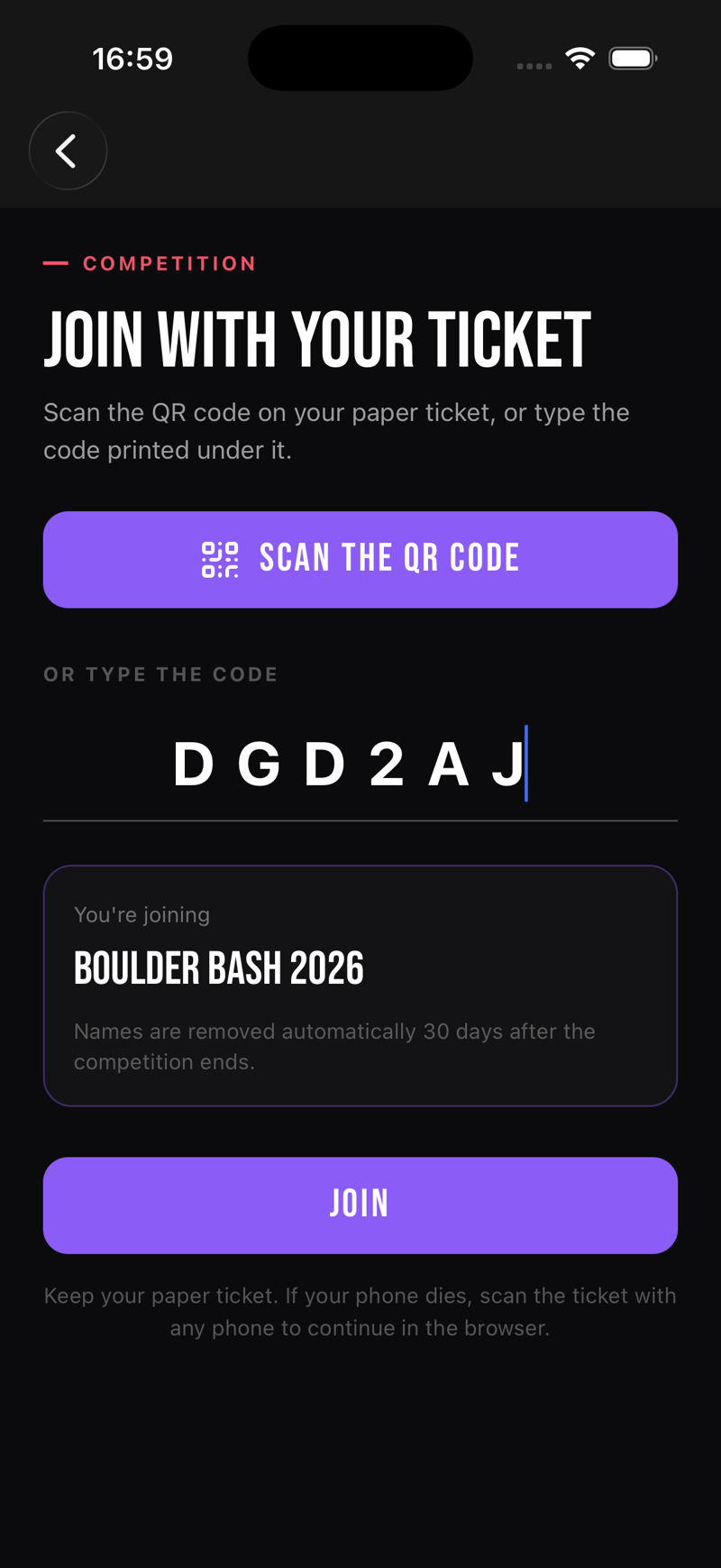
As soon as the code is in, the screen shows which comp they are joining, along with a short plain-language note about how long their name is kept. One tap and they are in.
- Step 3
Before the round opens
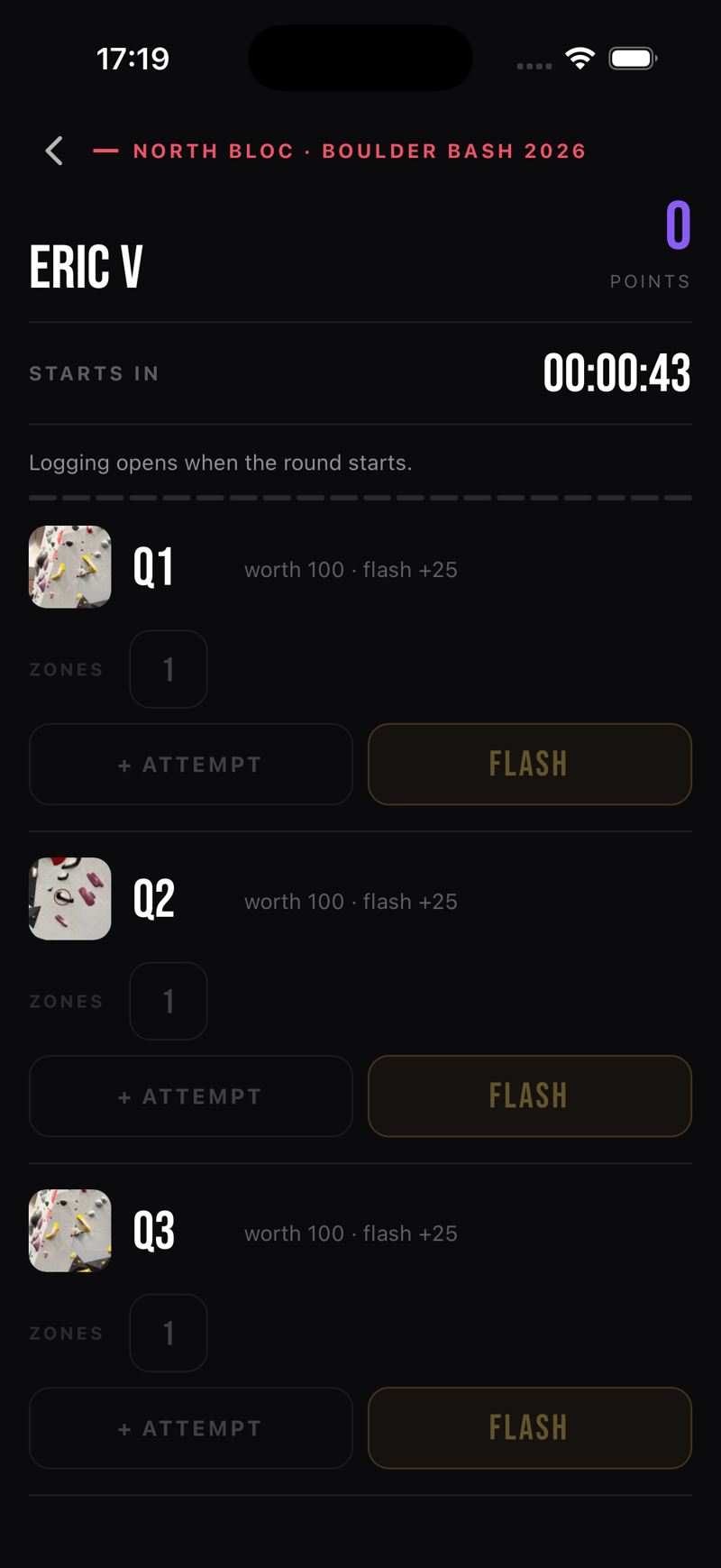
Join early and the scorecard sits in a countdown, with every boulder visible but locked. Logging opens the moment the round starts.
- Step 4
It flips live on its own
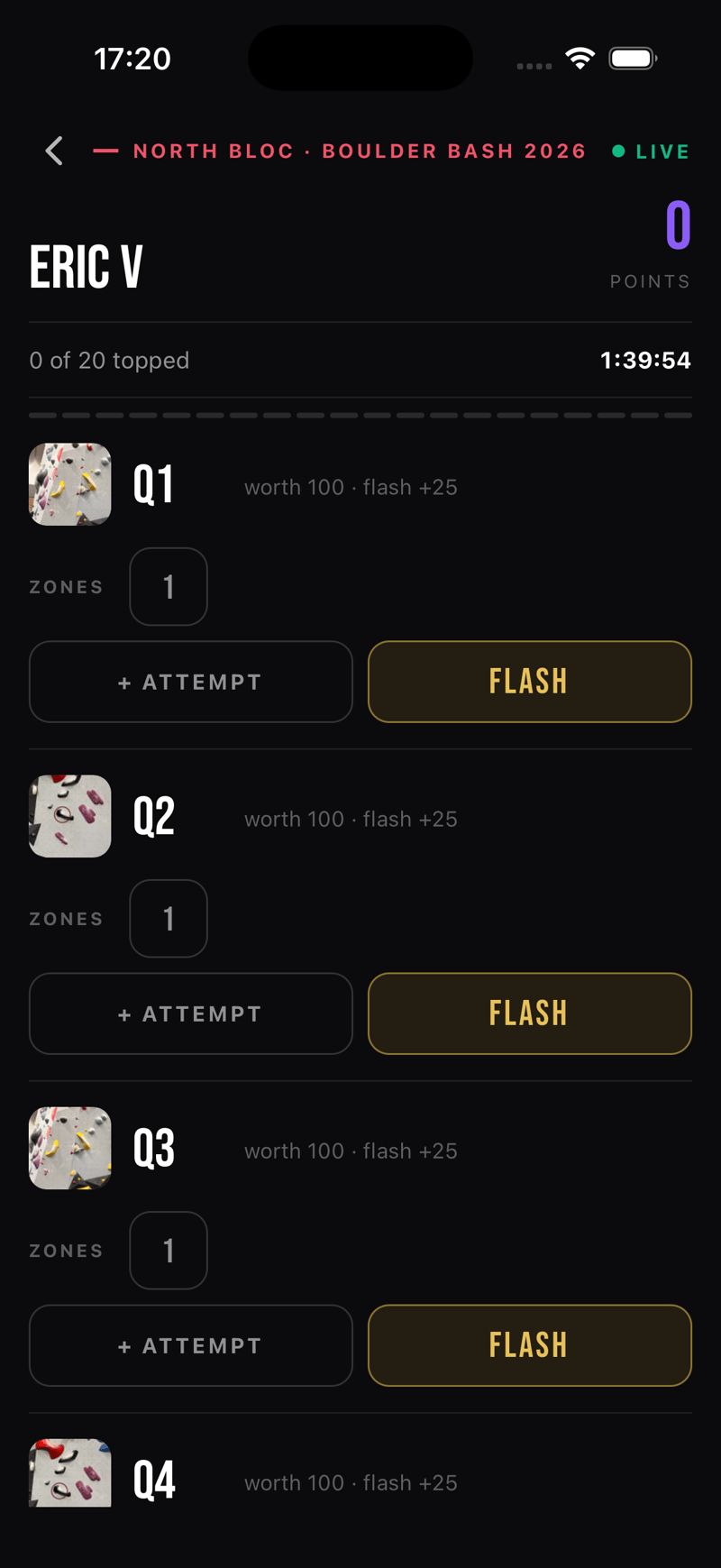
When the clock hits zero the same screen flips live by itself: a live badge, the round countdown, and every boulder ready to log. No refresh, no reopening the app.
- Step 5
Logging is one tap
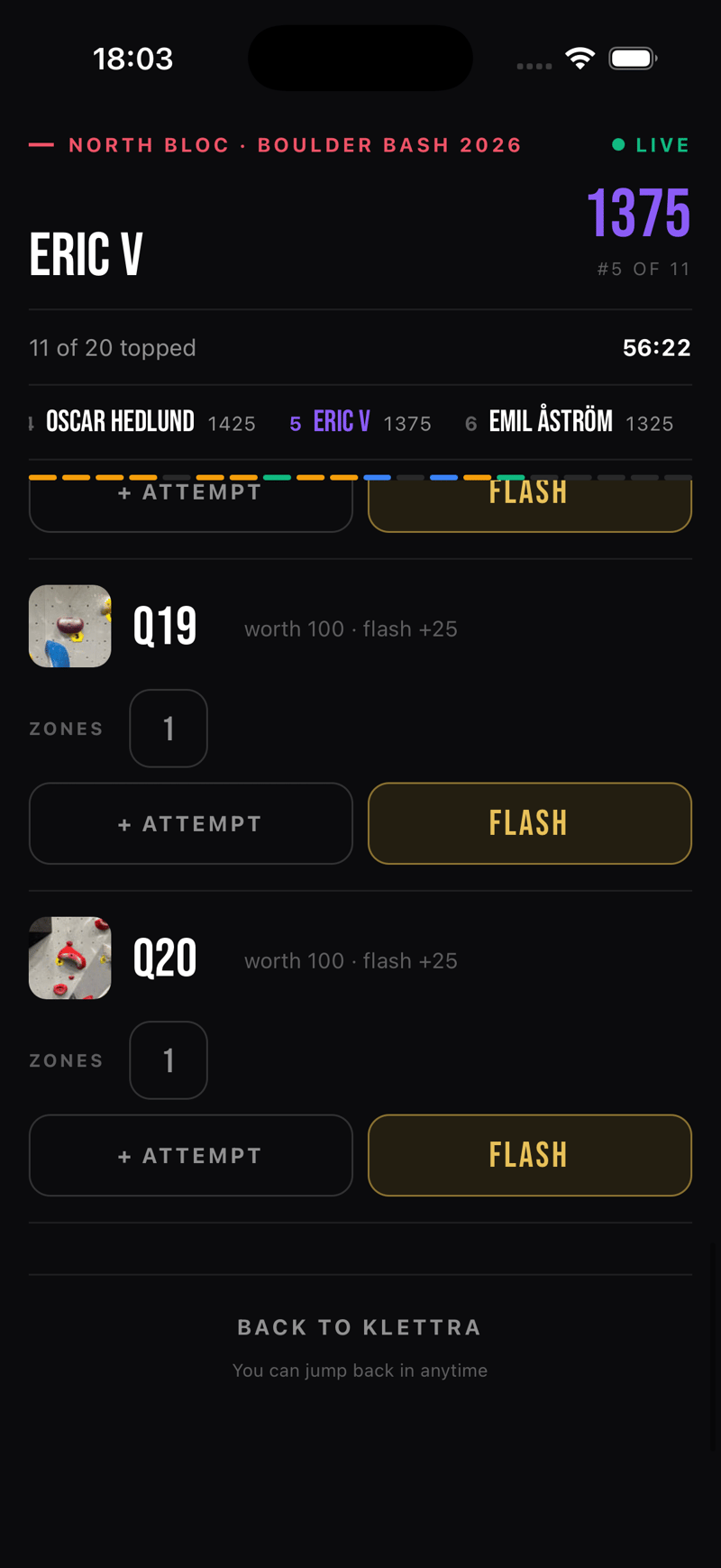
Top a boulder on the first try and it is a flash. Each attempt is one tap, every row has its own undo, and the rail at the top keeps score and rank in view, centered on you.
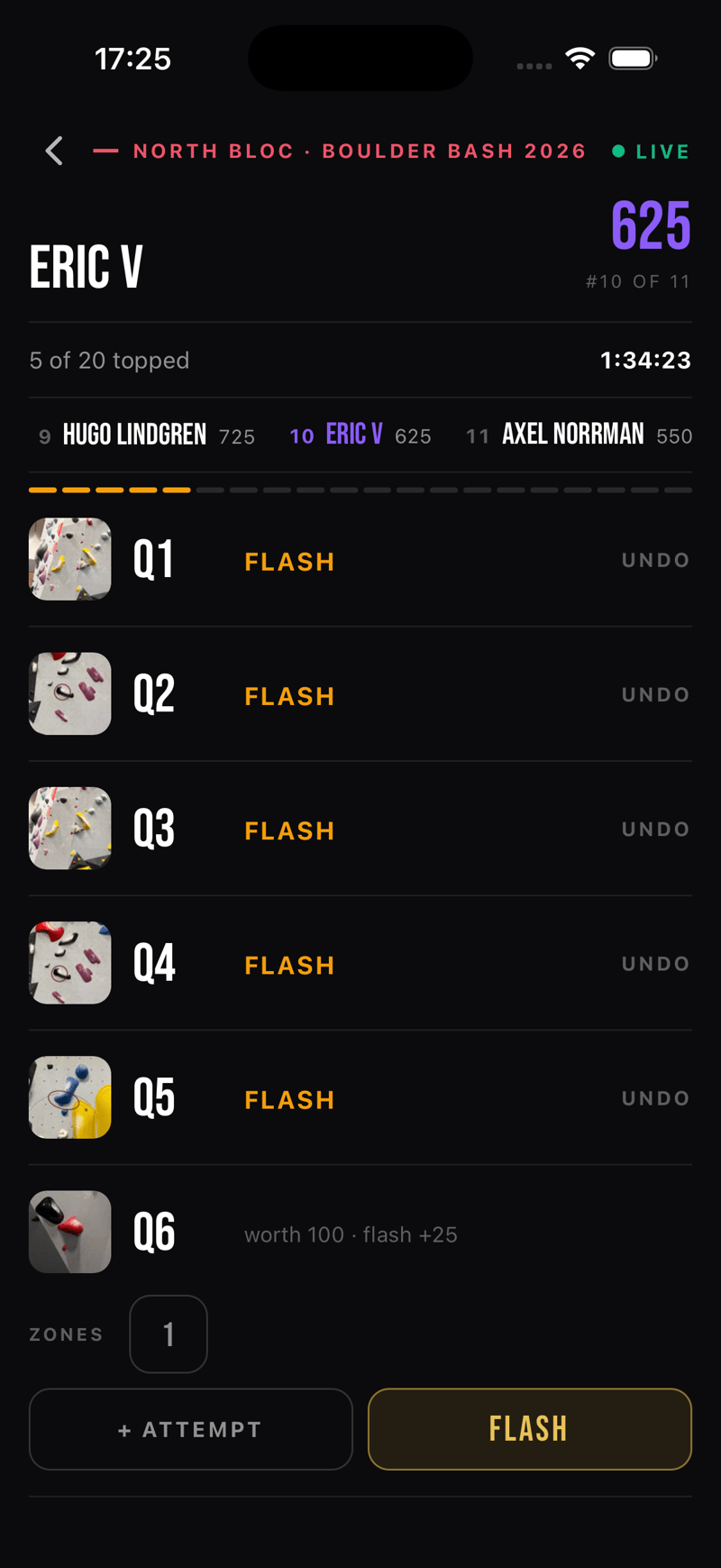
- Step 6
Zones count too
Reaching the zone hold is worth points even without the top, and it is logged the same way. A snackbar confirms every action with a five-second undo, so a wrong tap costs nothing.
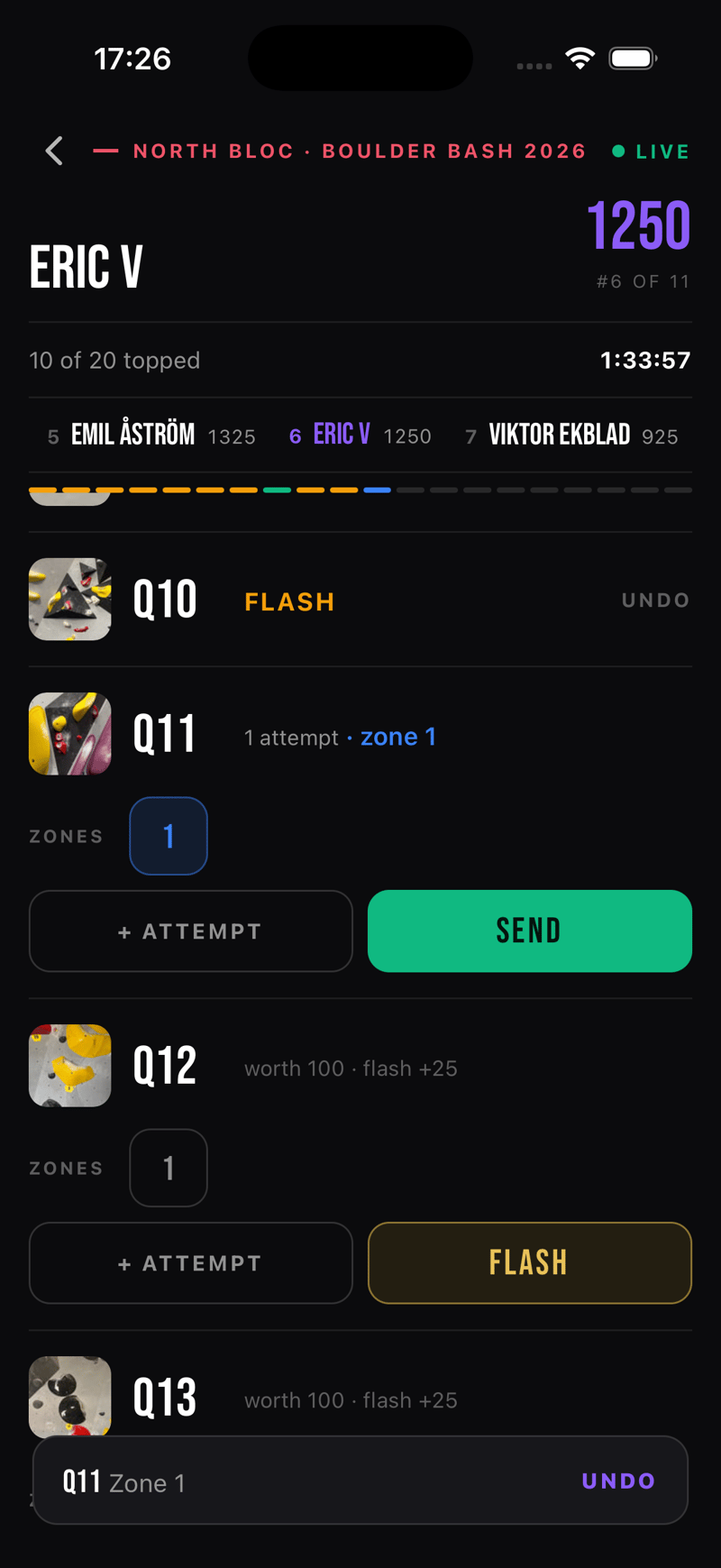
- Step 7
The scorecard tells the story
By mid-session the card reads at a glance: flashes in amber, tops in green, zones in blue, and plain attempt counts everywhere else. Color is earned, never decoration.
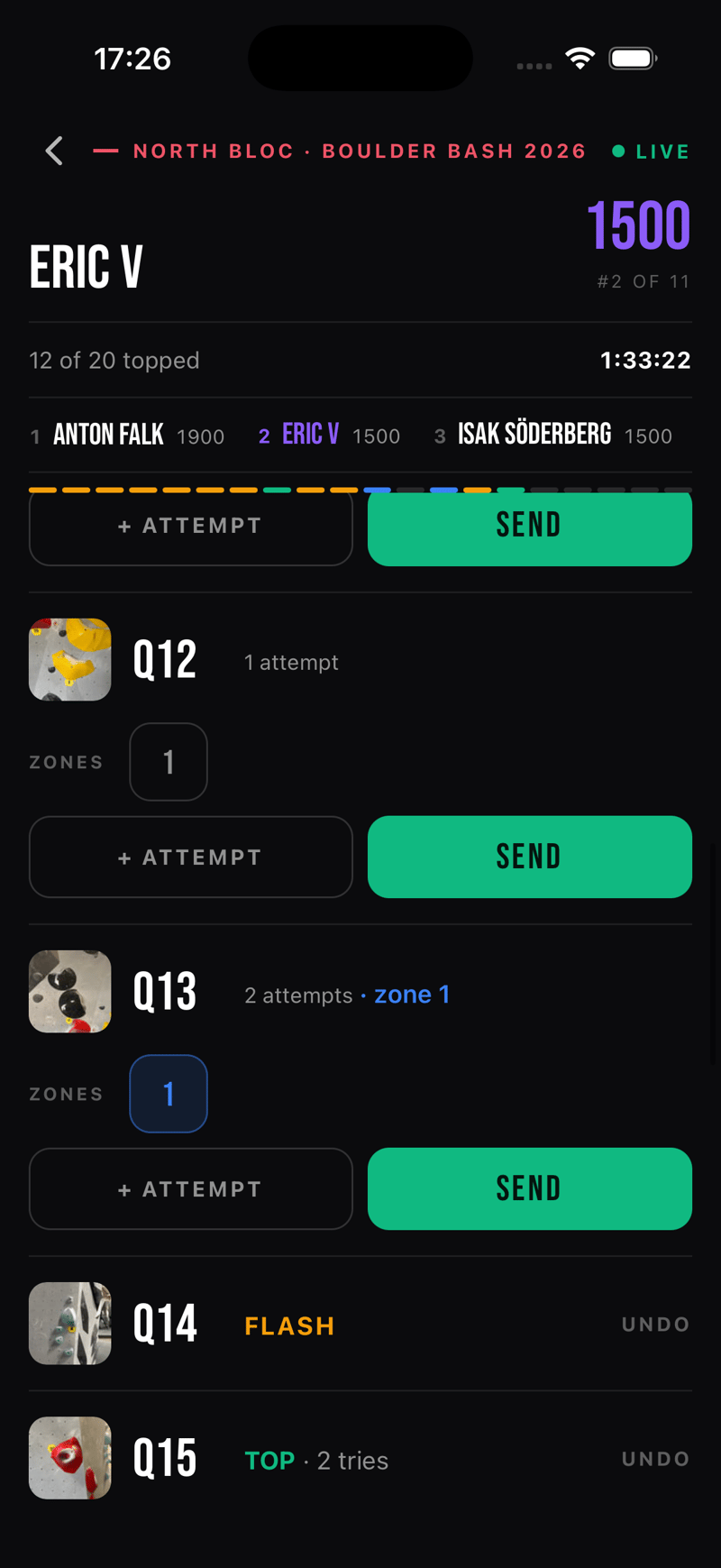
- Step 8
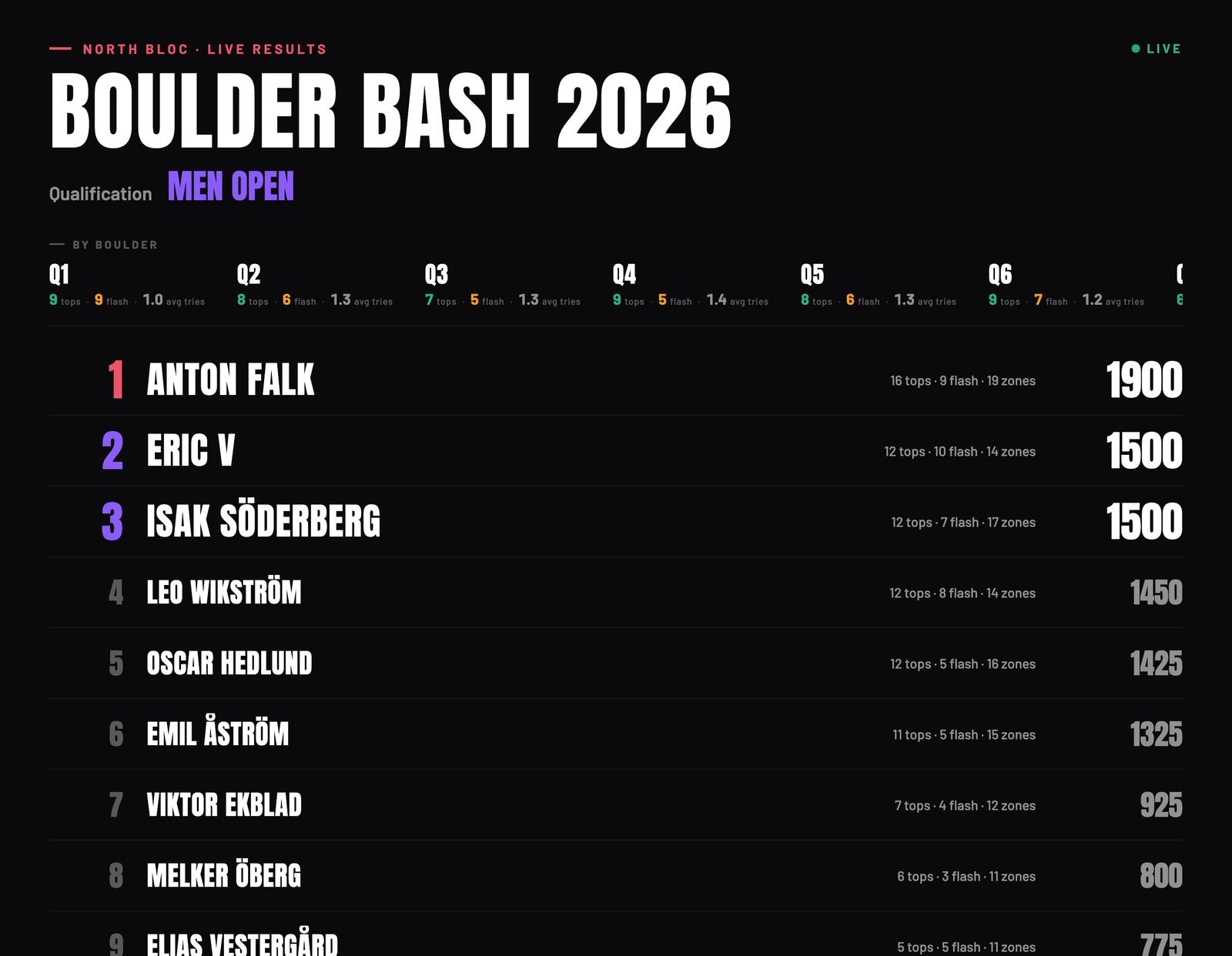
The room watches it live
Every log lands on the public scoreboard within moments, with per-boulder stats along the top. This is the page the gym puts on the projector.
- Step 9
The app steps aside
While a round that includes you is live, the whole app becomes your scorecard, and nothing else gets in the way. A Back to Klettra button at the bottom steps out to the normal app, and a floating pill brings you back to the comp with one tap.
- Step 10
No app? The browser works
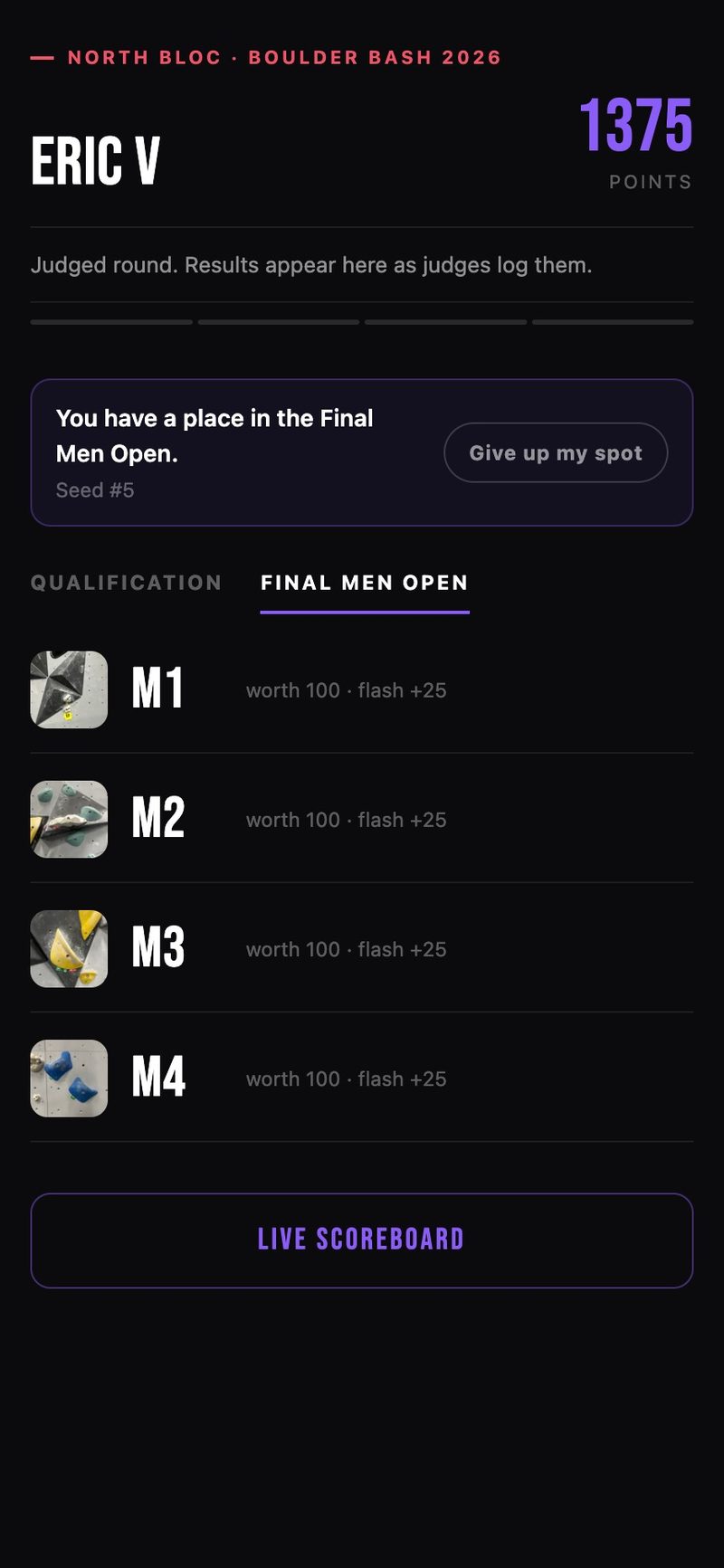
The same ticket opens a full scorecard on the web. This climber qualified: their page shows a seat in the final with their seed, a tab per round, and a button to give up the spot if they cannot stay.
That is comp day, covered
Each guide covers one piece of the day. Browse the rest, or see how the whole competition system fits together.