
Put the comp on the projector
Every screen the room sees is a live web page: scoreboards, the finals view, the rotation clock, and stream overlays. Open a link, press full screen, done.
- Step 1
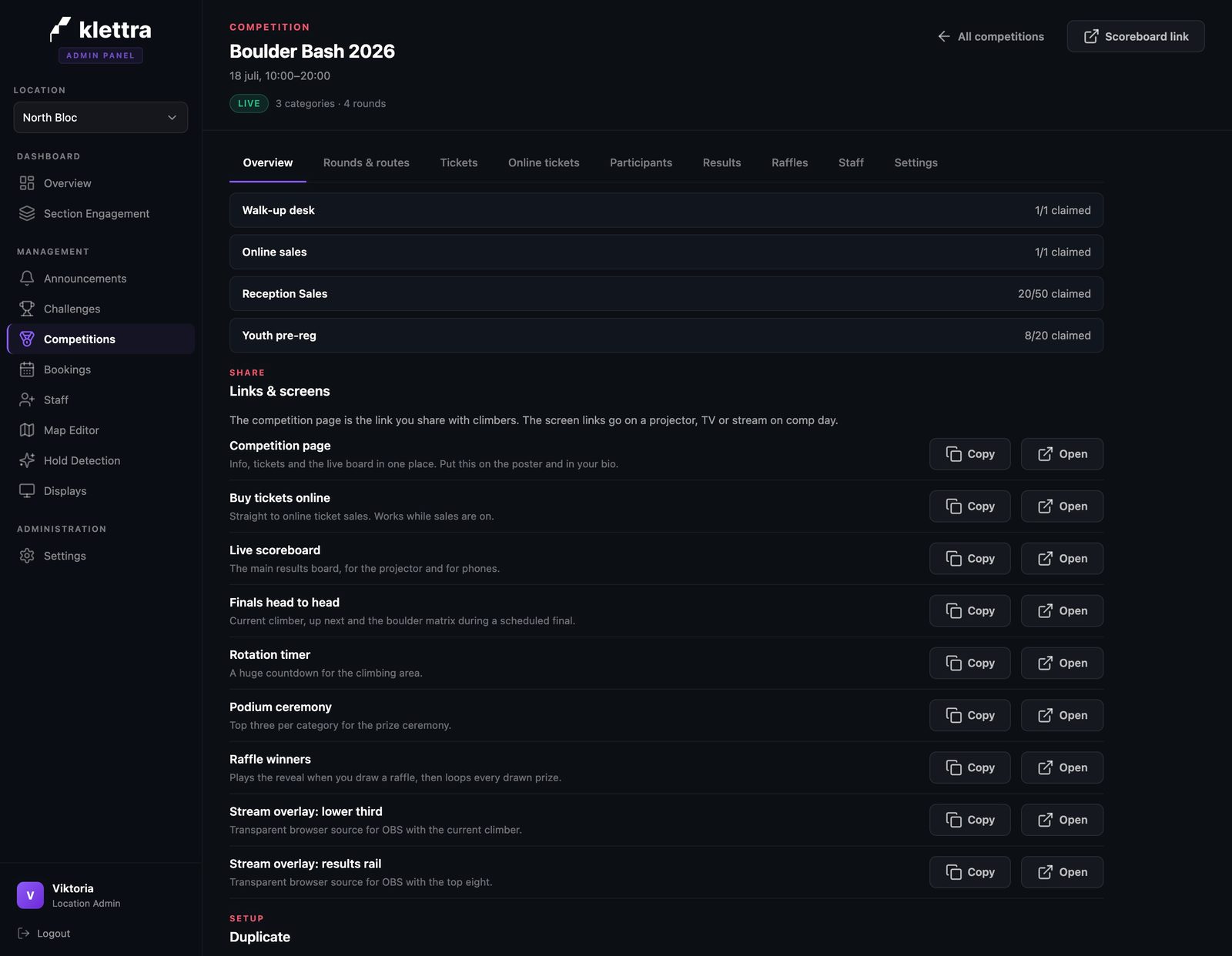
Every screen is one link
The Links and screens panel on the overview lists every public page with a copy and an open button, and a line on when to use each. Nobody on your staff has to learn an address scheme.
- Step 2
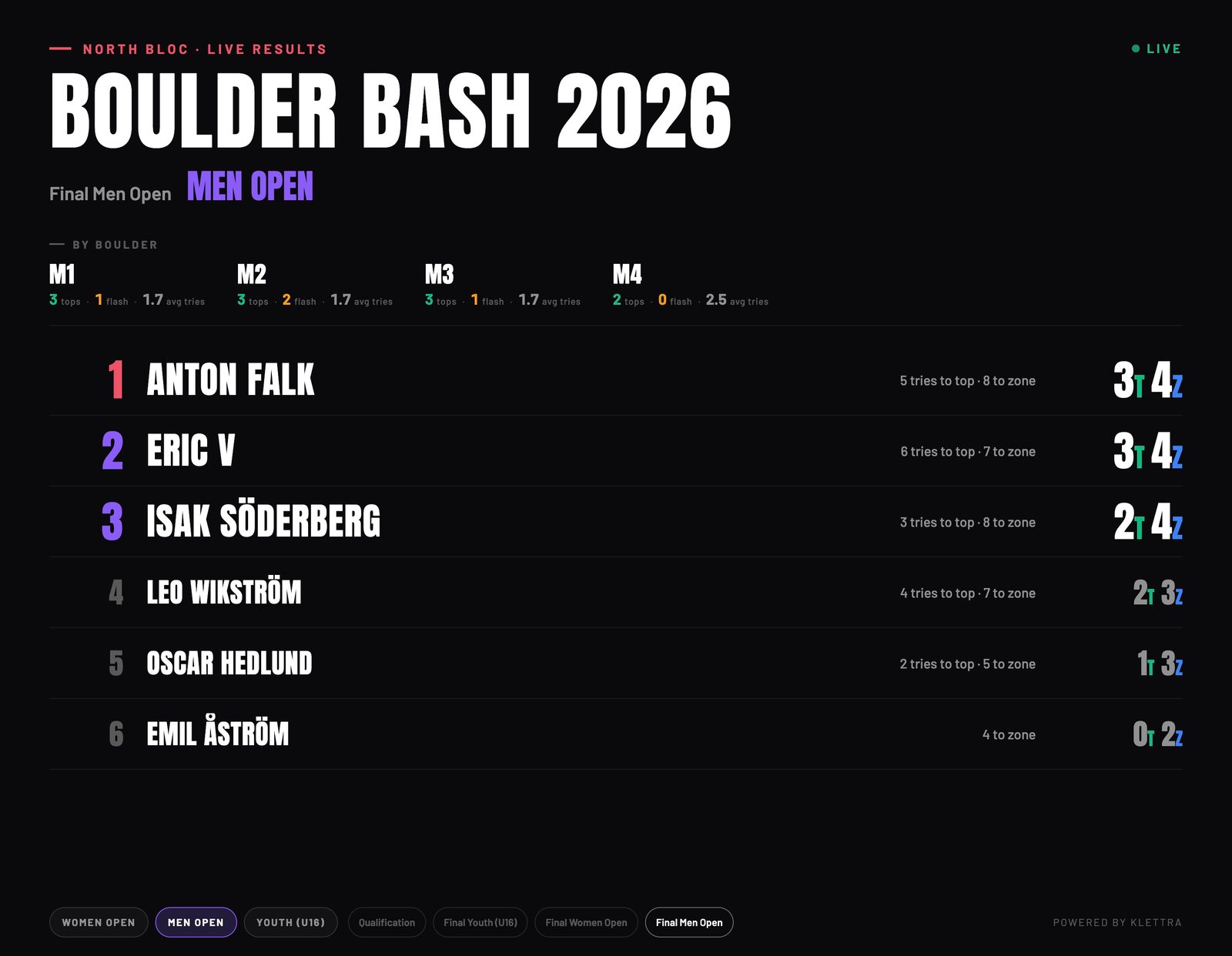
The finals board, the honest way
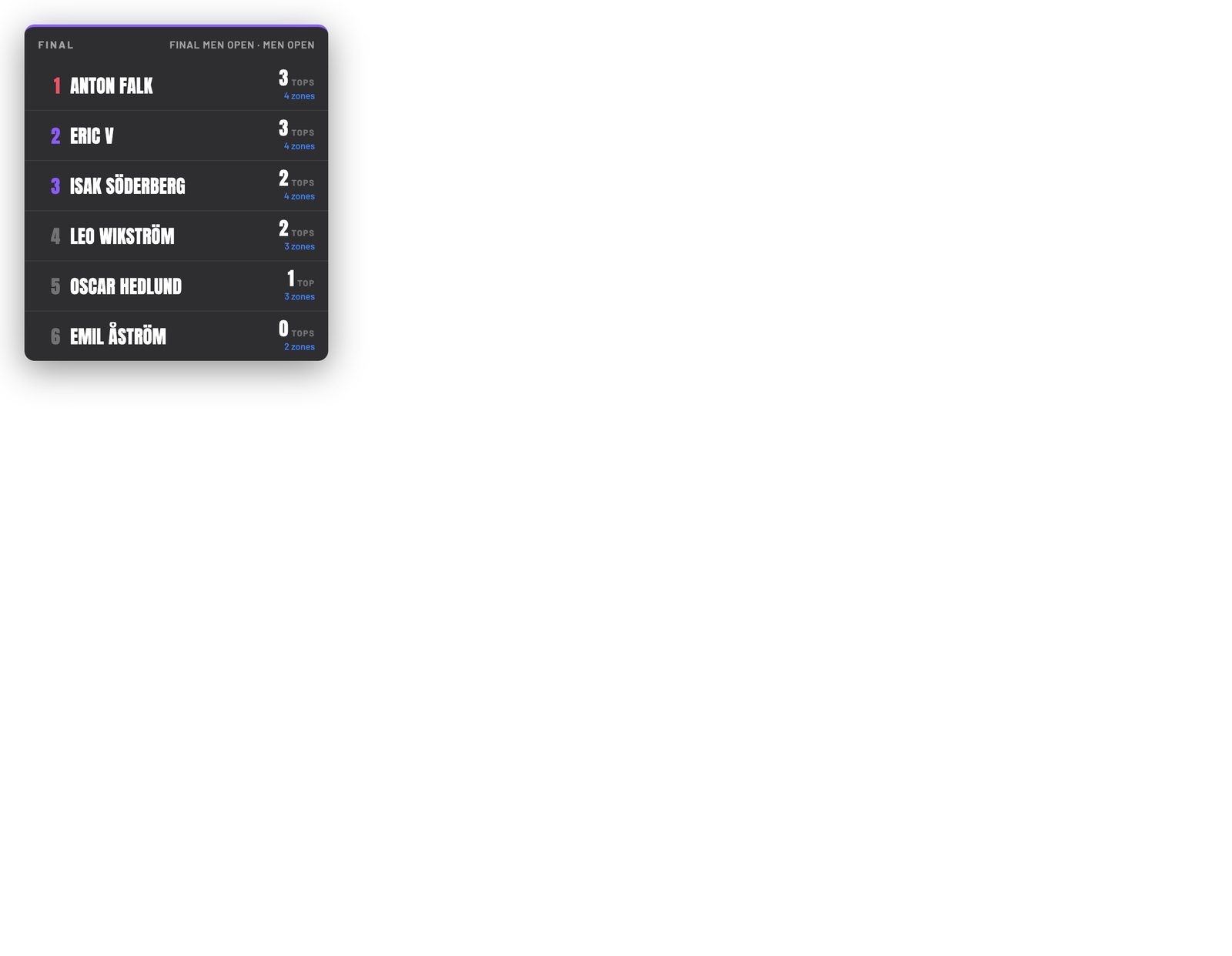
IFSC-ranked rounds show tops and zones, like 3T 4Z, with attempt counts breaking the ties. There is no points column, because that is how the sport actually ranks finals.
- Step 3
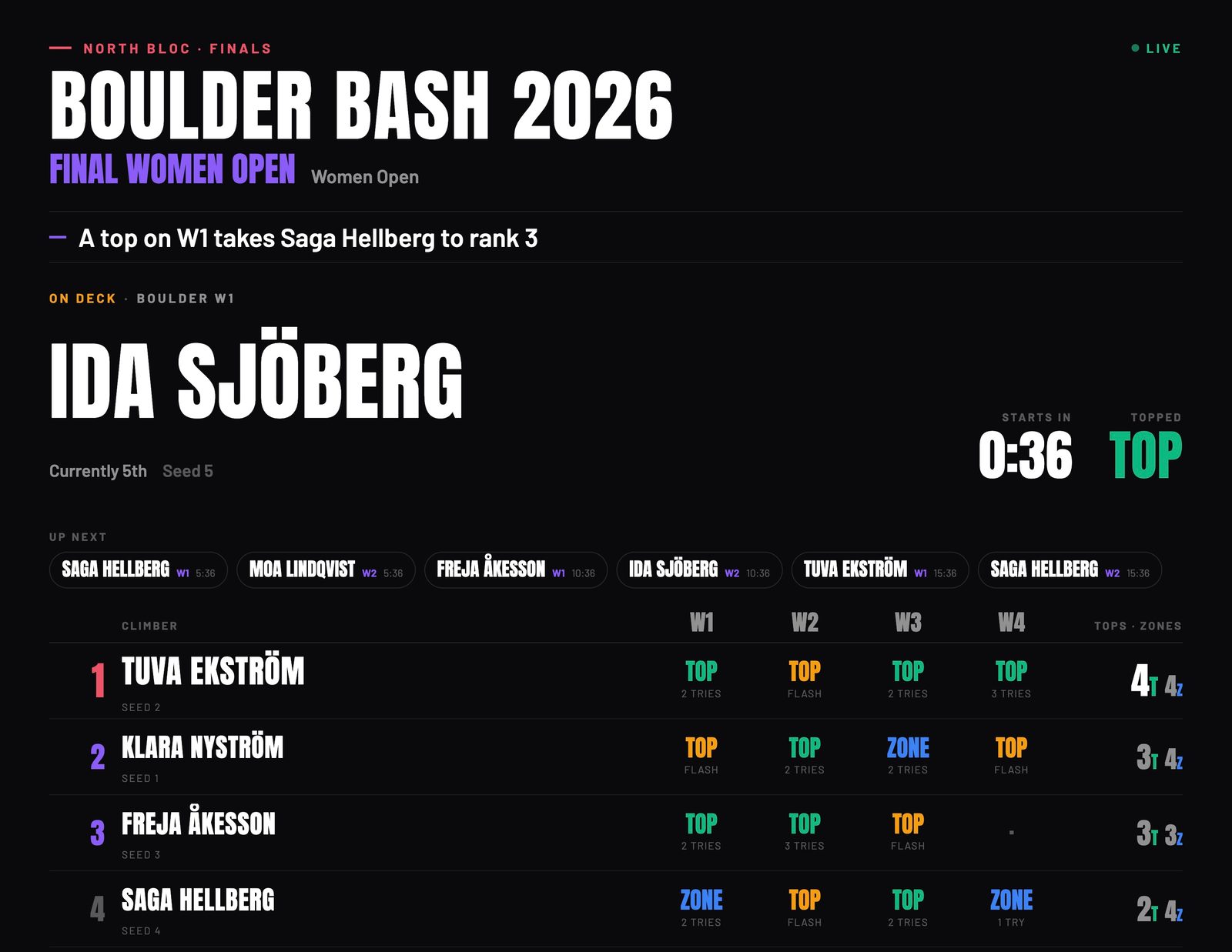
The finals view follows the wall
For the final itself there is a dedicated view: who is on the wall, who is up next with a countdown, and the full boulder-by-boulder matrix underneath. A storyline line calls out what a top would change, live.
- Step 4
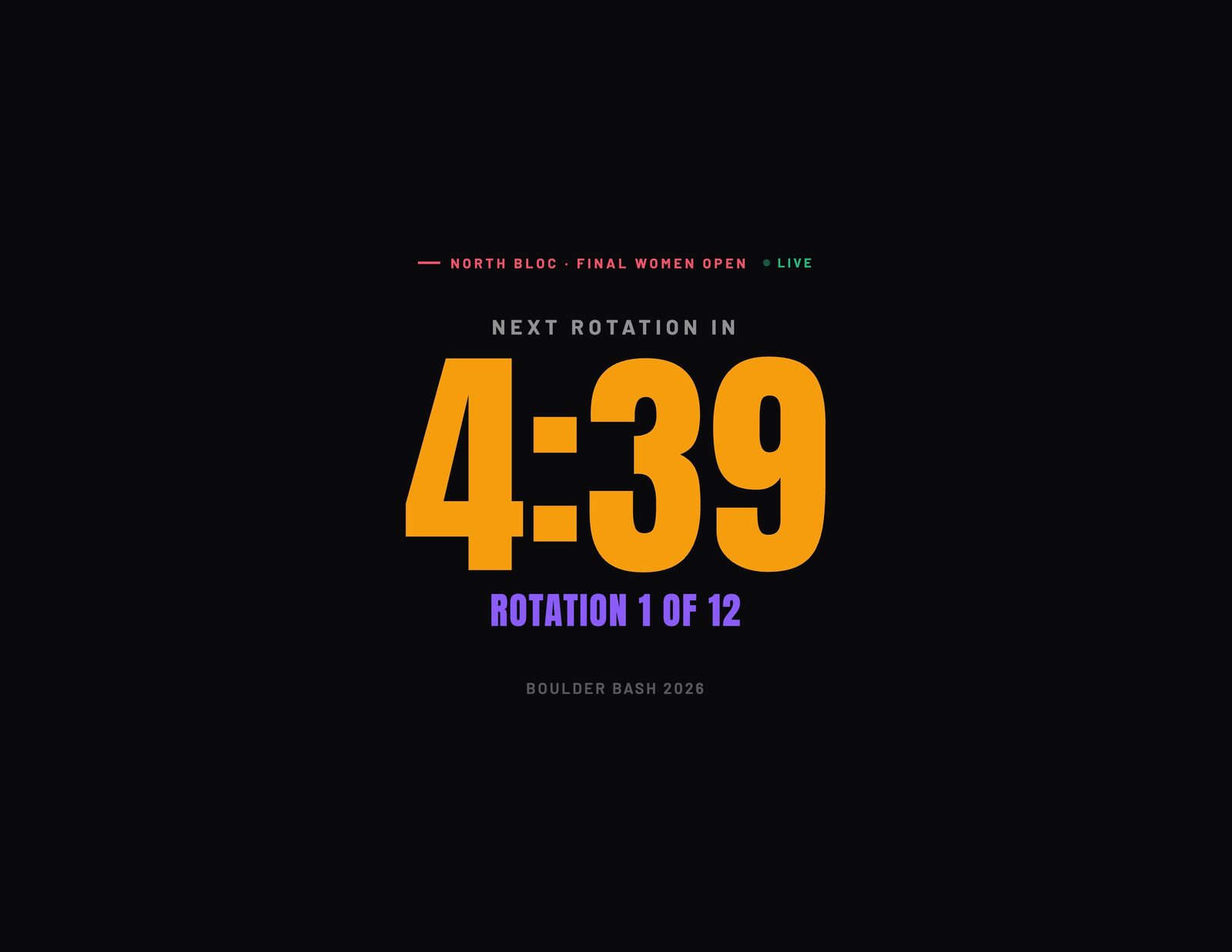
A wall clock for the climbing area
The rotation timer is a page of its own: the next rotation countdown, big enough to read from the mats. Put it on a screen where the finalists warm up.
- Step 5
Stream it with OBS
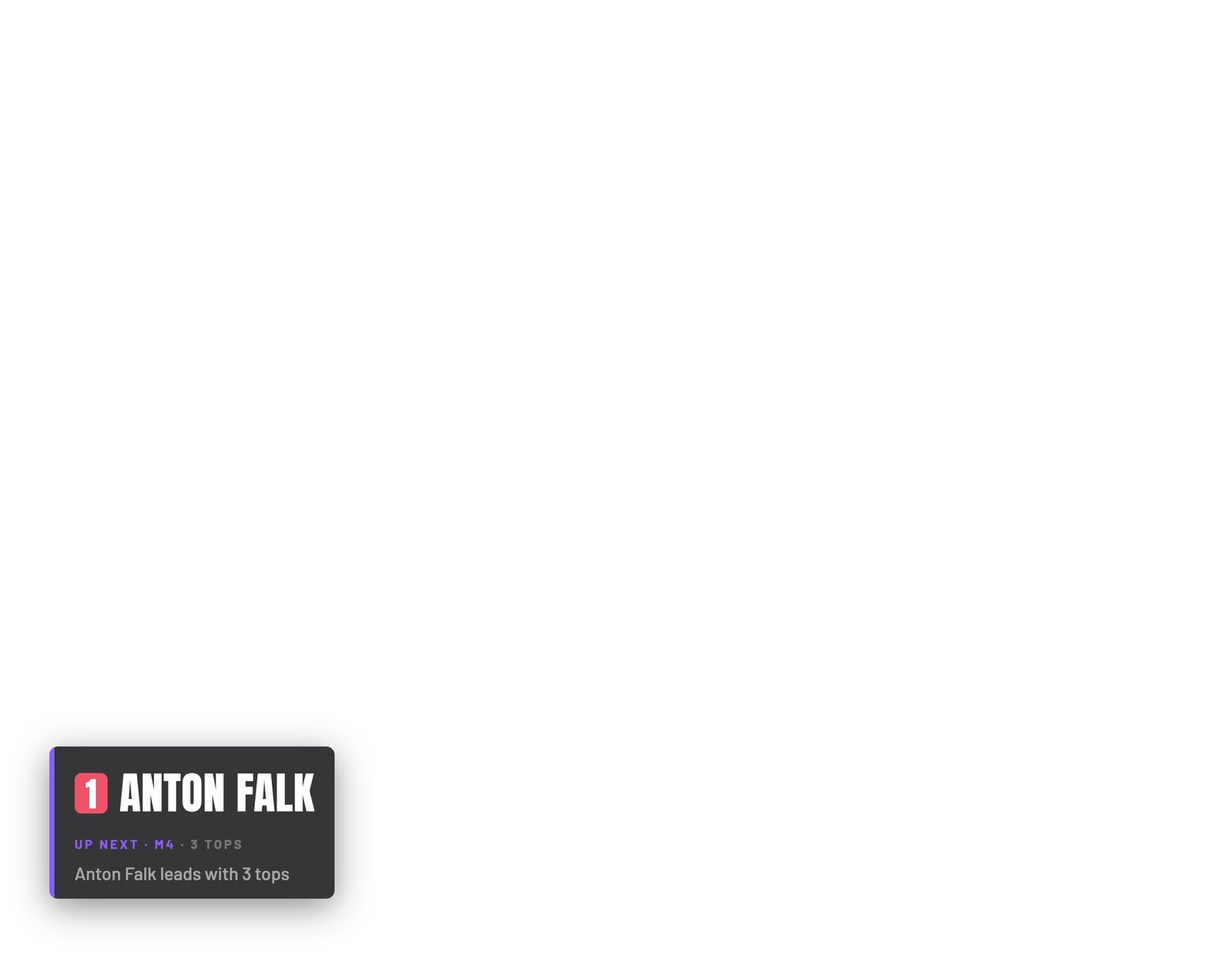
For a stream, there are chromeless overlays made to sit on top of your camera: a lower third with the current climber and a live storyline. They load as browser sources and the background is transparent in OBS.
- Step 6
And a results rail
The side rail is the second overlay: the top of the field with tops and zones per row, compact enough to live on screen through a whole final.
That is comp day, covered
Each guide covers one piece of the day. Browse the rest, or see how the whole competition system fits together.