
Run the desk on comp day
The desk view for the day itself: claimed tickets at a glance, lost phones fixed in seconds, and walk-ups climbing in under a minute.
- Step 1
Your live roster
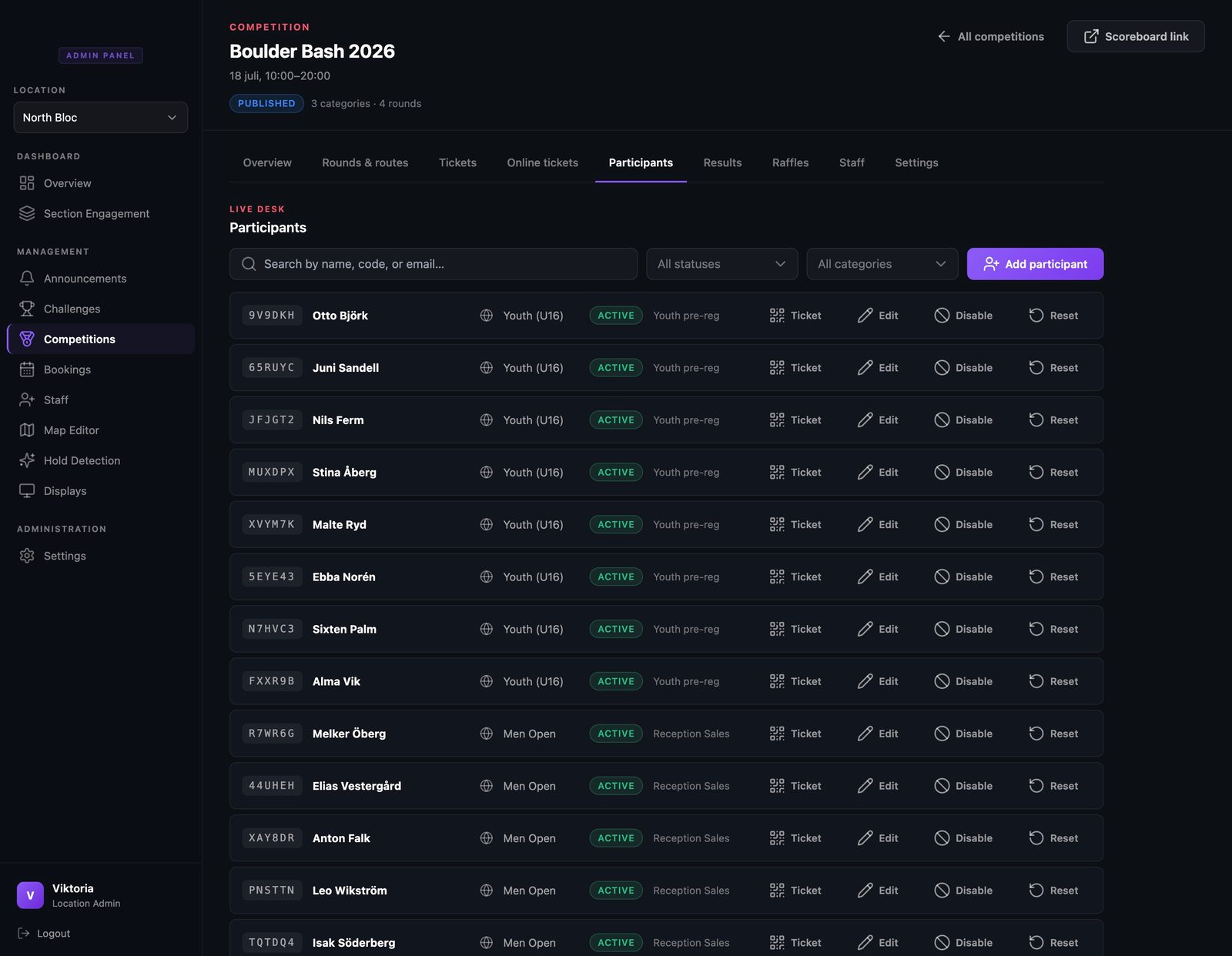
The Participants tab is the desk view: every claimed ticket with its code, name, category, and status, with search and filters on top. It updates live as climbers claim tickets and start logging.
- Step 2
Online buyers, ready to claim
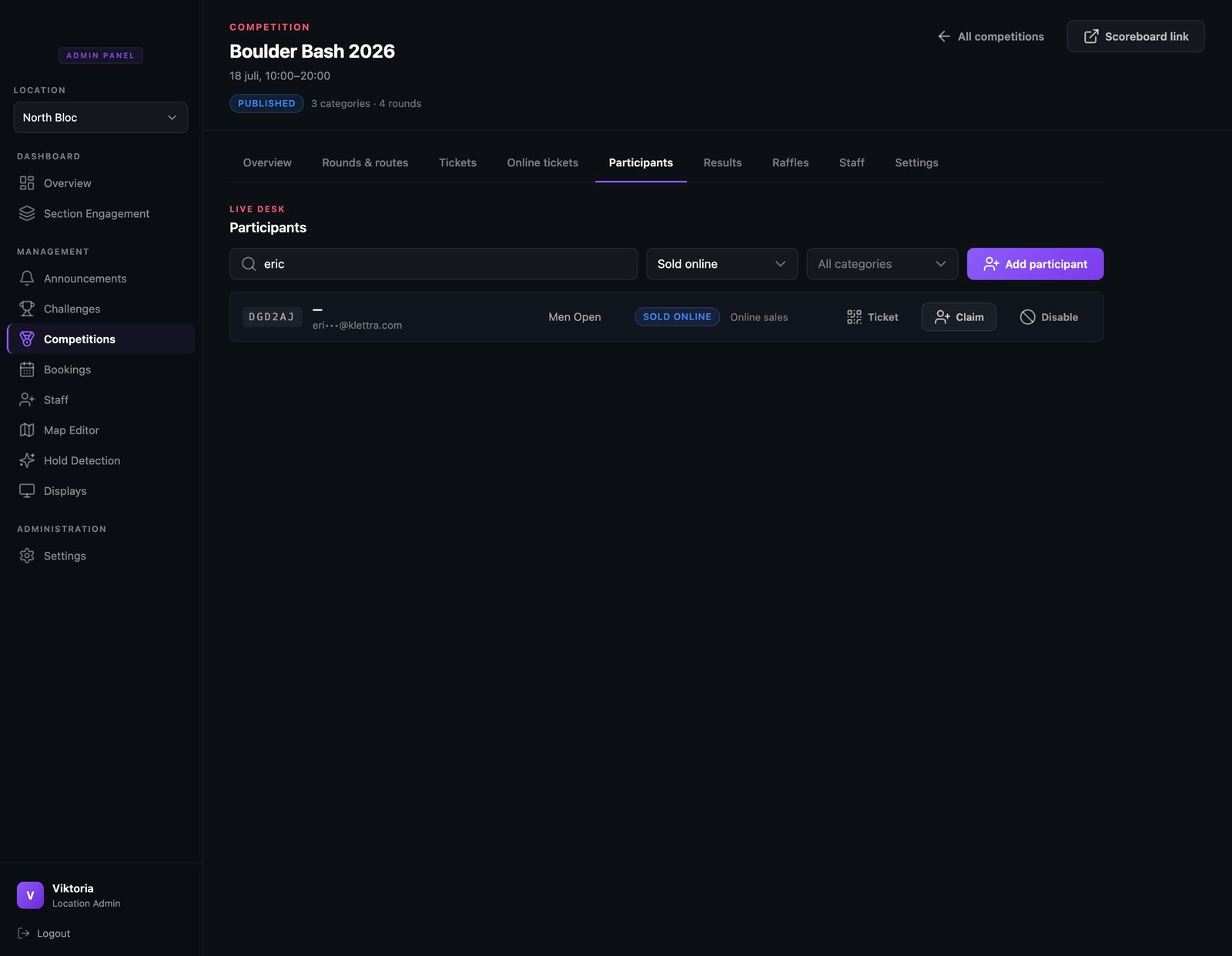
Tickets sold online show up with a Sold online badge until they are claimed. The buyer’s email is masked until you tap to reveal it, so staff see only what they need, and you can search by email when someone has lost their code.
- Step 3
Phone died? No problem
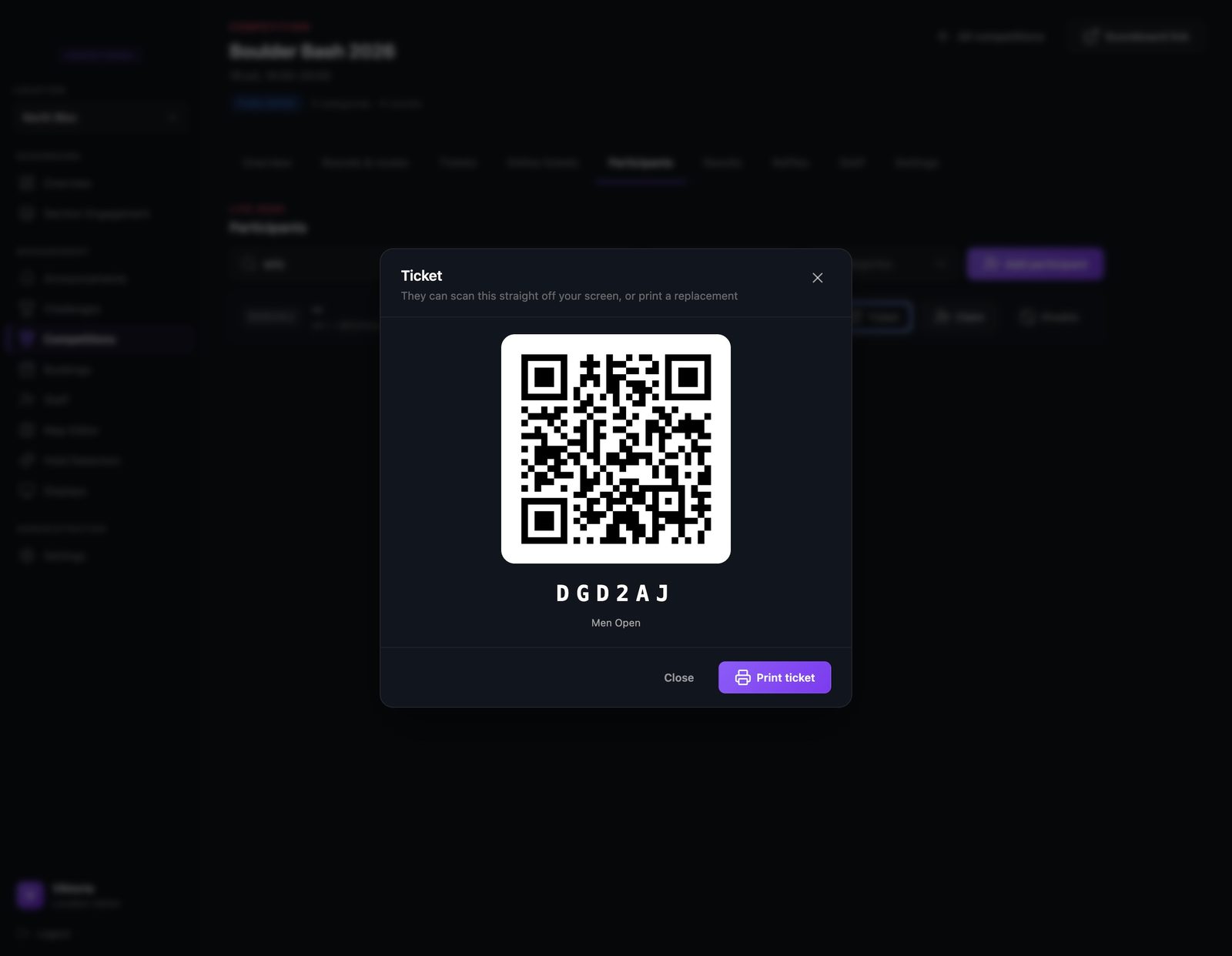
Open any row and the full ticket is right there. The climber can scan it straight off your screen, or you can print a replacement. Scanning the same ticket on a new device simply resumes their scorecard, results and all.
- Step 4
Walk-ups take a minute
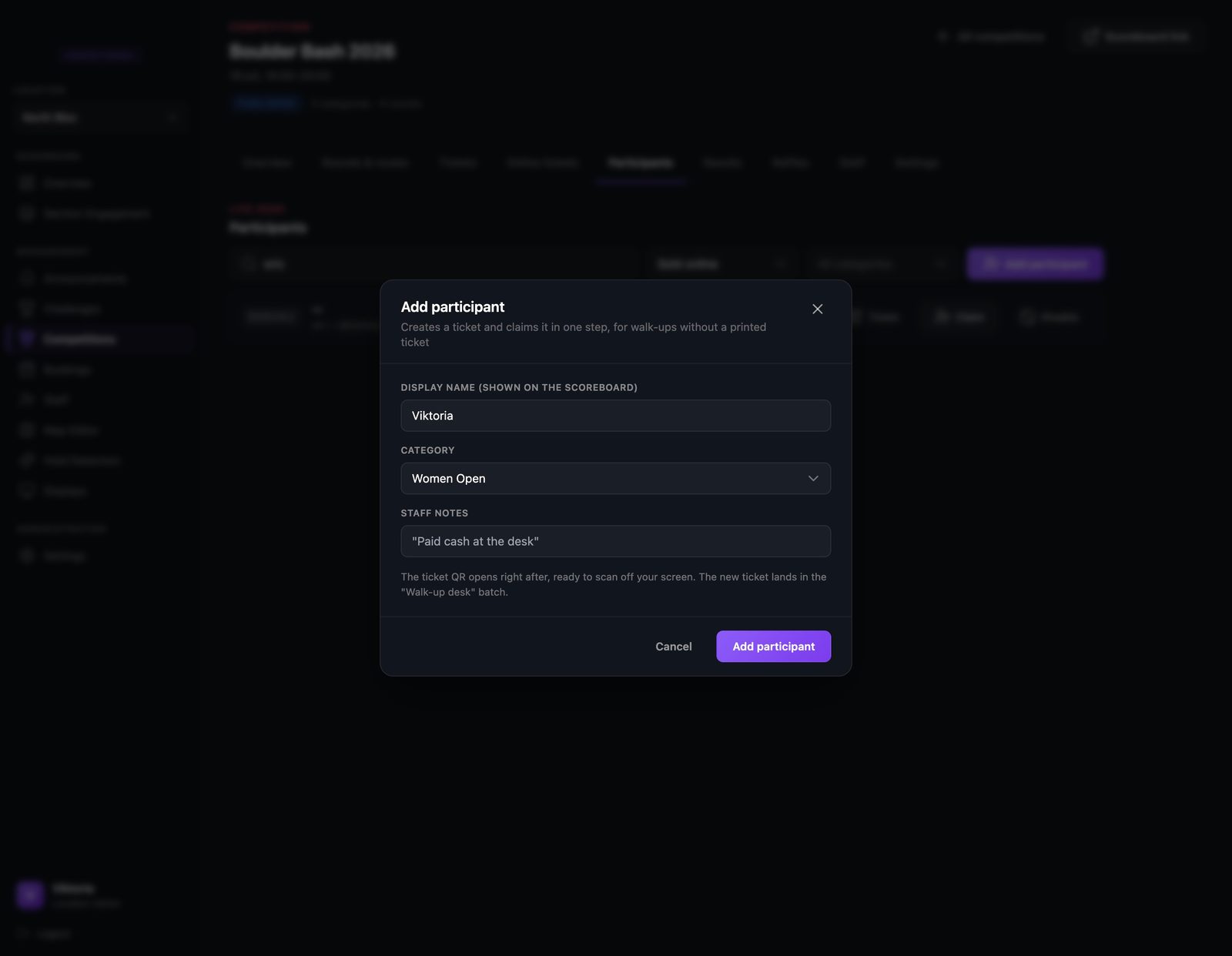
Someone shows up with cash and no ticket? Add them by name, pick a category, and jot a staff note if you like.
- Step 5
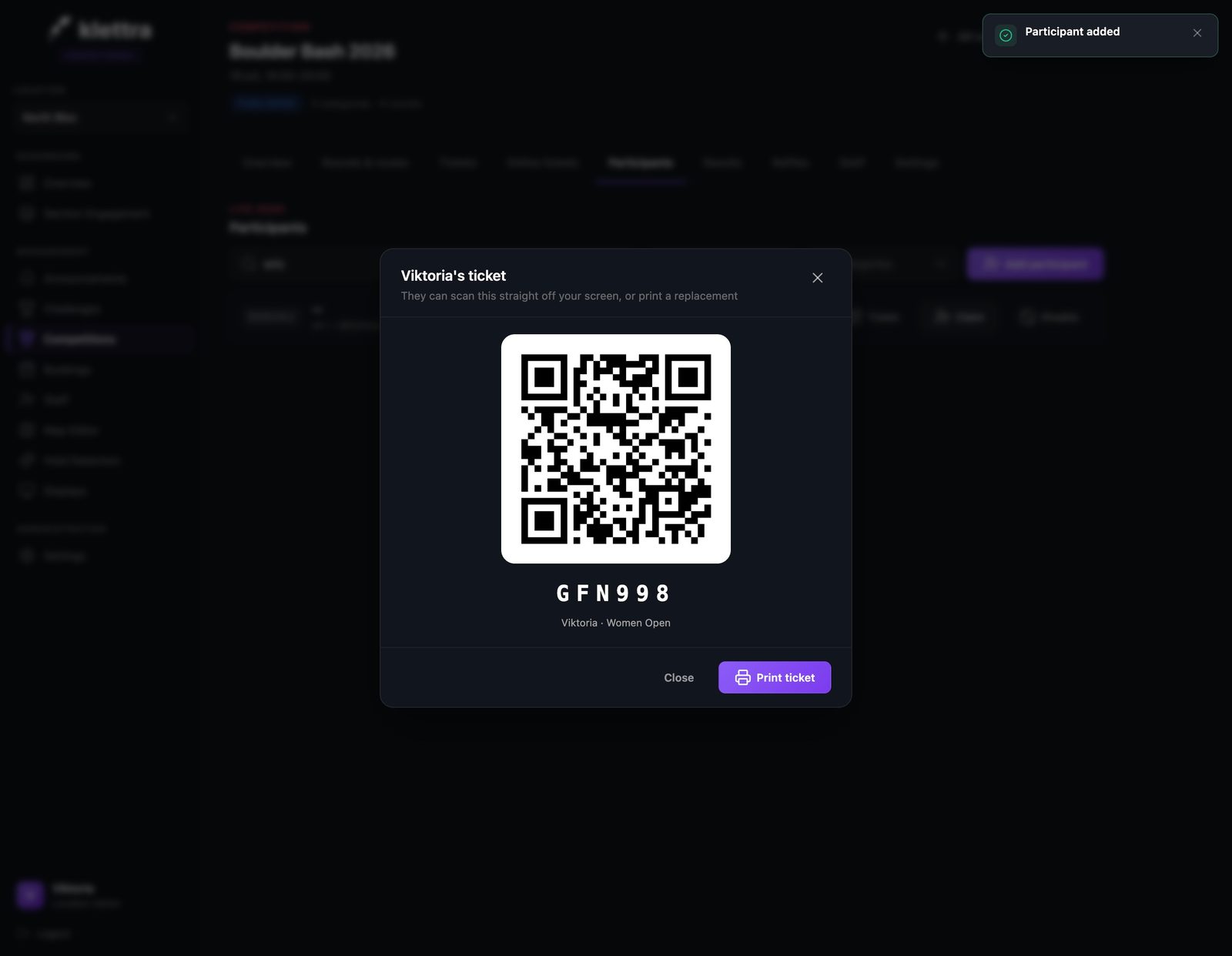
Their ticket appears instantly
The new ticket opens on screen, ready to scan or print. From hello to climbing in under a minute.
- Step 6
The comp runs itself
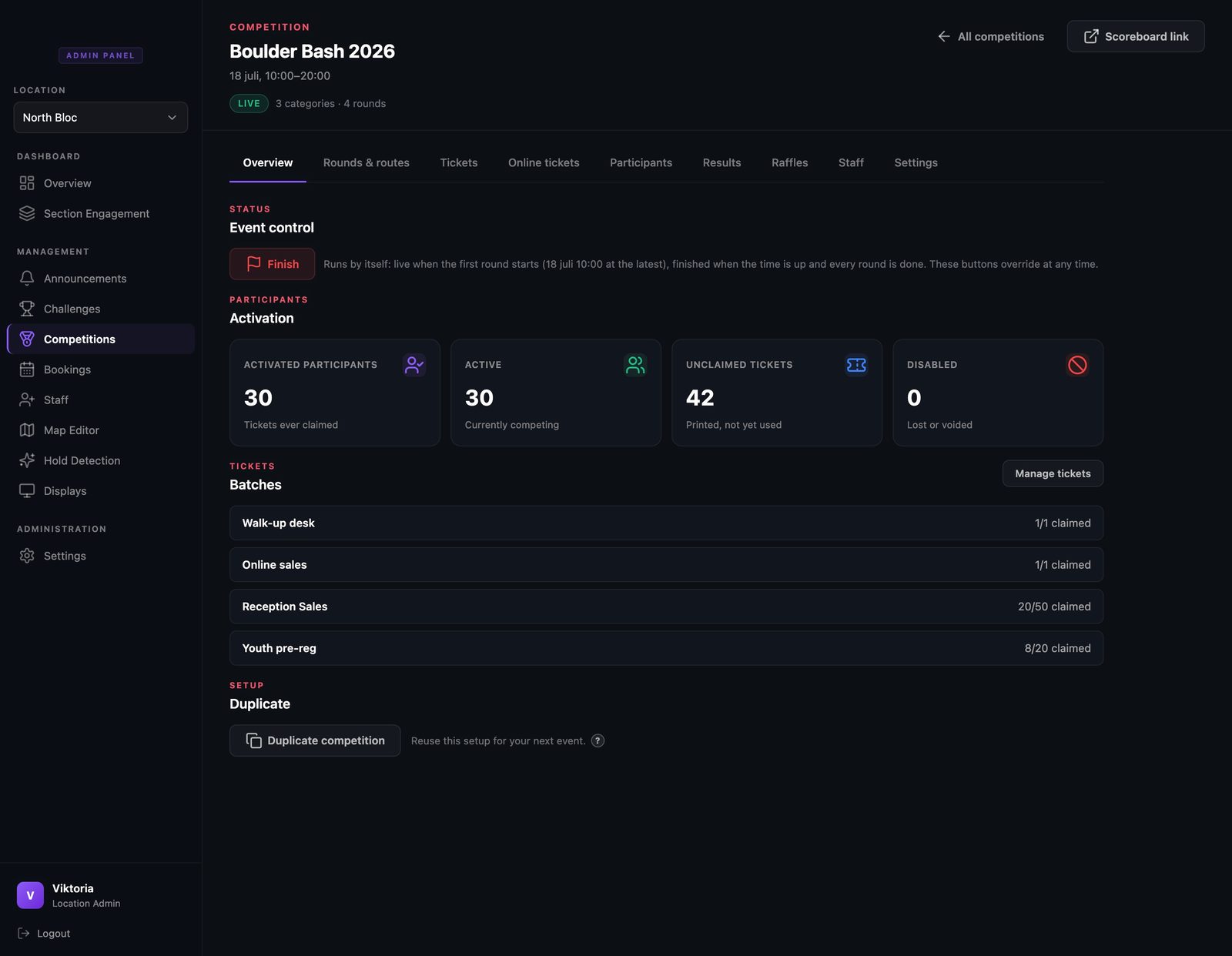
There is no go-live button to remember. The comp promotes itself to live when its first round starts, and the overview shows the day running: activations ticking up, and a single Finish button for when it is all over.
That is comp day, covered
Each guide covers one piece of the day. Browse the rest, or see how the whole competition system fits together.