
Raffles, podiums, and results
End the day properly: audited prize draws with a projector reveal, a podium ceremony screen, and a results page that stays up after everyone goes home.
- Step 1
Set up a prize
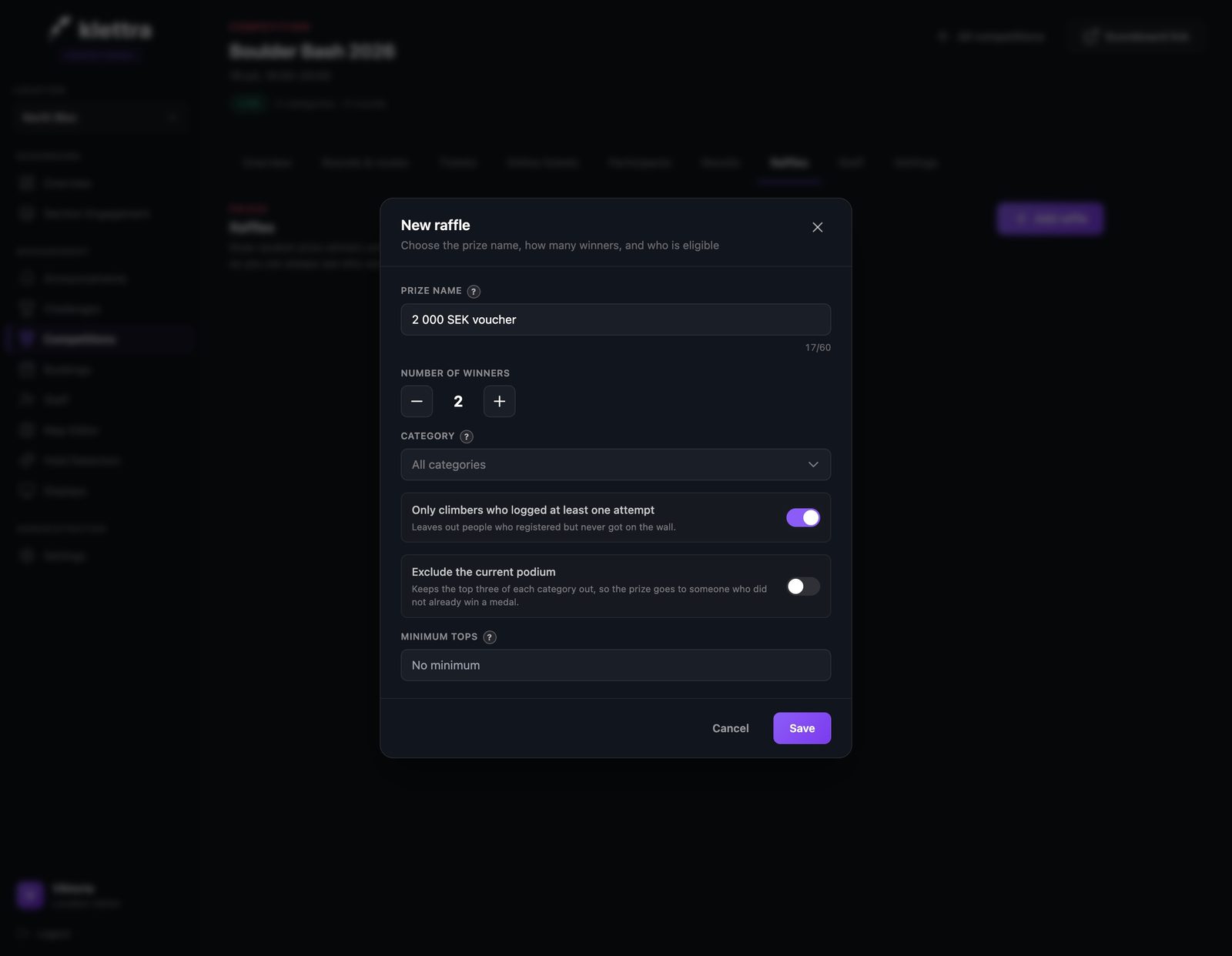
A raffle is a prize, a number of winners, and who can win it, all in plain language: only climbers who logged at least one attempt, exclude the current podium, or open to everyone.
- Step 2
Or make it earned
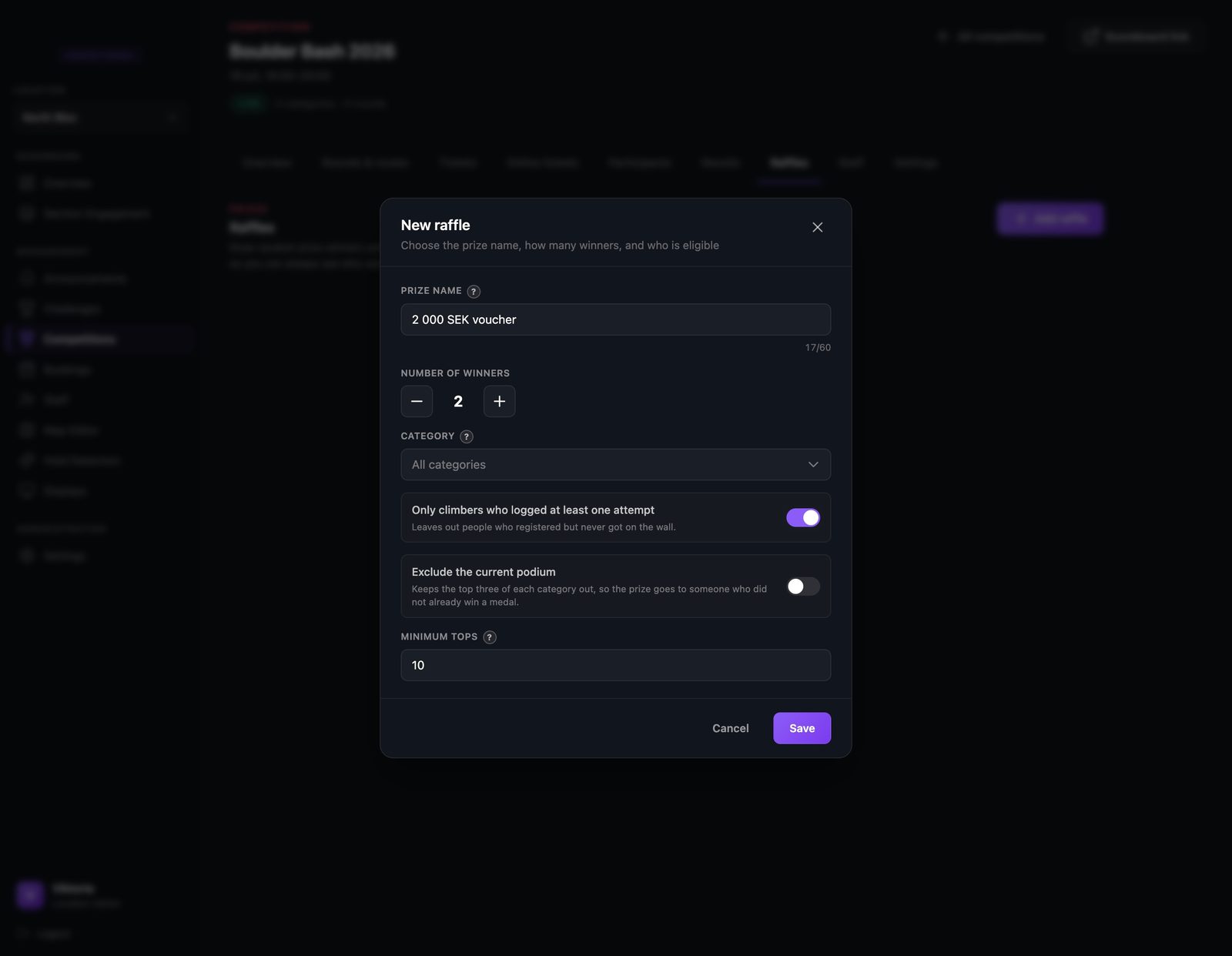
Add a minimum number of tops and the big voucher only goes to people who climbed for it. Smaller prizes can stay open to the whole room.
- Step 3
Stage everything before the day
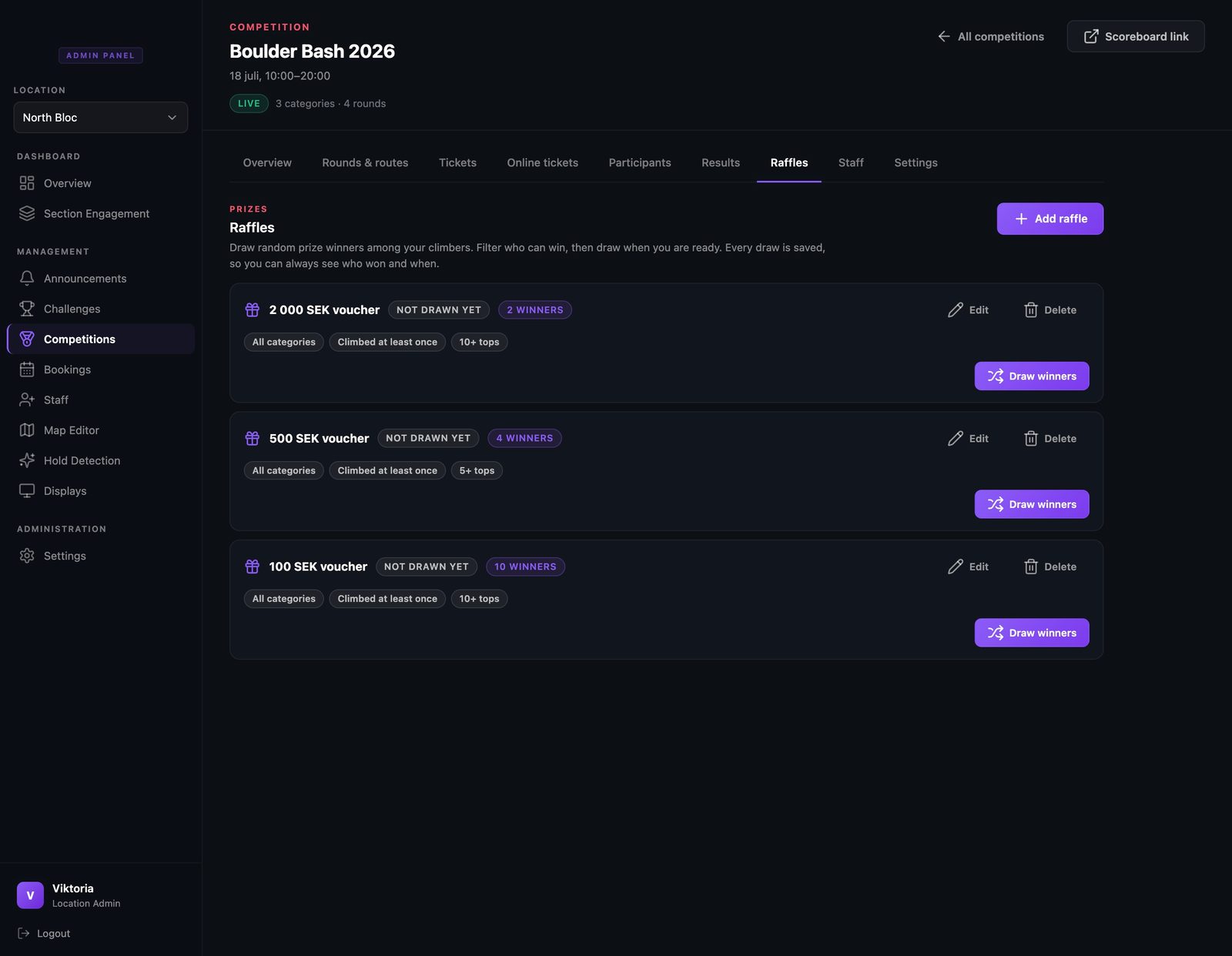
Set up all your prizes ahead of time. Each card shows its rules as chips and waits for its draw, so the evening is one click per prize instead of a scramble.
- Step 4
Draw with one click
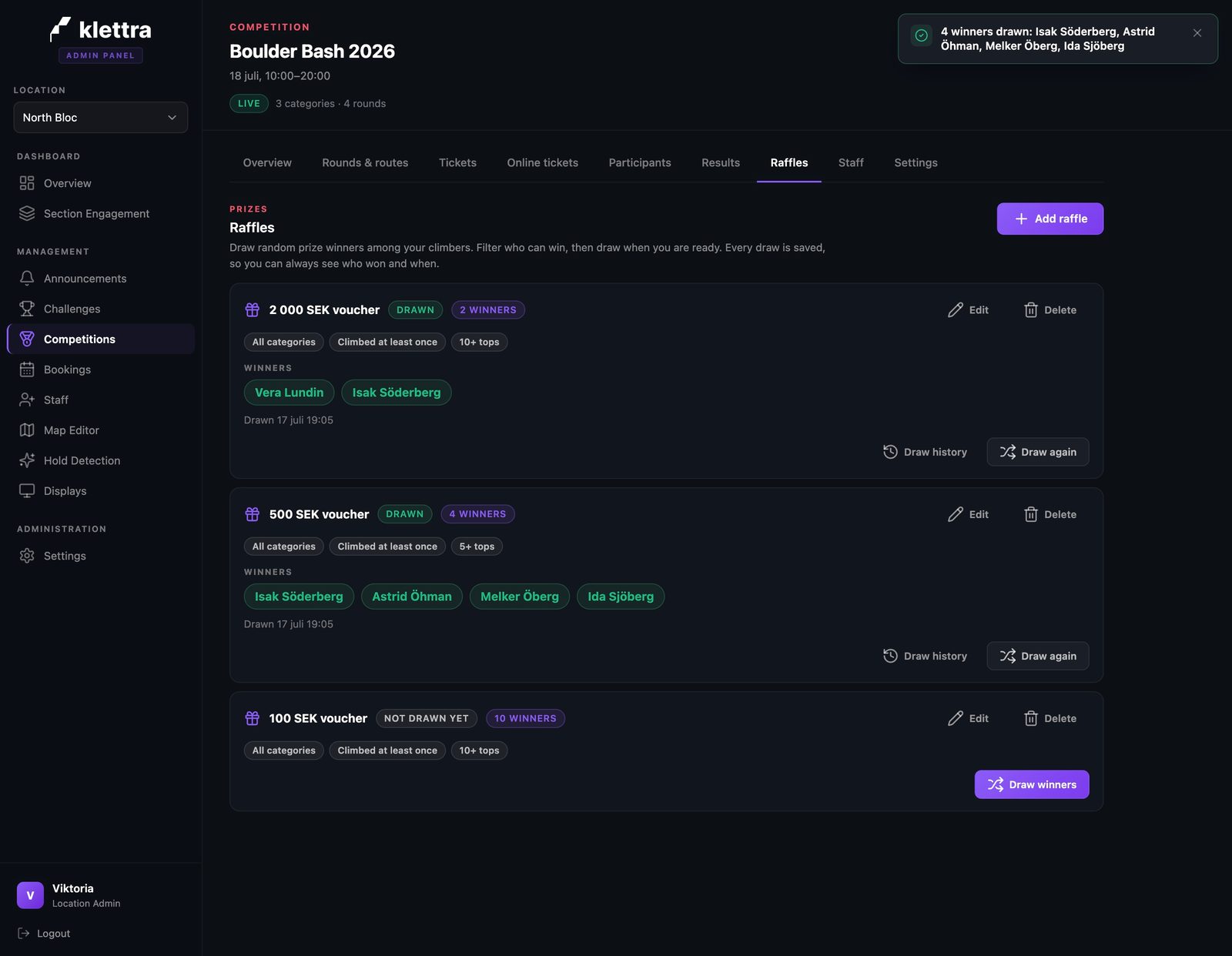
Each draw picks winners on the spot and records them with a timestamp and a full draw history, so a contested prize is never your word against theirs.
- Step 5
Reveal it on the projector
The raffle view pops the winner cards in one by one on the big screen. Ten winners land better as a moment than as names read off a phone.

- Step 6
The podium ceremony
The podium view is the closing poster: gold, silver, and bronze on pedestals with their results. Each category shows its podium from the round that decided it.

- Step 7
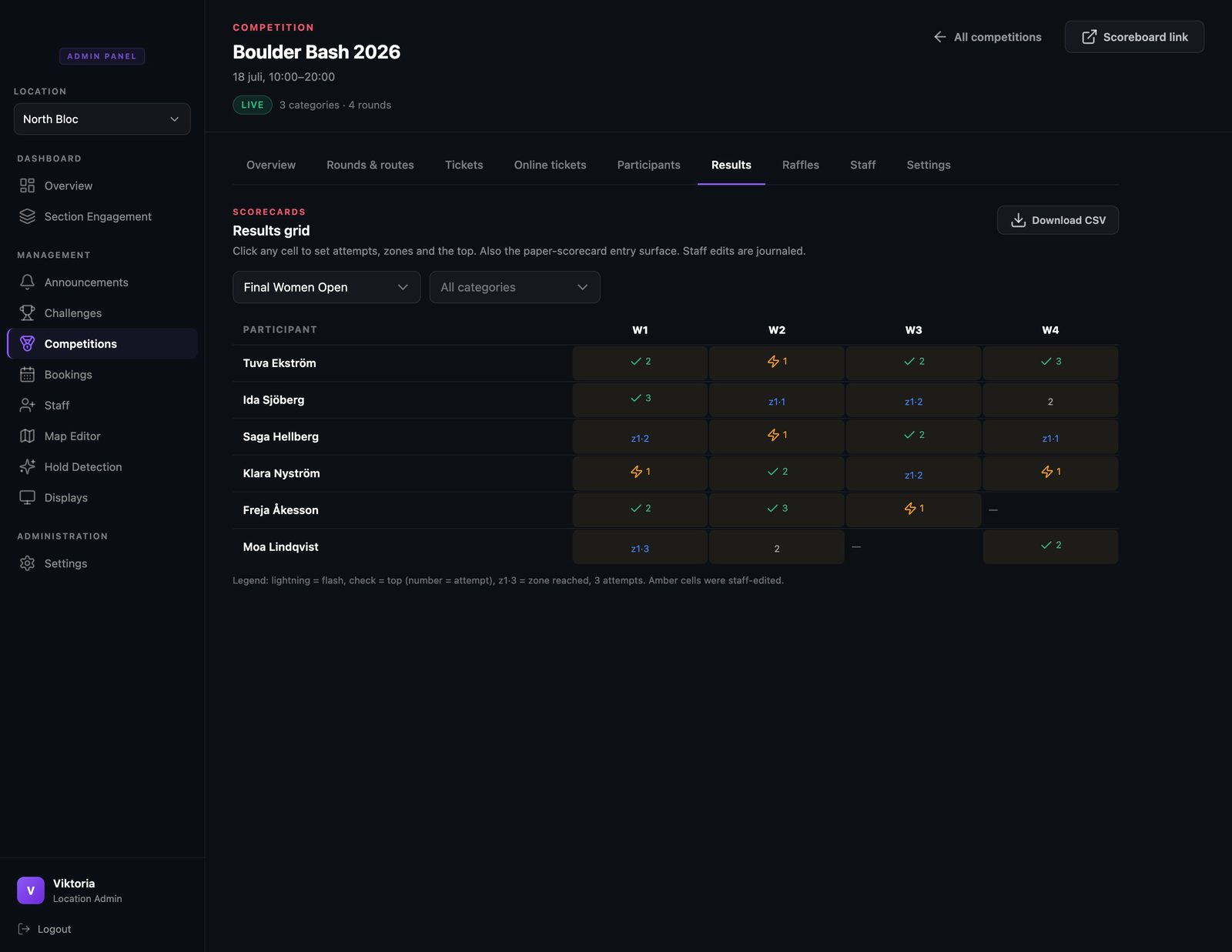
Fix results without drama
The results grid shows every cell of the round: flashes, tops with attempts, zones. Staff can correct any cell, edited cells are tinted so reviews stay honest, and the whole round downloads as a spreadsheet. It also works as the entry surface if a round ran on paper scorecards.
- Step 8
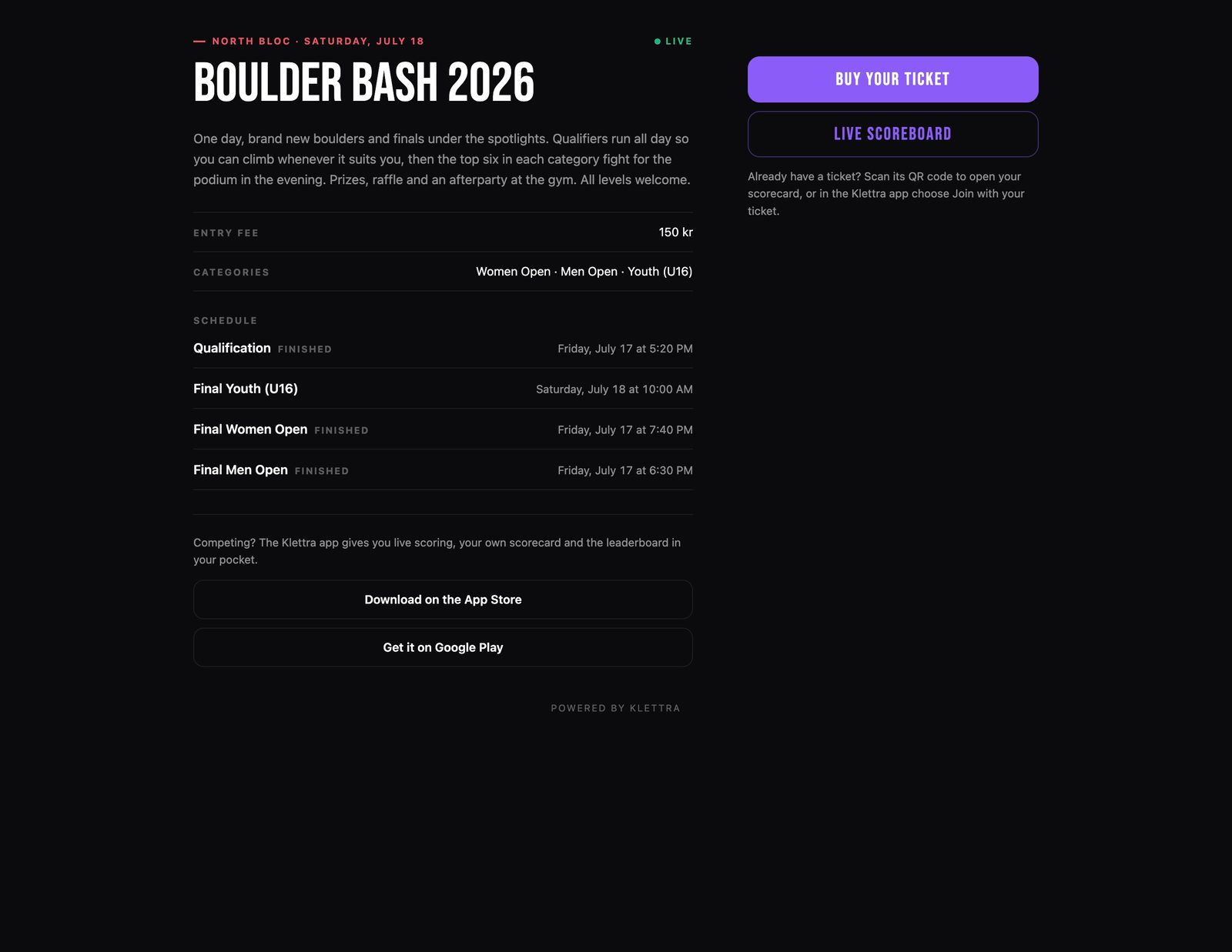
The link keeps working
One link, before, during, and after: the page that sold the tickets doubles as the live hub on comp day, and once the comp finishes it becomes the permanent results page. Winners share it, and it stays up as the record of the day.
That is comp day, covered
Each guide covers one piece of the day. Browse the rest, or see how the whole competition system fits together.