
Set up your competition
Create the comp, choose how scoring works, and lay out the rounds and boulders. A guided checklist keeps track of what is left before you can publish.
- Step 1
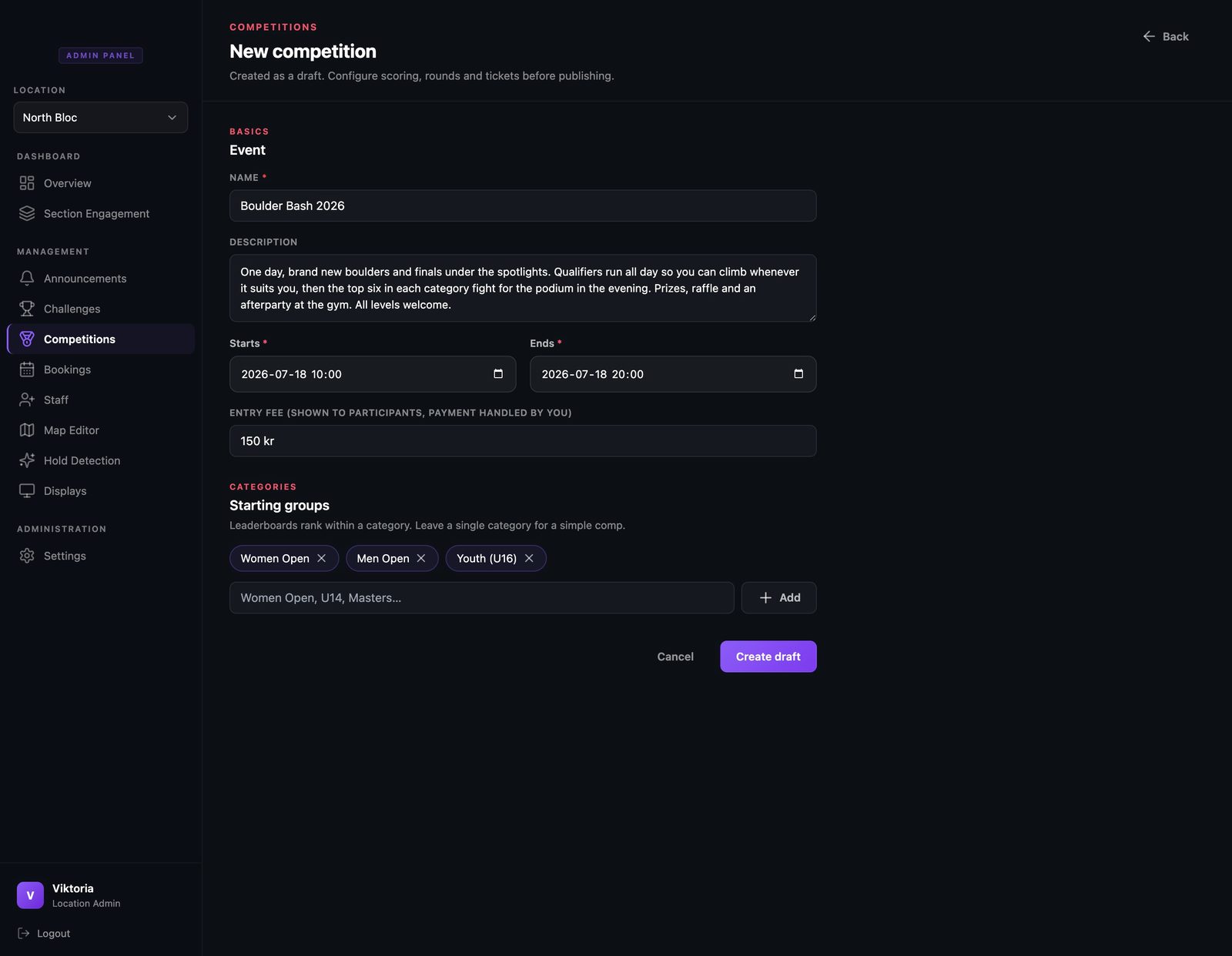
Create the competition
In the admin panel, open Competitions and create a new one. Give it a name and a short description climbers will see, set the date and the hours, pick the entry fee, and add your categories, like Women, Men, and a youth group. That is the whole form.
- Step 2
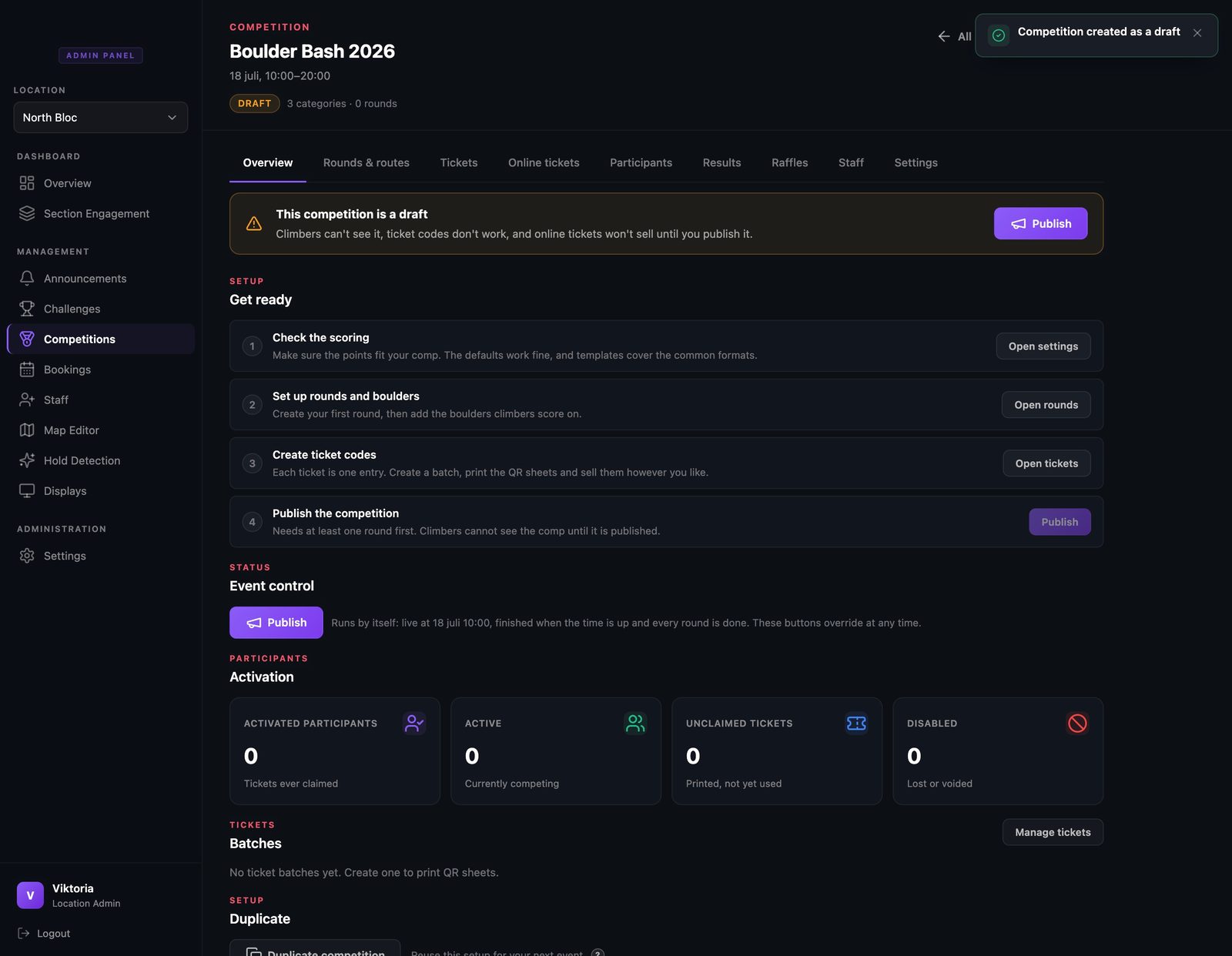
Follow the Get ready checklist
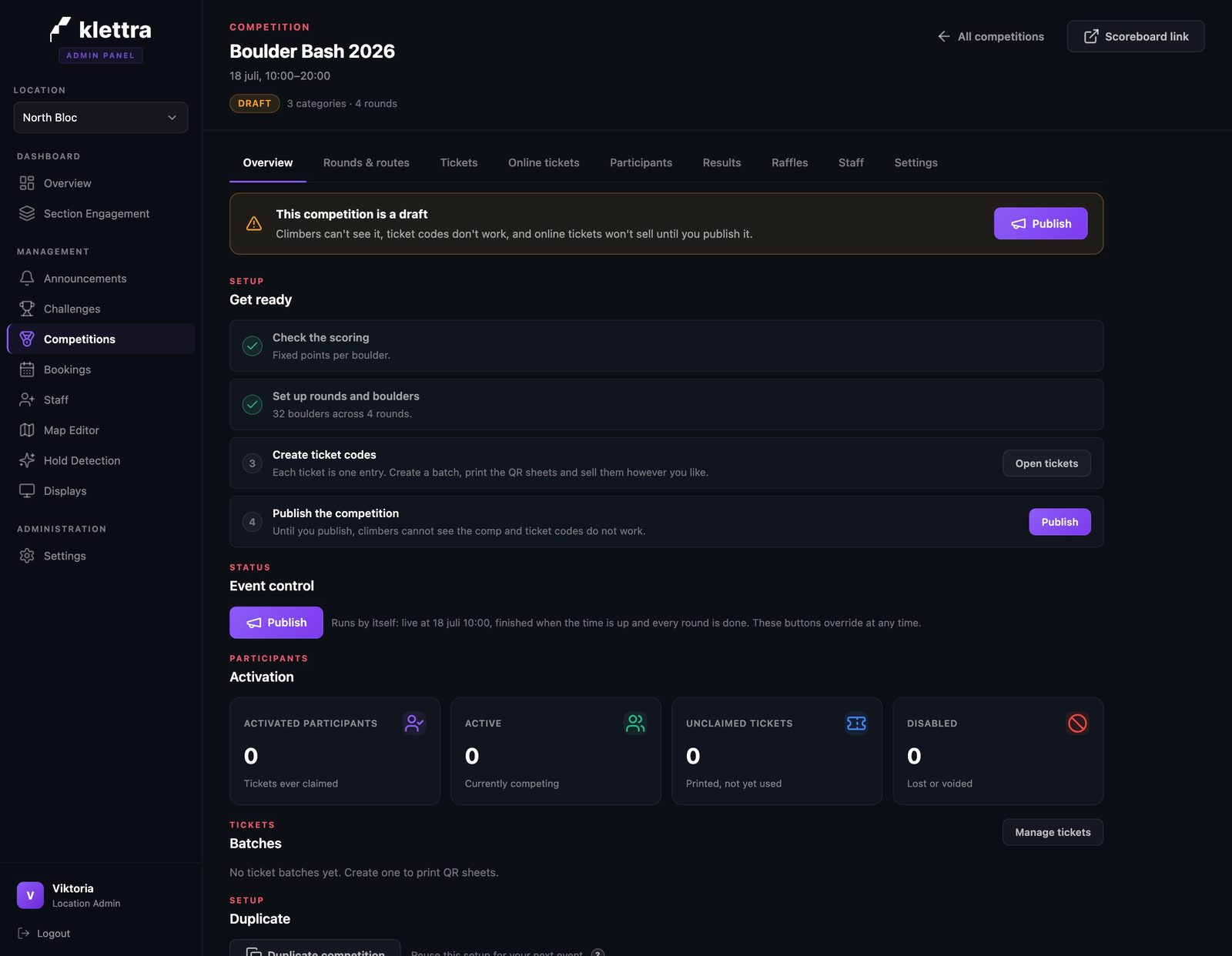
A new competition starts as a draft, so nothing is public yet. The overview shows a four-step Get ready checklist: check the scoring, add rounds and boulders, create ticket codes, and publish. Each step turns green as you finish it, so you always know what is left.
- Step 3
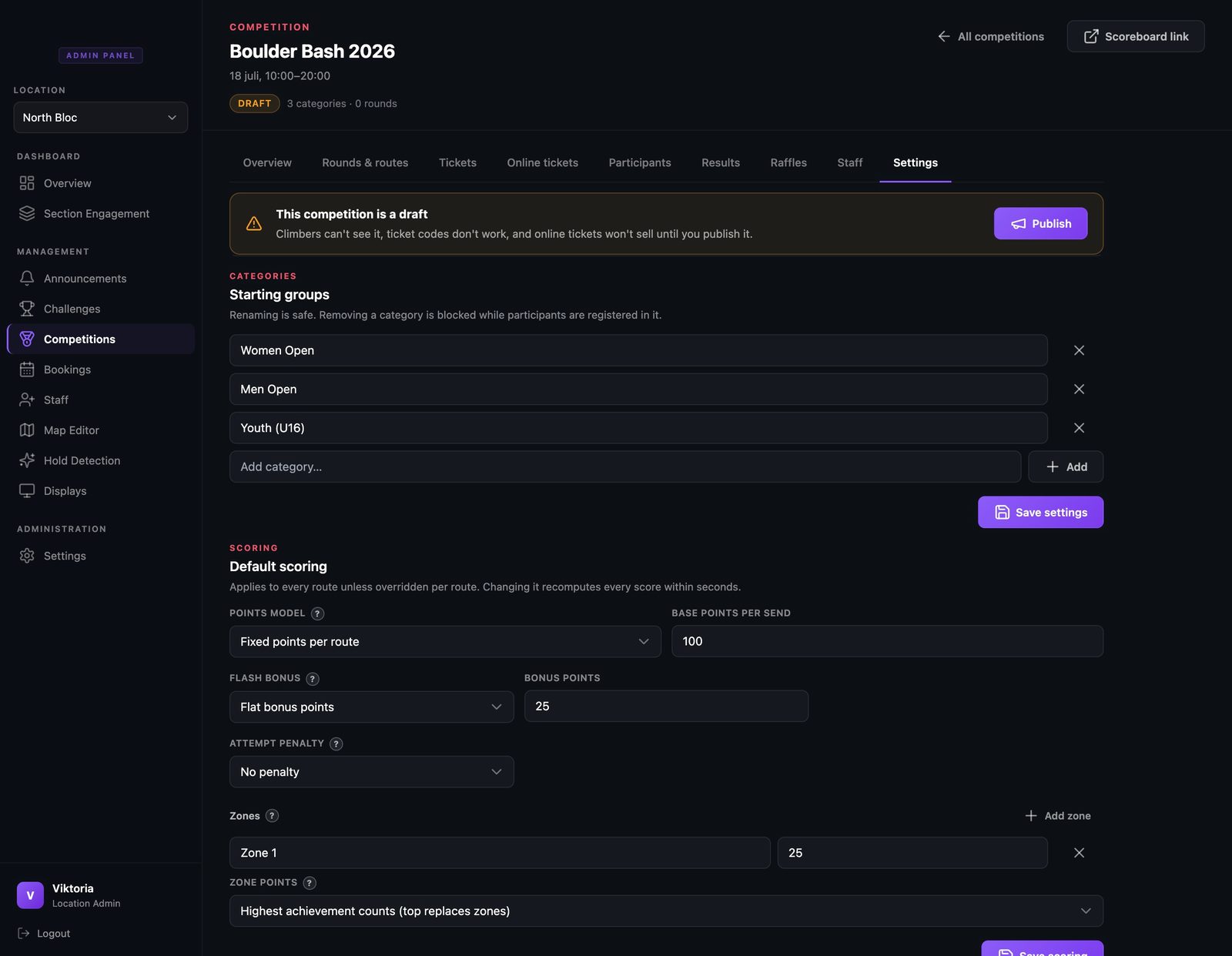
Choose how scoring works
On the Settings tab you can rename categories and set the default scoring. Points per boulder, a flash bonus, and zone points are all plain fields, and each of the fiddly parts has a question mark that explains it in normal words. Keeping the defaults is a fine choice too.
- Step 4
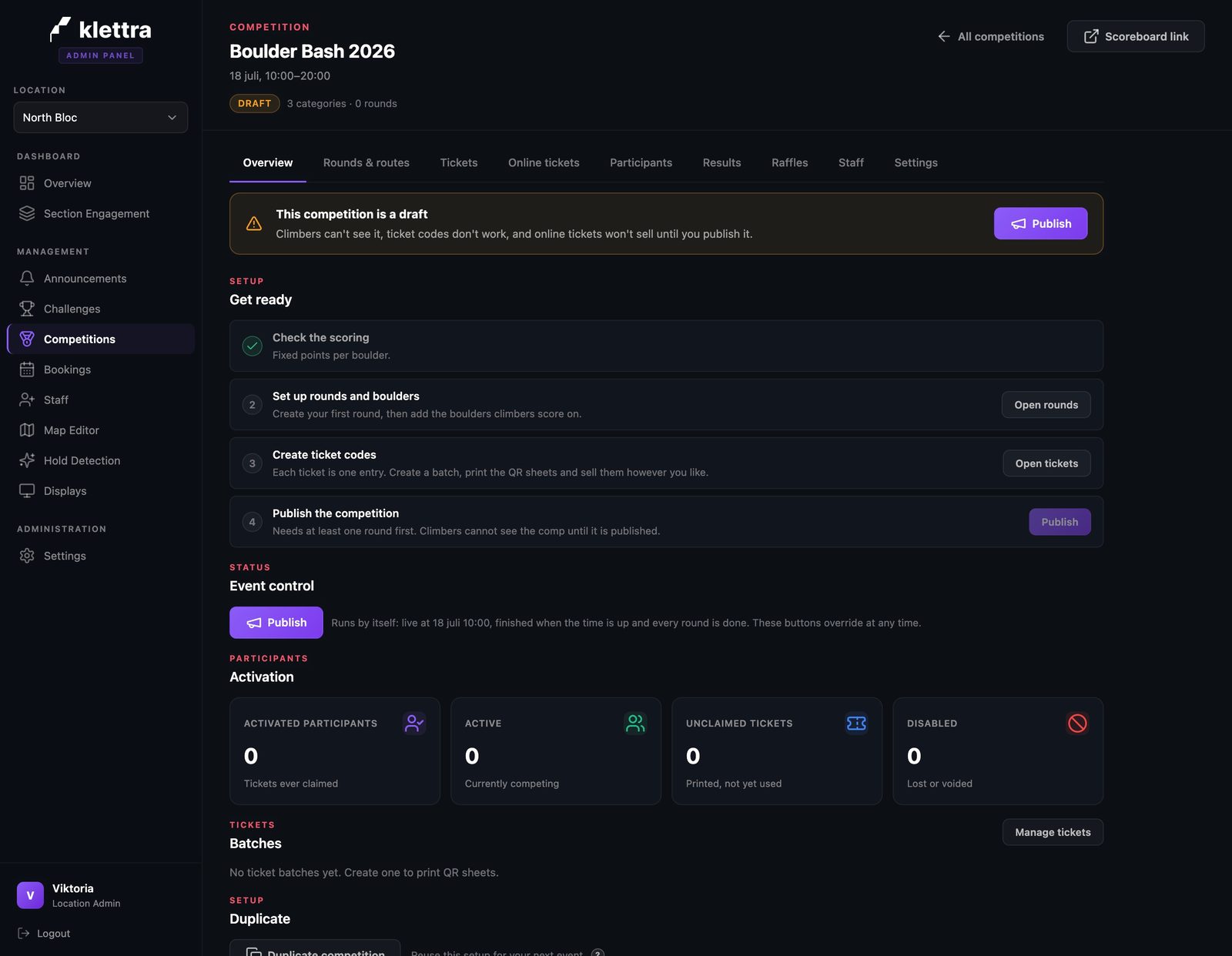
The checklist keeps up
Back on the overview, the scoring step is now green with a short summary of what you chose. The checklist reacts to what you actually did, not to boxes you tick yourself.
- Step 5
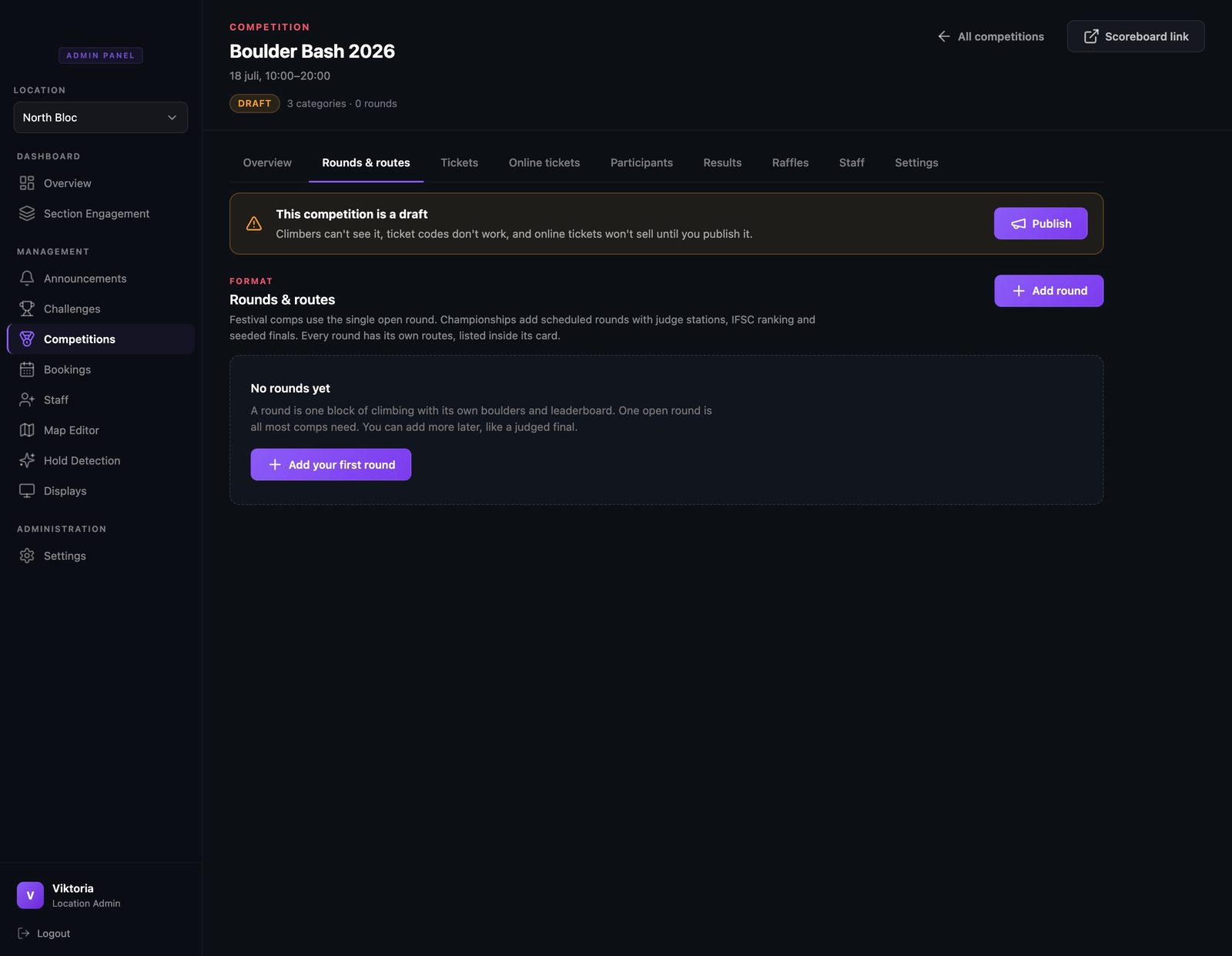
Add your first round
Rounds are where the climbing happens. Most comps need just one open round where everyone logs their own results, and the empty state says exactly that. Add the qualification first.
- Step 6
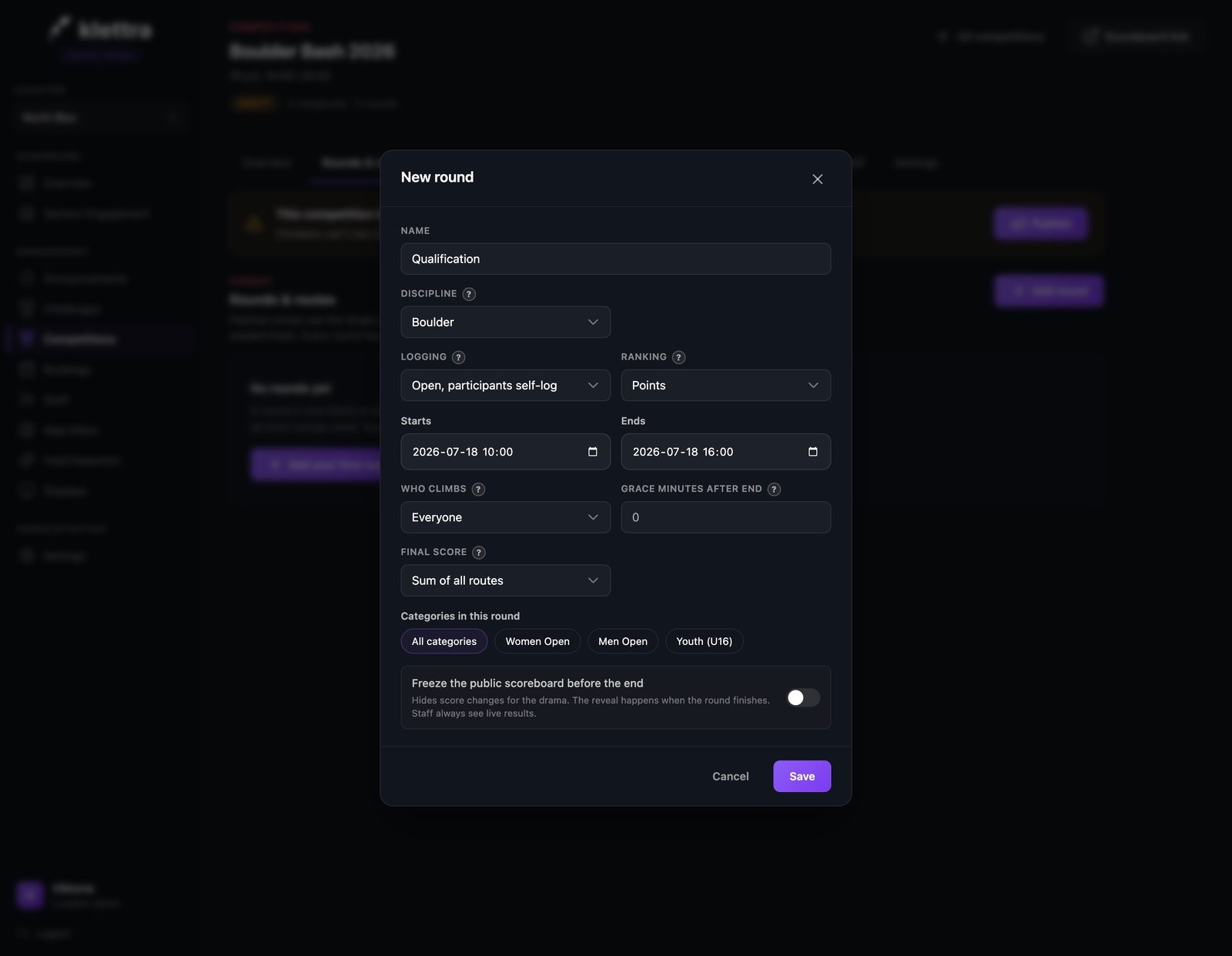
An open round logs itself
An open round is one climbers score themselves, from their phone or the web. Give it a name and a time window, pick points ranking, and choose which categories climb in it. Grace minutes give slow finishers a little room at the end.
- Step 7
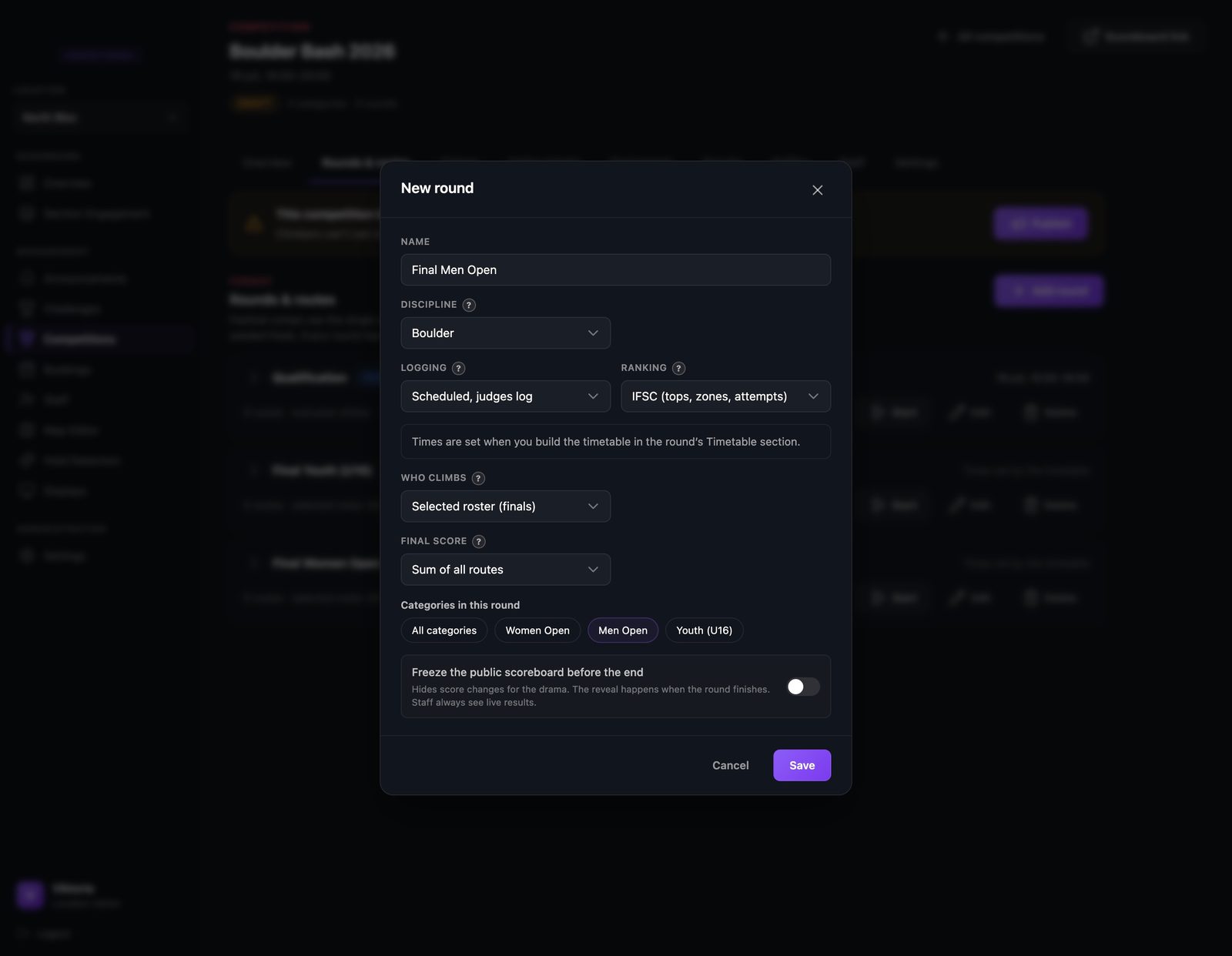
A scheduled final is judged
A scheduled round is the opposite: judges log the results and climbers rotate boulder to boulder on a timetable. Pick IFSC ranking to count tops and zones the way championship finals do. There are no time fields here, because the timetable sets the times later.
- Step 8
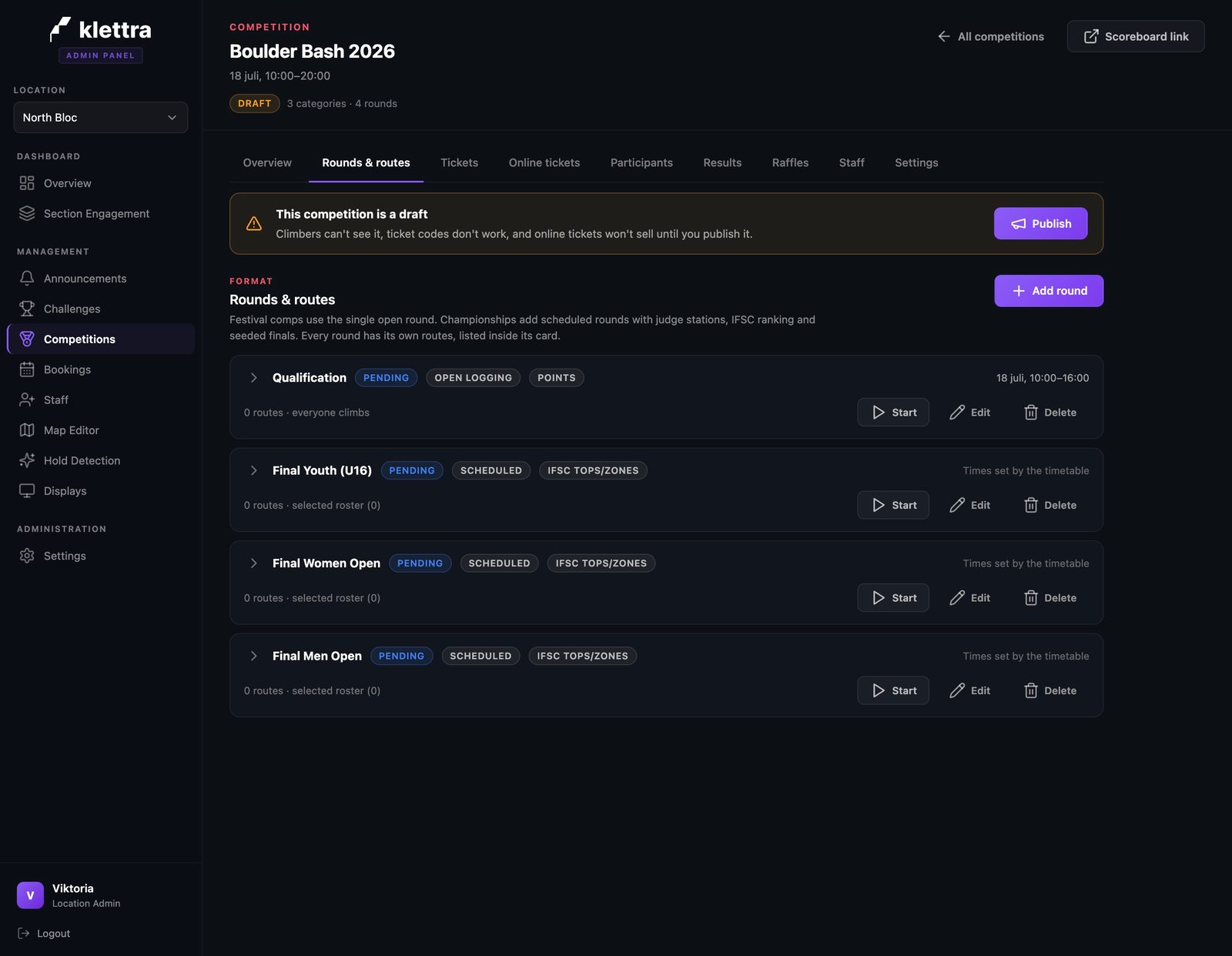
The whole day at a glance
With a qualification and a final per category, the day reads as four cards. Each shows how it is logged, how it is ranked, and when it runs, and you can start, edit, or delete each round right from here.
- Step 9
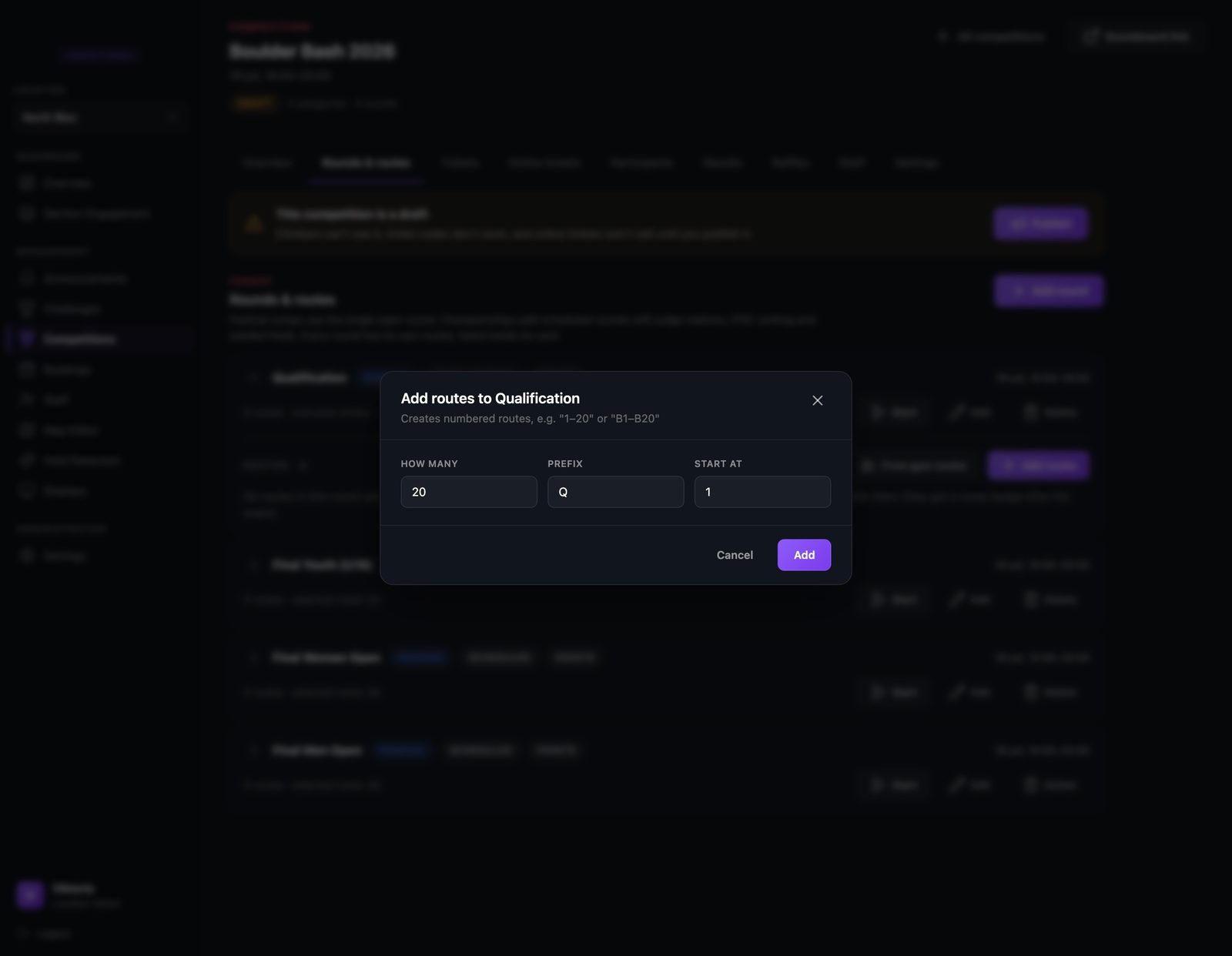
Create the boulders in one go
You do not add twenty boulders one at a time. Tell it how many you have, what to call them, and where to start counting, like Q1 to Q20, and they are created in one click.
- Step 10
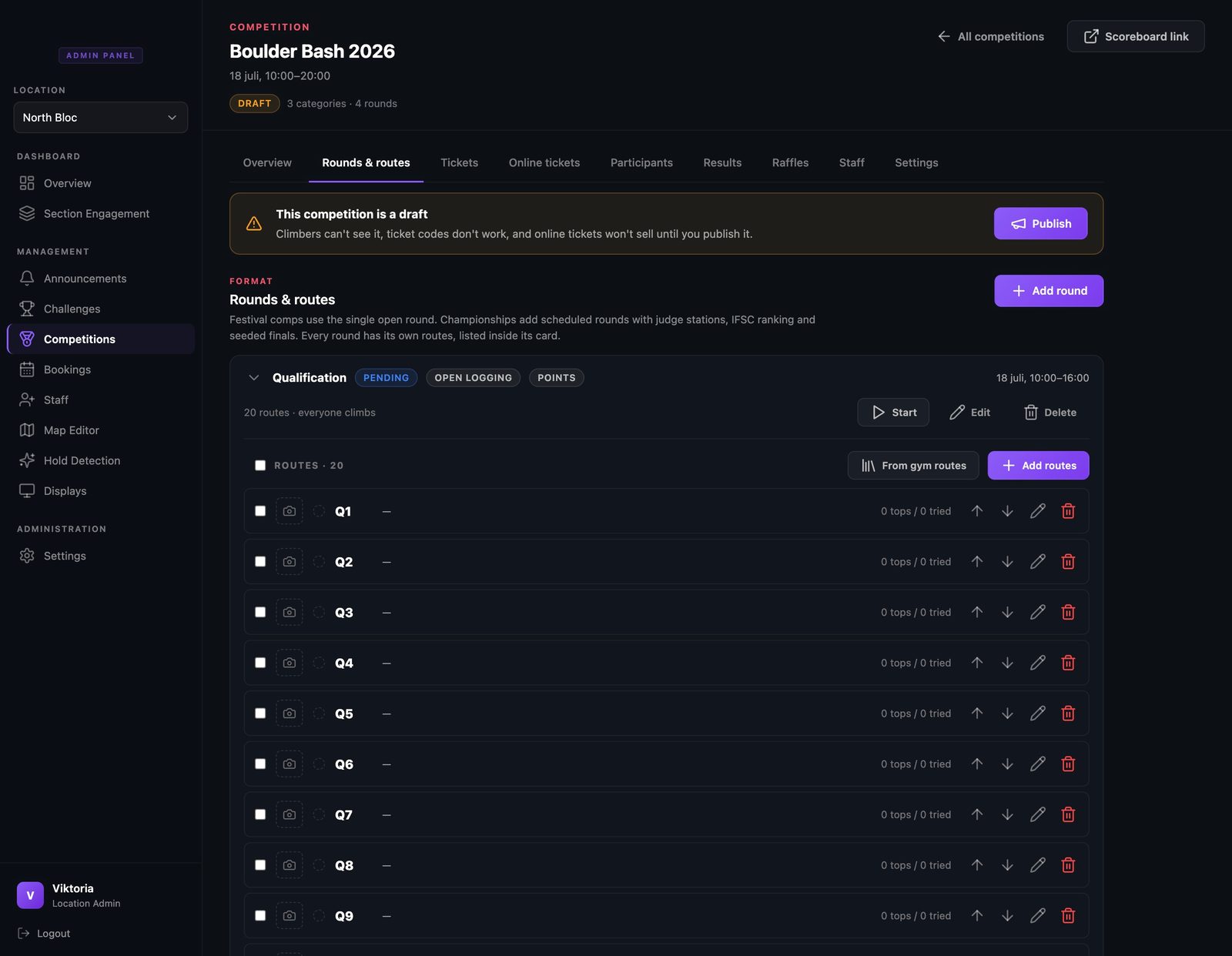
Your boulder list
Every boulder gets a row with a photo slot, live top and try counts once the comp runs, and arrows to reorder. Add photos when the boulders are set and climbers see them right on their scorecards.
- Step 11
Halfway there
Scoring and boulders are done, and the checklist shows it. What is left is tickets and the publish button, and that is the next guide.
That is comp day, covered
Each guide covers one piece of the day. Browse the rest, or see how the whole competition system fits together.